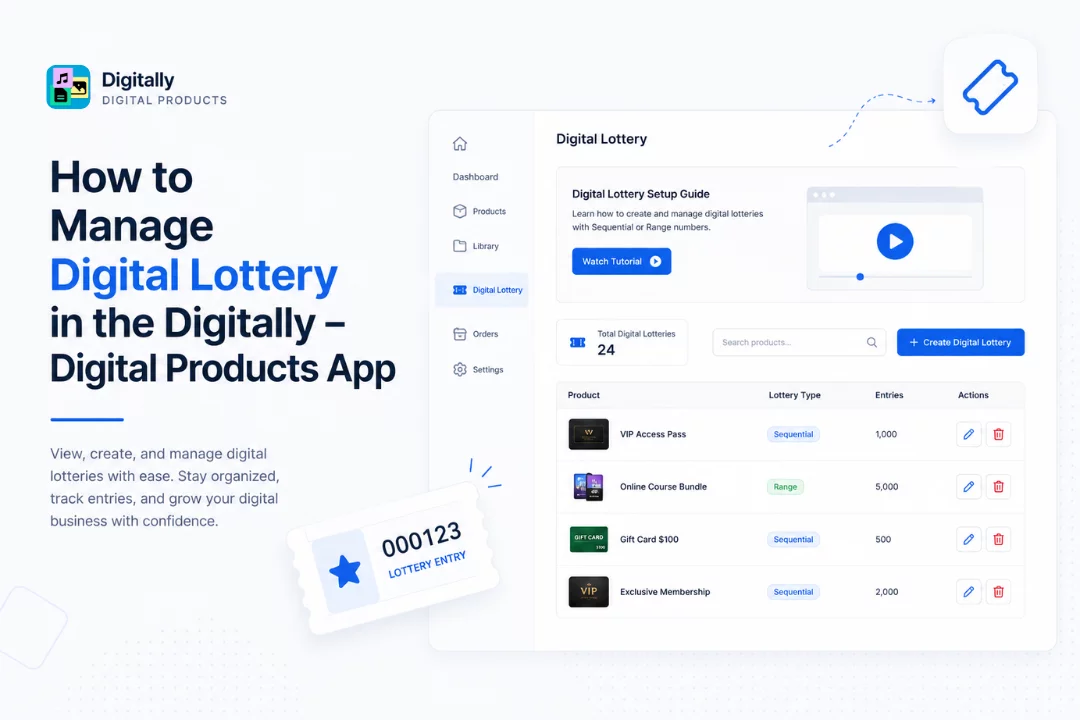
Managing digital lotteries is simple and efficient with the Digitally – Digital Products app. Follow these easy steps to view, create, and manage your digital lottery entries like a pro.
✅ Step 1: Go to the Digital Lottery Page
Start by opening the Digitally – Digital Products app from your Shopify dashboard.
In the left-hand menu, click on “Digital Lottery.” This will take you to the Digital Lottery management page.

🎥 Step 2: Watch the Setup Guide (Optional but Helpful!)
At the top of the page, you’ll see a Digital Lottery Setup Guide card.
It includes a helpful video tutorial that walks you through the entire process of setting up digital lotteries—whether you’re creating Sequential Numbers or Range Numbers.
👉 Just click the “Watch Tutorial” button to start learning instantly!

🔍 Step 3: Search for Products with Lotteries
Below the video section, you’ll find a search bar.
Here, you can easily search for any product that has a digital lottery attached to it.
Enter the product name and hit Search to quickly locate what you need.

➕ Step 4: Create a New Digital Lottery
Next to the search bar, you’ll see two things:
- On the left, the total number of digital lotteries currently in use.
- On the right, a “Create Digital Lottery” button.
Click this button to start setting up a new digital lottery.
Need help with creating one? Check out our guide 👉 [How to Create Digital Lottery in Digitally – Digital Products]

📝 Step 5: Manage Existing Lottery-Enabled Products
Scroll down to see a full list of products with digital lotteries attached. For each product, you’ll see:
- 🖼️ Product image
- 🛍️ Product name
- 🔢 Lottery type (Sequential or Range)
- ✏️ Edit button – Click to change the lottery settings.
[Guide: How to Edit Digital Lottery in Digitally - Digital Products]
- 🗑️ Delete button – Remove a lottery from the product if it’s no longer needed.

💡 You’re All Set!
That’s it! You’ve just learned how to manage digital lottery products from start to finish.
With Digitally – Digital Products, it’s easy to stay organized, track lottery usage, and grow your digital business with confidence.
If you ever need help, our support team is just a click away. 🎧



