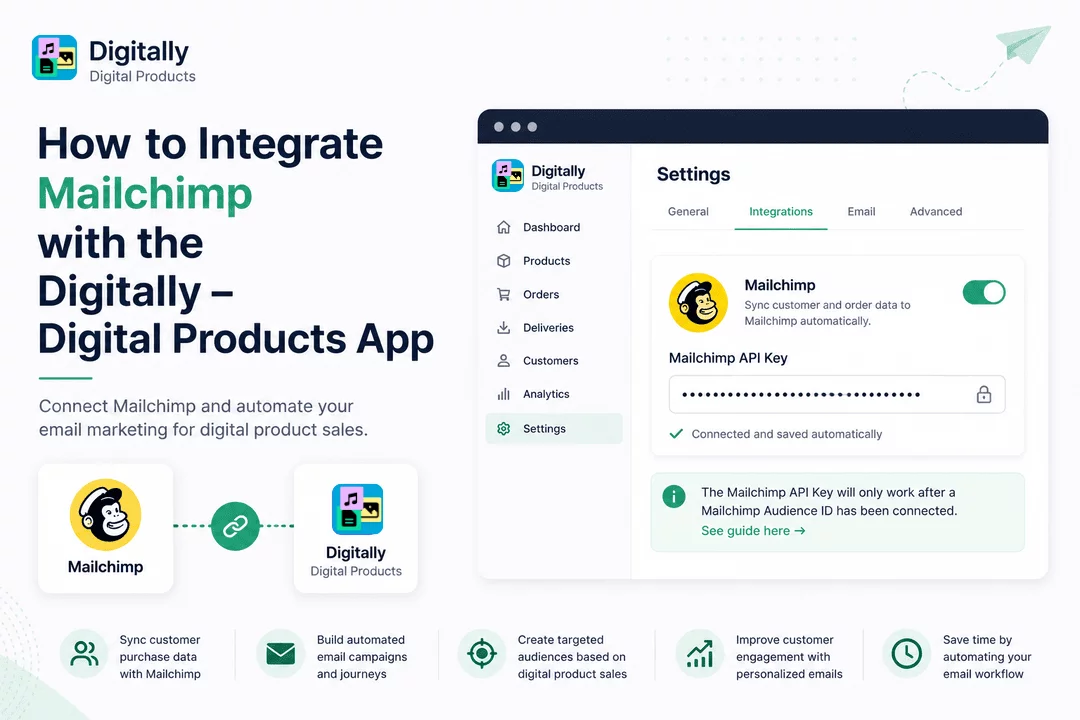
Follow the steps below to connect your Mailchimp account with the Digitally – Digital Products app.
🔹 Step 1: Create or Log In to Mailchimp
- Create a Mailchimp account if you don't already have one.
- Log in if you already have an account. Click here

🙍 Step 2: Open Your Profile
- Click your Profile icon in the top-right corner.
- Select Profile from the dropdown menu.

🔑 Step 3: Open API Keys
- Click Extras from the navigation menu.
- Select API Keys from the dropdown list.

➕ Step 4: Generate an API Key
- Under Your API Keys, click Create A Key.
- Enter a name in the API Key Name field.
- Click Generate Key.


📋 Step 5: Copy the API Key
- Click Copy to Clipboard.
- Important: The full API key will not be displayed again, so be sure to save it in a secure location.
- Click Done.

📱 Step 6: Open the Digitally App
- Log in to your Shopify Admin.
- Open Apps.
- Launch Digitally – Digital Products.

🔗 Step 7: Enable the Mailchimp Integration
- Navigate to Settings → Integrations.
- Locate the Mailchimp integration card.
- Enable the Mailchimp integration.
- Paste your copied API key into the Mailchimp API Key field.


💾 Step 8: Save the API Key
- Click anywhere outside the API Key field.
- Your API key will be saved automatically.

ℹ️ Note: The Mailchimp API Key will only work after a Mailchimp Audience ID has been connected. See guide here
🎉 Congratulations! Your Mailchimp account is now successfully connected to the Digitally – Digital Products app.
Now that the connection has been established successfully. The "digitally_order_delivered" event data will now be automatically sent to your Mailchimp account.
With this integration enabled, you can:
🔄 Sync customer purchase data with Mailchimp.
📧 Build automated email campaigns and customer journeys.
🎯 Create targeted audiences based on digital product purchases.
💬 Improve customer engagement through personalized email marketing.
⚡ Save time by automating your email marketing workflow.
Your Mailchimp integration is now ready to help you grow your digital product business with smarter marketing automation.



