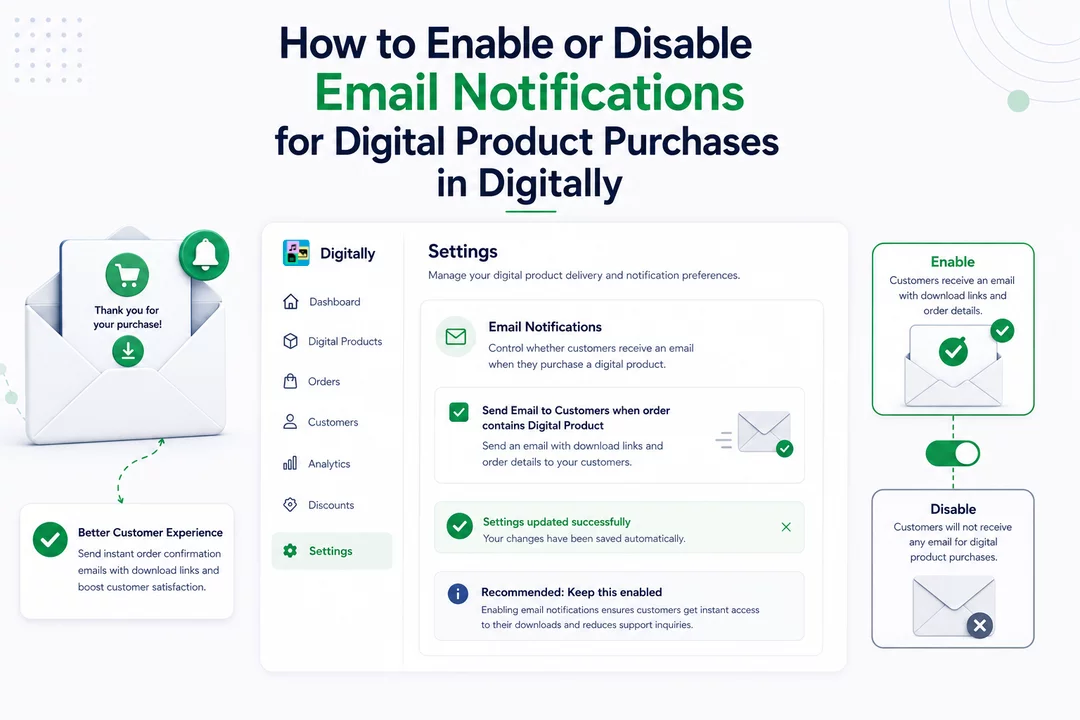
If you're using the Digitally app on Shopify to sell digital products, you have the option to control whether your customers receive an email when they purchase a digital item. By default, it's recommended to keep this email notification enabled to ensure a smooth customer experience. However, you can choose to disable it if you prefer. Shopify Digitally - Digital Products
Here's a simple guide to help you manage this setting:
🔧 Steps to Enable or Disable Email Notifications
Step 1. Access Your Shopify Admin Panel
Log in to your Shopify admin account.
Step 2. Navigate to the Digitally App Settings
In the left-hand menu, click on Apps.

Then, select Digitally – Digital Products from your list of installed apps.

Step 3. Go to the Settings Page
Once inside the Digitally app, click on the Settings tab.

Step 4. Locate the Email Notification Setting
In the first card of the settings page, you'll find a checkbox labeled:
"Send Email to Customers when order contains Digital Product"

Step 5. Adjust the Setting
- To Enable: Ensure the checkbox is checked. This will send an email to your customers when they purchase a digital product.
- To Disable: Uncheck the box. This will prevent the email from being sent.
Step 6. Save Your Changes
After enable/disable the checkbox it will automatically save your changes, notify you with a toast.

📩 Why You Should Keep Email Notifications Enabled
Enabling email notifications ensures that your customers receive a confirmation email with download links for their digital products. This enhances the customer experience by providing immediate access to their purchases and reduces the likelihood of support inquiries related to missing download links.



