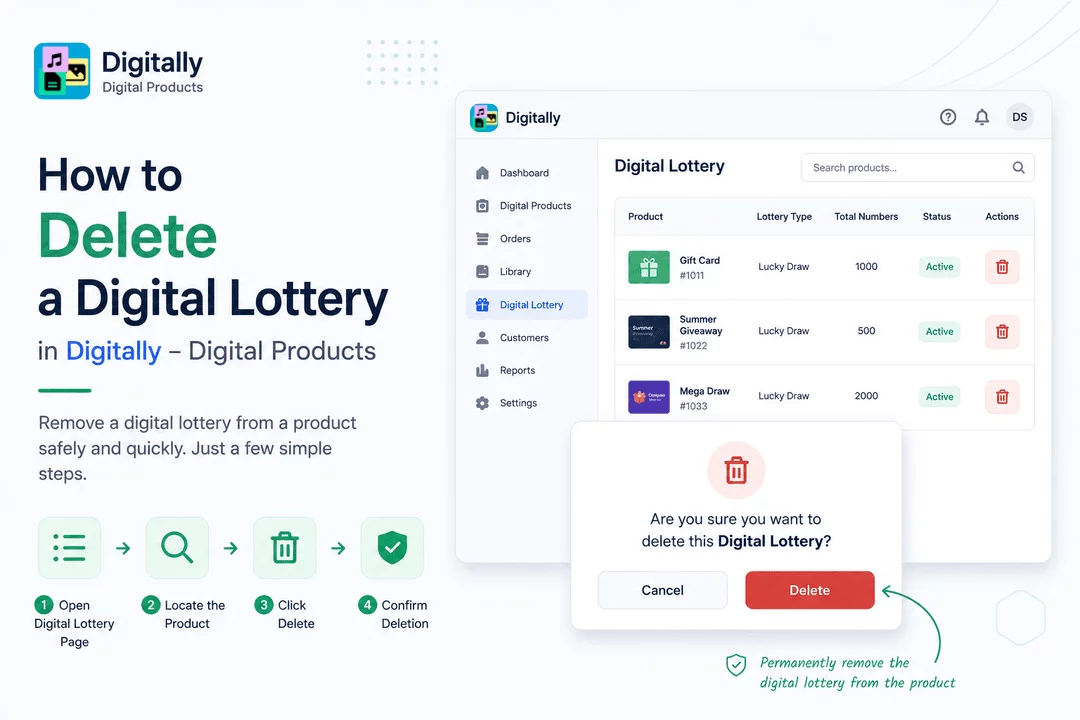
Need to remove a digital lottery from a product? It only takes a few steps! Here’s how to delete a digital lottery safely and quickly.
✅ Step 1: Open the Digital Lottery Page
First, open the Digitally – Digital Products app from your Shopify dashboard.
From the side menu, click on “Digital Lottery” to access your list of lottery-enabled products.

🔍 Step 2: Locate the Product
On the Digital Lottery page, you’ll see a list of all products with digital lotteries.
Use the search bar to find the specific product whose lottery you want to delete.

🗑️ Step 3: Click the “Delete” Button
Once you’ve found the product, click the “Delete” button next to it.
This will open a confirmation popup.

⚠️ Step 4: Confirm Deletion
A modal will appear asking:
“Are you sure you want to delete this Digital Lottery?”
If you're certain, click the “Delete” button to permanently remove the digital lottery from the product.

🎉 That’s It!
You’ve successfully deleted a digital lottery in the Digitally – Digital Products app. The product will no longer deliver lottery numbers to customers.



