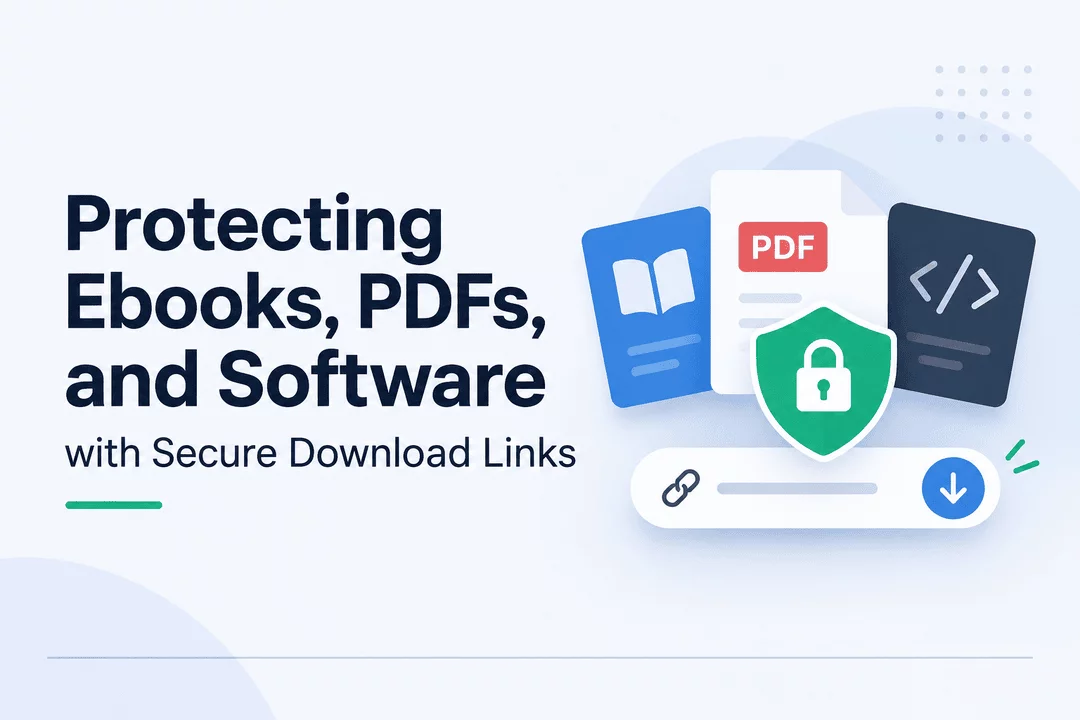
Protecting Ebooks, PDFs, and Software with Secure Download Links
Selling digital products online offers convenience, flexibility, and the opportunity to reach customers worldwide. From ebooks and PDF guides to software, templates, and digital courses, customers can receive their purchases instantly without waiting for physical shipping.
However, digital products come with a challenge: once a file is delivered, controlling how it is accessed and shared becomes more difficult.
A single download link shared publicly can allow unauthorized users to access files without making a purchase. For Shopify merchants, this can lead to lost sales, reduced revenue, and less control over their digital content.
This is why secure download links are an important part of running a digital product business.
In this guide, we'll explore how secure download links work, why they matter, and how Shopify merchants can use Digitally to manage and protect their digital products.
1. Why Digital Products Need Protection
Unlike physical products, digital files can be copied, duplicated, and distributed almost instantly. Once someone has access to a file, they may share it with others through messaging apps, websites, cloud storage, or online communities.
Some common risks include:
- Unauthorized file sharing: Customers may distribute purchased ebooks, PDFs, or software files without permission.
- Public download links: Easily accessible links can be shared outside the original purchase.
- Lost revenue: People who access files without purchasing them represent potential lost sales.
- Content piracy: Creators may find their original work distributed across unauthorized websites.
- Limited access control: Without proper delivery management, merchants may struggle to control who can access their products.
While no digital protection method can completely eliminate piracy, implementing secure delivery practices can reduce unauthorized access and make digital products more difficult to distribute without permission.
Secure download links are links designed to provide controlled access to digital files rather than exposing permanent, unrestricted file URLs.
Depending on the delivery system, these links can include features such as:
- Unique download URLs for individual orders.
- Limited download attempts.
- Expiration dates or time-based access.
- Access restrictions for unauthorized users.
- Download activity monitoring.
- Order-based access management.
For example, imagine a customer purchases an ebook from your Shopify store. Instead of displaying a permanent public file URL, your digital delivery system provides a download link associated with the purchase.
The customer can access the purchased ebook through the designated delivery process, while the merchant retains better control over file access.
The exact level of protection depends on the delivery platform and its available security features.
2. What Are Secure Download Links?
Secure download links are links designed to provide controlled access to digital files rather than exposing permanent, unrestricted file URLs.
Depending on the delivery system, these links can include features such as:
- Unique download URLs for individual orders.
- Limited download attempts.
- Expiration dates or time-based access.
- Access restrictions for unauthorized users.
- Download activity monitoring.
- Order-based access management.
For example, imagine a customer purchases an ebook from your Shopify store. Instead of displaying a permanent public file URL, your digital delivery system provides a download link associated with the purchase.
The customer can access the purchased ebook through the designated delivery process, while the merchant retains better control over file access.
3. How Secure Download Links Work
Secure digital delivery generally follows a simple process:
Step 1: Customer Purchases a Digital Product
A customer visits your Shopify store, selects an ebook, PDF, template, or software product, and completes checkout.
Step 2: Payment Is Confirmed
After the payment is successfully processed, the digital delivery system identifies the eligible order.
Step 3: A Download Link Is Generated
The system provides the customer with access to the purchased digital product through a download link or delivery page.
Step 4: Customer Downloads the File
The customer uses the provided link to access the purchased content without waiting for manual delivery.
Step 5: Access Is Managed
Depending on the platform's capabilities, merchants can manage download limits, expiration settings, order access, and download activity.
This automated process makes digital delivery faster and reduces the need to manually send files after every purchase.
4. Best Practices for Protecting Ebooks and PDFs
Ebooks, educational materials, reports, worksheets, and PDF guides are popular digital products. Protecting these files requires more than simply uploading them to your store.
Here are some practical ways to improve their security.
Use Controlled Download Links
Avoid sharing unrestricted public URLs for paid content. Use a digital delivery solution that provides controlled download access.
Set Download Limits
If your delivery platform supports download limits, consider setting a reasonable number of attempts for each purchase.
This helps reduce excessive downloading and discourages casual link sharing while allowing genuine customers to access their purchases.
Use PDF Stamping
PDF stamping can add identifying information, such as a customer's name, email address, or order details, to downloaded PDF files.
This can discourage unauthorized redistribution because the document may contain information associated with the original purchase.
Configure Download Expiration
For products that require temporary access, expiration settings can help limit how long a download link remains available.
Choose an expiration period that gives legitimate customers enough time to download their purchases.
Monitor Download Activity
Download tracking can help merchants understand how customers interact with their digital products.
Unusual activity, such as repeated downloads, may indicate that an order needs further review.
5. How to Protect Software and License Keys
Software products require a slightly different approach to digital security.
Unlike ebooks and PDFs, software purchases may include installation files, activation codes, product keys, or license credentials.
Merchants selling software should consider the following practices:
- Deliver unique license keys instead of sharing the same code with multiple customers.
- Automate license key delivery after successful payment.
- Keep license keys organized and associated with the correct orders.
- Use controlled download access for installation files.
- Track license key usage where supported.
- Provide clear activation instructions to customers.
For example, when a customer purchases a software license through Shopify, an automated delivery system can send the assigned license key along with the relevant download or activation instructions.
This reduces manual work and makes the purchasing experience more convenient.
6. Using Custom Download Links for Digital Products
Not every digital product needs to be delivered as a traditional file attachment.
Some merchants sell products hosted on external platforms, including online courses, private resources, software portals, or membership platforms.
Custom download links can help connect Shopify purchases with these external resources.
For example:
- An online course seller can provide access to a course platform.
- A software merchant can direct customers to an installation or account activation page.
- A template seller can provide access to an external resource library.
- A membership business can redirect customers to its designated content area.
When using custom links, make sure the destination platform has its own appropriate authentication and access controls. A custom URL alone does not automatically make an external resource secure.
7. How Digitally Helps Shopify Merchants Manage Digital Deliveries
Managing digital products manually can become difficult as order volumes increase. Merchants need a reliable way to organize files, deliver purchases, and manage customer access.
Digitally – Digital Products helps Shopify merchants automate digital product delivery directly through their stores.
With Digitally, merchants can manage different types of digital products, including downloadable files, ebooks, PDFs, software, license keys, and custom links.
Here are some useful capabilities:
Automated Digital File Delivery
Upload digital files to your products and provide customers with access after purchasing. This reduces manual delivery work and helps customers receive their products faster.
Download Management
Manage digital product access and configure available download restrictions, such as download limits and expiration settings, where supported by your product configuration.
PDF Stamping
Add customer-related identifying information to supported PDF downloads. This can discourage customers from sharing purchased documents publicly.
License Key and Code Delivery
Upload license keys or codes, including through CSV files, and automate their delivery to customers after purchase.
Custom Download Links
Create custom links with a title, redirect URL, and optional link details to deliver external digital resources.
Order Management
Manage digital orders, review customer information, and handle access-related tasks from the Digitally dashboard.
Download Analytics
Use download activity insights to understand how customers interact with your digital products and identify patterns that may require attention.
Together, these tools help Shopify merchants organize their digital products, automate delivery, and manage customer access more efficiently.
8. Building a More Secure Digital Product Store
Digital product security should be part of your business setup from the beginning.
Whether you sell ebooks, PDF guides, software, templates, or educational resources, your delivery process should make purchasing convenient while reducing unnecessary access risks.
Start by choosing a suitable digital delivery solution, organizing your product files, configuring available download restrictions, and testing the entire customer journey.
As your business grows, regularly review your delivery settings and download activity to identify opportunities for improvement.
Final Thoughts
Secure download links play an important role in protecting digital products and managing customer access. They help Shopify merchants deliver purchased content more efficiently while reducing the risks associated with unrestricted file sharing.
Although no system can guarantee complete protection against digital piracy, combining controlled download access, PDF stamping, download monitoring, and automated delivery can make your digital product business more manageable.
With Digitally – Digital Products, Shopify merchants can bring file delivery, license key management, custom links, and digital order management together in one place.
If you're planning to sell ebooks, PDFs, software, or other downloadable products on Shopify, building a reliable delivery process is a valuable step toward growing your business.
Frequently Asked Questions
You can protect ebooks and PDFs by using secure download links, setting download limits, configuring link expiration, and adding customer-identifying information through PDF stamping. These methods help reduce unauthorized sharing and improve control over digital content.
No. Secure download links can reduce unauthorized access and casual sharing, but they cannot completely prevent piracy. Once customers download a file, they may still copy or redistribute it. Additional protection, such as PDF stamping and license key management, can help discourage misuse.
Digitally – Digital Products helps Shopify merchants manage digital file delivery with features such as download restrictions, PDF stamping, custom download links, and download activity insights. These tools help merchants organize deliveries and manage customer access more effectively.
Yes. You can use a digital delivery app to provide controlled access to software installation files and automatically deliver unique license keys after successful purchases. You should also use appropriate licensing and activation controls to prevent unauthorized software usage.
Yes. Digitally supports Shopify merchants selling various digital products, including ebooks, PDFs, downloadable files, software, license keys, and external digital resources through custom links. It helps automate delivery and manage digital orders from one place.
Secure download links
Digitally
Digital Products
Secure Downloads
Ebook Protection
PDF Security
Software Delivery

Digitally ‑ Digital Products
Sell files, e-books, license keys, promo codes & digital links
 Install Now