How to Sell eSIMs Online: A Complete Guide for Beginners
The way people connect to the internet is changing. Travelers, remote workers, international students, and frequent flyers increasingly need flexible mobile connectivity without purchasing a physical SIM card.
That's where eSIMs come in.
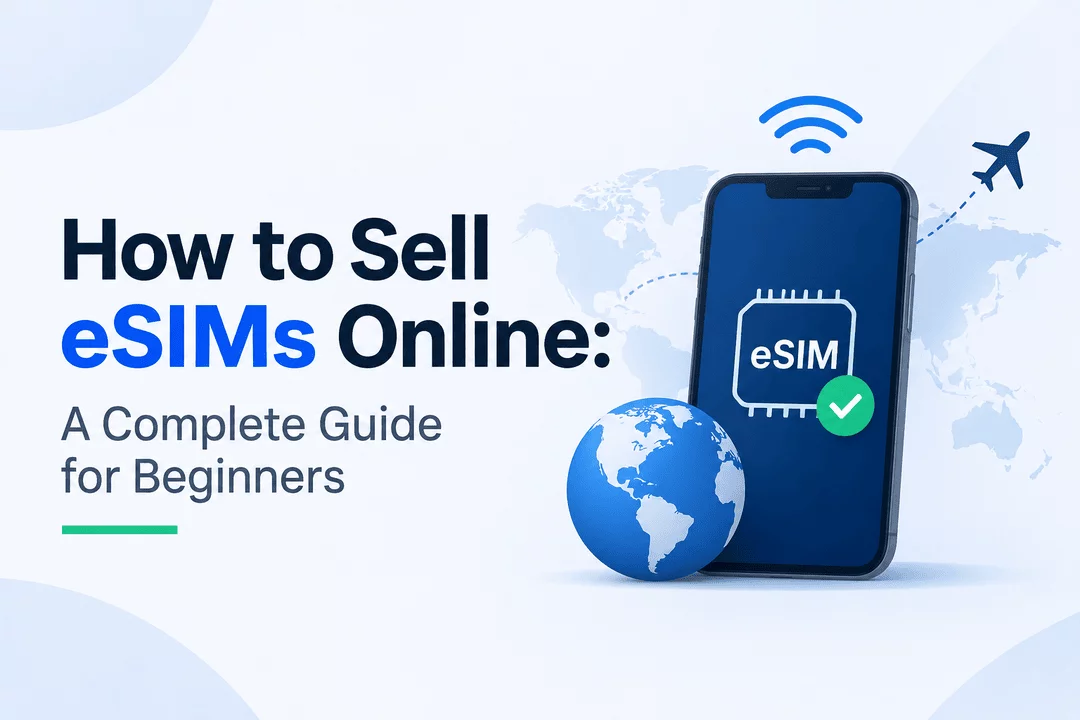
An eSIM (embedded SIM) allows users to activate a mobile data plan digitally without inserting a traditional SIM card into their device. Instead of waiting for a physical SIM to arrive, customers can purchase an eSIM online, receive activation details, and connect to a mobile network using a QR code or activation information.
For entrepreneurs, this creates an opportunity to build an online business selling digital connectivity products.
But how do you actually sell eSIMs online? What do you need to get started? And how can you deliver eSIM activation details automatically after a customer completes a purchase?
In this guide, we'll explain everything beginners need to know about starting an eSIM business, setting up an online store, managing digital inventory, and delivering eSIM products securely.
What Is an eSIM and How Does It Work?
An eSIM is a digital SIM built directly into compatible smartphones, tablets, smartwatches, and other connected devices.
Unlike traditional SIM cards, which require a physical chip, an eSIM can be activated by downloading a mobile network profile.
Here's how the process typically works:
- A customer purchases an eSIM data plan online.
- The seller provides an eSIM QR code or activation details.
- The customer opens their device's mobile network settings.
- They scan the QR code or enter the activation information manually.
- The eSIM profile is installed and activated according to the provider's instructions.
For sellers, the important part is that eSIM products can be delivered digitally, making them suitable for automated online sales.
Choose Which Types of eSIM Products to Sell
Before launching your store, decide what kind of eSIM products you want to offer.
There are several business models to consider.
Travel eSIMs
Travel eSIMs are designed for people visiting other countries. Customers can purchase mobile data before traveling and activate it when they reach their destination.
Examples include:
- Europe travel eSIMs
- USA travel eSIMs
- Asia regional eSIMs
- Global travel data plans
- Country-specific internet packages
Regional eSIMs
Regional eSIMs provide connectivity across multiple countries within a particular region.
For example, a single plan might cover several European or Asian destinations.
Local Country eSIMs
These plans target customers who need mobile connectivity in one specific country.
Examples include:
- UK data eSIM
- Japan travel eSIM
- Turkey data eSIM
- UAE travel eSIM
Unlimited Data eSIMs
Some providers offer plans marketed as unlimited data. However, sellers should clearly explain fair-use policies, speed restrictions, and hotspot limitations where applicable.
Find a Reliable eSIM Supplier or Network Provider
One of the most important steps is finding a reliable source for your eSIM inventory.
Most beginners don't operate their own mobile network. Instead, they work with established eSIM providers, telecom operators, or wholesale connectivity suppliers.
When evaluating suppliers, consider:
- Coverage: Which countries and regions are supported?
- Pricing: What are the wholesale costs and profit margins?
- Activation: Are QR codes and activation details provided instantly?
- Compatibility: Which smartphones and devices support the plans?
- Support: Can the provider help with activation problems?
- Refund policy: What happens if an eSIM cannot be installed or activated?
- API integration: Can your store automatically receive and distribute eSIM details?
Compare multiple suppliers before choosing one. Test the purchasing and activation process yourself before selling to customers.
Important: Make sure your supplier authorizes you to resell its eSIM plans and that you understand any applicable telecom, consumer protection, and regional requirements.
Create an Online Store to Sell eSIMs
Once you have a supplier, the next step is building an online store.
Shopify is one option for creating an eSIM store because it allows entrepreneurs to manage products, payments, orders, and customer information from one dashboard.
You can organize your store into categories such as:
- Travel eSIMs
- Regional data plans
- Country-specific eSIMs
- Global connectivity packages
- Short-term and long-term plans
What Should Your eSIM Product Page Include?
A good product page should answer the questions customers have before purchasing.
Include:
Product detail | What to explain |
Destination | Supported country or region |
Data allowance | 1GB, 5GB, 10GB, etc. |
Validity | 7 days, 15 days, 30 days |
Network | Supported mobile networks |
Device compatibility | Compatible phones and tablets |
Activation | QR code or manual activation |
Restrictions | Hotspot, speed, and fair-use limits |
Support | How customers can get help |
Clear product information helps customers choose the right plan and reduces confusion after purchase.
Set Up Automatic eSIM Delivery After Purchase
This is one of the most important parts of running an eSIM business.
Customers purchasing digital connectivity products generally expect to receive their activation information quickly. Manual delivery can become difficult when your store starts receiving multiple orders every day.
An automated delivery system can simplify the process.
Here's an example of a typical eSIM delivery workflow:
- A customer selects an eSIM product.
- They complete checkout on your Shopify store.
- The order is processed.
- The eSIM QR code, activation code, or custom activation link is assigned to the order.
- The customer receives the activation information through email or a download page.
- The customer follows the instructions to install the eSIM.
There are different ways to manage this process:
Method 1: Manual eSIM Delivery
For a new business with a small number of orders, manual delivery may be enough.
You can receive an order, retrieve the corresponding eSIM details from your supplier, and send the information to the customer.
However, this approach requires more time and can lead to delays or incorrect deliveries as order volume increases.
Method 2: Automated Delivery Using Digital Product Software
Digital delivery software can help Shopify sellers distribute activation information after checkout.
For example, Digitally – Digital Products allows Shopify merchants to deliver digital content such as files, custom links, and license or activation keys.
For an eSIM store, you can use its digital delivery capabilities to distribute supplier-provided activation information, such as:
- eSIM QR code files
- Activation instructions
- Custom activation links
- Unique activation codes
- PDF setup guides
You can also use email templates and download pages to organize the customer delivery experience.
The important distinction is that digital delivery software distributes the eSIM information you provide. It does not generate mobile network profiles, supply cellular connectivity, or replace your eSIM provider's activation system.
Deliver eSIMs Through QR Codes, Activation Codes, and Custom Links
eSIM activation information can be delivered in several formats. Choosing the right format depends on your supplier and the customer's device.
QR Code Delivery
QR codes are one of the most common ways to install an eSIM.
Your supplier provides a QR code that customers scan through their phone's mobile network settings.
You can deliver the QR code as:
- A downloadable PNG or JPG image
- A PDF containing the QR code and instructions
- An image attached to an order confirmation email
Activation Code Delivery
Some providers offer manual activation details instead of, or alongside, QR codes.
These may include:
- SM-DP+ address
- Activation code
- Confirmation code, if required
Customers can enter these details manually when their device supports this activation method.
Custom Link Delivery
Some eSIM providers offer custom activation URLs or customer-specific installation links.
You can distribute these links through automated emails or digital download pages.
This approach is useful when customers need to access a specific activation page rather than download a file.
Set Up Clear eSIM Activation Instructions
Delivering an eSIM QR code is only part of the customer experience. Customers also need to understand how to install and activate it.
Create a simple setup guide for every eSIM product.
Your instructions should cover:
Step 1: Check device compatibility
Explain that customers should confirm their smartphone supports eSIM functionality and is not restricted by a carrier lock.
Step 2: Connect to Wi-Fi
Recommend connecting to a stable Wi-Fi network before installing the eSIM.
Step 3: Open mobile settings
Provide instructions for both iPhone and Android devices. Menu names may differ depending on the operating system and manufacturer.
Step 4: Scan the QR code
Ask customers to scan the QR code provided with their order or enter the activation details manually if supported.
Step 5: Configure mobile data
Explain when to select the new eSIM for mobile data and whether data roaming should be enabled according to the provider's instructions.
Step 6: Start using the plan
Explain when the plan's validity period begins and how customers can check their remaining data.
A well-written activation guide can reduce support requests and improve customer satisfaction.
Set Your Pricing and Profit Margins
Pricing is another important part of building an eSIM business.
Your selling price should cover the supplier's wholesale cost, payment processing fees, marketing expenses, customer support, and other operating costs.
For example, consider this hypothetical pricing model:
Item | Example amount |
Supplier cost | $5.00 |
Selling price | $9.99 |
Gross profit | $4.99 |
Gross margin | 49.95% |
These are illustrative figures, not actual supplier prices.
You can experiment with different pricing strategies:
- Competitive pricing: Offer attractive prices compared with similar plans.
- Bundle pricing: Combine data plans for multiple destinations.
- Tiered pricing: Offer different data allowances and validity periods.
- Seasonal promotions: Create special offers during travel seasons.
- Repeat customer offers: Give returning customers discounts on future purchases.
Always calculate your margins after accounting for operational expenses.
Market Your eSIM Products Online
Having an online store doesn't automatically bring customers. You need a marketing strategy that reaches people looking for affordable and convenient mobile connectivity.
Here are some practical ways to promote your eSIM products.
Search Engine Optimization (SEO)
Create helpful content targeting searches related to travel connectivity.
Blog topic ideas include:
- Best eSIM for International Travel
- How to Install an eSIM on iPhone
- eSIM vs Physical SIM: What's the Difference?
- Best eSIM for Traveling to Europe
- How Much Data Do You Need When Traveling?
- How to Activate an eSIM Before Your Trip
Link these articles to relevant eSIM product pages.
Social Media Marketing
Use platforms such as Instagram, TikTok, Facebook, and Pinterest to share travel tips, destination guides, and eSIM tutorials.
Short videos showing how to install an eSIM can be particularly useful for educating potential customers.
Travel Influencer Partnerships
Collaborate with travel bloggers, digital nomads, and content creators who regularly share international travel experiences.
They can introduce your eSIM products to audiences who may already need international mobile data.
Email Marketing
Build an email list and share:
- New destination coverage
- Special travel offers
- Seasonal promotions
- eSIM installation guides
- Reminders about upcoming trips, with appropriate customer consent
Provide Customer Support and Build Trust
Connectivity products require clear customer support because activation issues can affect a customer's ability to access the internet while traveling.
Prepare answers to common questions, including:
- Does my phone support eSIM?
- Can I install an eSIM before traveling?
- When does my data plan become active?
- Can I reinstall an eSIM after deleting it?
- Does the plan include calls and SMS?
- Can I use mobile hotspot sharing?
- What happens if my QR code doesn't work?
You should also clearly display your refund, cancellation, and replacement policies.
Never promise that every eSIM can be reinstalled or transferred. These conditions depend on the supplier and mobile operator.
Good customer support helps build trust and encourages repeat purchases.
Common Mistakes to Avoid When Selling eSIMs
Beginners often focus on building a store but overlook important details that affect the customer experience.
Here are some mistakes to avoid:
Common mistake | How to avoid it |
Selling incompatible plans | Clearly list device compatibility requirements |
Unclear coverage information | Specify supported countries and networks |
Delayed delivery | Use reliable digital delivery workflows |
Incorrect QR codes | Test supplier activation details before delivery |
Hidden plan restrictions | Explain fair-use and hotspot limitations |
No activation guide | Include clear installation instructions |
Poor refund policies | Publish transparent terms and conditions |
Unreliable suppliers | Test suppliers and monitor service quality |
Avoiding these mistakes from the beginning can make your eSIM store more reliable and professional.
How Digitally Can Help You Deliver eSIM Products on Shopify
When selling eSIMs through Shopify, delivering activation information efficiently is an important part of the business.
Digitally – Digital Products is a Shopify app designed to help merchants deliver digital products automatically after purchase.
Although Digitally is not an eSIM network provider, its digital delivery features can support the distribution of eSIM-related files and activation information supplied by your connectivity provider.
Some useful capabilities include:
- Digital file delivery: Distribute eSIM QR codes, PDF guides, and setup instructions.
- Custom links: Provide direct access to supplier-hosted activation pages.
- License and activation keys: Deliver unique codes when your supplier provides compatible activation information.
- Automated emails: Send digital product information through customizable email templates.
- Download pages: Give customers a convenient place to access their digital purchases.
- Download limits and expiring links: Add controls to supported digital downloads.
- Manual delivery: Handle products that require additional processing before delivery.
For example, imagine a customer purchases a 5GB Europe eSIM from your Shopify store.
After receiving the eSIM activation details from your supplier, you can organize the QR code, installation guide, and relevant activation information as digital content for delivery through Digitally.
This creates a more organized purchasing experience without requiring you to manually send every digital file or instruction.
You can learn more about the app here: Digitally – Digital Products on Shopify.
Conclusion
Selling eSIMs online is an interesting opportunity for entrepreneurs looking to enter the digital products market.
You don't necessarily need to operate a telecommunications network yourself. By partnering with a reliable eSIM supplier, creating an informative Shopify store, and establishing an effective digital delivery process, you can build a business around digital connectivity products.
Start with a small selection of reliable eSIM plans, test the activation experience, provide clear instructions, and focus on customer support.
As your business grows, automation can help you manage orders and deliver activation information more efficiently.
The key is simple: provide reliable connectivity products, make activation easy, and create a smooth experience from purchase to connection.
Frequently Asked Questions
Yes. Beginners can start an eSIM business by partnering with an authorized eSIM supplier or wholesale provider. You can create an online store, list available data plans, and sell them without operating your own mobile network.
Yes. Shopify can be used to sell eSIM products as digital products. You need a reliable supplier and a suitable delivery workflow for distributing QR codes, activation codes, or custom links after purchase.
You can deliver QR codes as downloadable images, PDF files, or through supported digital delivery systems. You can also include activation instructions to help customers install their eSIMs.
Yes. Unless you have the necessary telecommunications infrastructure and agreements yourself, you need an authorized supplier that provides eSIM profiles, mobile data plans, and activation information.
Digitally can help Shopify merchants distribute supplier-provided activation codes, QR code files, PDFs, and custom links. It handles digital content delivery rather than generating eSIM profiles or providing mobile network connectivity.
It can be profitable depending on supplier pricing, customer demand, marketing expenses, and competition. Compare wholesale and retail prices carefully and account for payment fees, support costs, and refunds before setting your prices.
Sell eSIMs on Shopify
Sell eSIMs
Shopify Digital Products
eSIM Business
Digital Product Delivery
QR Code Delivery
Digitally

Digitally ‑ Digital Products
Sell files, e-books, license keys, promo codes & digital links
 Install Now