What Is a QR Code and How Does It Work?
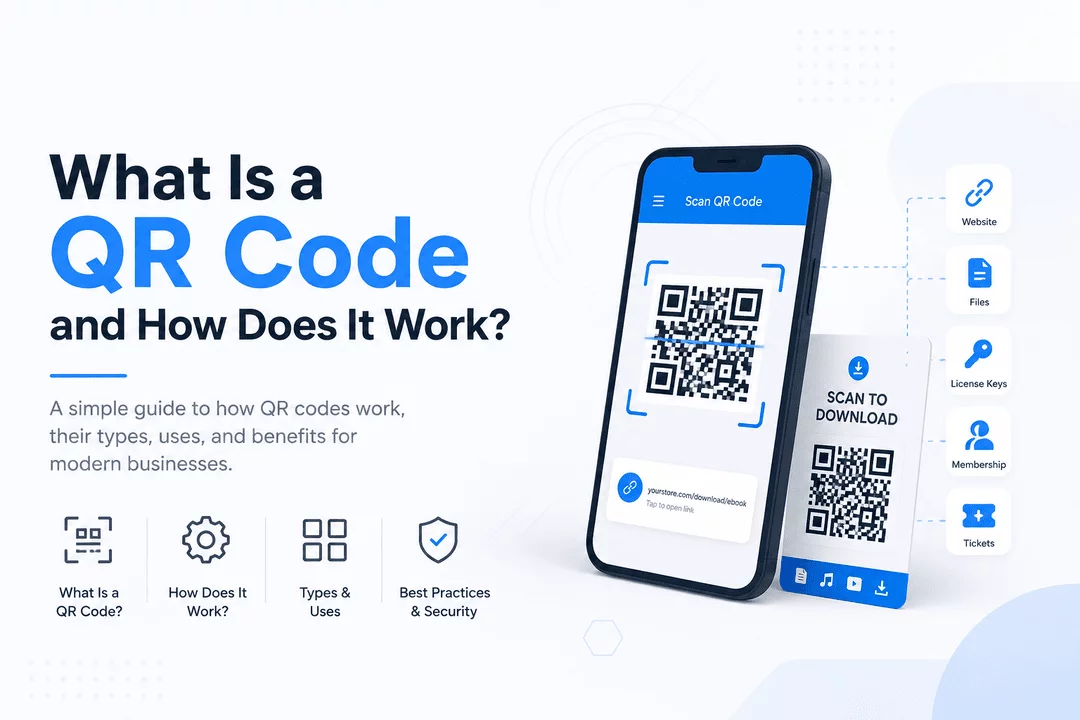
QR codes have become part of everyday life. From restaurant menus and event tickets to online payments and digital downloads, they provide a fast and convenient way to access information with a simple smartphone scan.
Businesses increasingly rely on QR codes because they're easy to create, simple for customers to use, and can connect physical and digital experiences instantly.
In this guide, you'll learn:
- What a QR code is
- How QR codes work
- The different types of QR codes
- Common business use cases
- Why Shopify merchants use QR codes for digital product delivery
- Best practices for creating secure QR codes
What Is a QR Code?
A QR (Quick Response) Code is a two-dimensional barcode that stores information such as:
- Website URLs
- Text
- Contact information
- Email addresses
- Phone numbers
- Wi-Fi credentials
- Product information
- Digital download links
- Event tickets
- Payment information
Unlike traditional barcodes that only store limited numeric data, QR codes can hold thousands of characters, making them much more versatile.
Customers simply open their phone's camera, point it at the QR code, and instantly access the stored information.
How Does a QR Code Work?
A QR code works by converting information into a unique pattern of black and white squares.
The process is simple:
Step 1: Data Is Encoded
Information such as a URL or download link is converted into machine-readable data.
Example:
https://yourstore.com/download/ebook
becomes a unique QR code pattern.
Step 2: QR Code Is Generated
A QR code generator arranges the encoded data into black and white modules.
These patterns include:
- Position markers
- Alignment patterns
- Timing patterns
- Data cells
- Error correction information
Step 3: Customer Scans the Code
Modern smartphones automatically recognize QR codes using the camera.
No special app is required on most Android and iPhone devices.
Step 4: Data Is Decoded
The phone reads the pattern and converts it back into its original information.
Depending on the content, it may:
- Open a website
- Download a file
- Display text
- Start a phone call
- Connect to Wi-Fi
- Open a payment page
Types of QR Codes
1. Static QR Codes
Static QR codes cannot be changed after they are created.
They're best for:
- Business cards
- Permanent website links
- Product manuals
- Printed marketing materials
Advantages
- Free
- Simple
- Permanent
Limitations
- Cannot edit destination
- No analytics
- Cannot track scans
2. Dynamic QR Codes
Dynamic QR codes redirect users through a managed URL.
This allows businesses to:
- Change destinations anytime
- Track scans
- Measure locations
- View device information
- Update campaigns without reprinting
They're ideal for marketing campaigns and digital product delivery.
What Information Can a QR Code Store?
QR codes can store many different types of information, including:
- Website URLs
- Download links
- PDF files
- Images
- Videos
- Contact cards
- Email addresses
- SMS messages
- Wi-Fi passwords
- Google Maps locations
- Payment links
- Event tickets
- Software activation links
- Digital memberships
Common Uses of QR Codes
Businesses use QR codes across many industries.
Retail
- Product information
- Coupons
- Loyalty programs
- Reviews
Restaurants
- Digital menus
- Online ordering
- Customer feedback
Education
- Course materials
- Assignment downloads
- Video tutorials
Healthcare
- Patient forms
- Appointment check-in
- Medical information
Events
- Ticket validation
- Guest registration
- Digital passes
Ecommerce
- Product guides
- Downloadable files
- License keys
- Digital receipts
- Marketing campaigns
Benefits of QR Codes
Fast Access
Customers can access information instantly without typing long URLs.
Contactless Experience
QR codes eliminate the need for physical documents and printed manuals.
Easy to Share
QR codes work on:
- Packaging
- Posters
- Emails
- Websites
- Social media
- Flyers
- Business cards
Cost Effective
Printing one QR code can replace multiple pages of printed instructions or promotional materials.
Better Customer Experience
Customers receive instant access to content with a single scan.
QR Codes for Shopify Digital Products
If you sell digital products on Shopify, QR codes provide an easy way for customers to access purchases.
Instead of searching through emails, customers simply scan a QR code to access:
- eBooks
- PDFs
- Music
- Software
- Templates
- Online courses
- Membership content
- Digital artwork
- License activation pages
This creates a smoother purchasing experience.
Deliver Digital Products with QR Codes Using Digitally
Digitally makes QR code delivery effortless for Shopify merchants.
With Digitally, you can automatically deliver:
- Downloadable files
- License keys
- Activation codes
- Custom download links
- Secure digital products
- Membership access
QR codes can be included in customer emails or download pages, allowing buyers to access their purchases quickly and securely.
Combined with secure download links, download limits, and expiration controls, QR codes help improve convenience while maintaining protection for your digital products.
Best Practices for QR Codes
To get the best results:
- Use high-resolution QR codes
- Ensure sufficient contrast (black on white works best)
- Test before publishing
- Avoid shrinking the code too much
- Link only to secure HTTPS websites
- Use dynamic QR codes when updates may be needed
- Place QR codes where they're easy to scan
- Include a short call-to-action like "Scan to Download"
Are QR Codes Safe?
QR codes themselves are safe because they simply store information.
However, users should only scan QR codes from trusted sources, as malicious QR codes can redirect to fraudulent websites.
Businesses should always:
- Use HTTPS links
- Keep download pages secure
- Monitor QR code destinations
- Protect customer data
Final Thoughts
QR codes have transformed how businesses connect customers with digital content. They offer a fast, contactless, and user-friendly way to share information, making them an essential tool for modern ecommerce.
For Shopify merchants selling digital products, QR codes can simplify access to downloads, memberships, software licenses, and other digital assets. By combining QR code delivery with automation, security, and instant fulfillment, you can create a seamless customer experience that builds trust and reduces support requests.
Whether you're selling eBooks, software licenses, online courses, or digital templates, integrating QR codes into your delivery workflow is a simple step that can significantly enhance your store's efficiency and customer satisfaction.
Frequently Asked Questions
A QR (Quick Response) code is a two-dimensional barcode that stores information such as URLs, text, contact details, or download links. When scanned with a smartphone camera, the device decodes the information and instantly performs the associated action, such as opening a webpage or downloading a file.
A static QR code contains fixed information that cannot be changed after it's created. A dynamic QR code, on the other hand, allows you to update the destination URL without changing the QR code itself and often includes scan analytics, making it ideal for marketing campaigns and digital product delivery.
Yes. QR codes are an excellent way to provide customers with instant access to digital products such as eBooks, software, online courses, templates, and membership content. With Digitally, Shopify merchants can automatically generate and deliver secure download links and QR codes after a purchase, creating a seamless customer experience.
Yes, QR codes are generally safe as they simply store information. However, users should only scan QR codes from trusted sources because malicious QR codes may redirect to unsafe websites. Businesses should always use secure HTTPS links and protect their digital content.
No. Most modern Android and iPhone devices have built-in QR code scanning through their camera app. Users simply point their camera at the QR code, and a notification appears to open the stored content or link.
Digitally helps Shopify merchants automate the delivery of digital products by including secure QR codes in customer emails and download pages. It also offers features like download limits, expiring links, license key delivery, and secure file hosting, making digital product fulfillment fast, reliable, and secure.
QR code for digital products
Digitally
Shopify QR code delivery
Digital product QR codes
sell digital product
license keys

Digitally ‑ Digital Products
Sell files, e-books, license keys, promo codes & digital links
 Install Now