How Do Digital Products Work? A Beginner's Guide
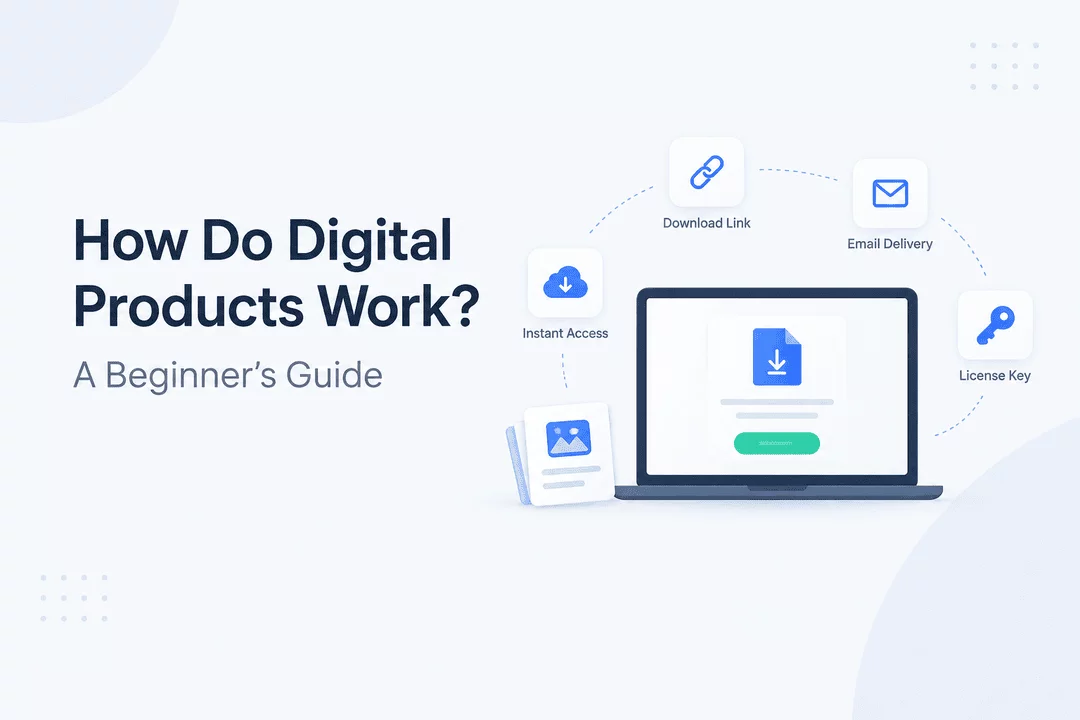
Digital products have changed the way creators, entrepreneurs, educators, and businesses sell online. Unlike physical products, digital products don't require warehouses, packaging, or traditional shipping. Customers can purchase them online and receive access through a download link, email, account, license key, or another digital delivery method.
But how exactly do digital products work?
In this beginner's guide, we'll explain what digital products are, how they are created and sold, how customers receive them, and how Shopify merchants can automate digital delivery with an app like Digitally.
What Are Digital Products?
Digital products are goods or resources that are created, stored, and delivered electronically. Customers typically access them through a computer, smartphone, tablet, or other internet-connected device.
Common examples include:
- Ebooks and digital books
- Online courses
- PDFs and guides
- Software and applications
- Templates
- Digital planners
- Music and audio files
- Videos
- Photography and graphics
- Fonts and design assets
- Presets and plugins
- License keys and activation codes
- Membership content
- Printable downloads
The biggest difference between digital and physical products is how they are delivered. Instead of receiving a package at a physical address, customers usually receive a digital file, access link, code, or account-based access.
How Do Digital Products Work?
The process is relatively simple:
Create → List → Sell → Deliver → Access
Let's look at each step.
1. Create the Digital Product
First, the seller creates the product.
For example, a designer might create a collection of Canva templates, while an author might write an ebook. A software company could develop an application and distribute license keys to customers.
The product is then saved in an appropriate digital format, such as:
- ZIP
- MP4
- MP3
- PNG or JPG
- DOCX
- EPUB
- Software installer
- License key or activation code
The format depends on what you're selling and how customers will use it.
2. Add the Product to Your Online Store
Once the product is ready, the seller adds it to an ecommerce store.
For Shopify merchants, a digital product can be listed like other products. The product page can include a title, description, images, pricing, and information about what the customer receives.
Instead of shipping a physical package, however, the merchant needs a system for delivering the digital product after purchase.
3. The Customer Places an Order
The customer visits the store, selects the digital product, and completes checkout.
The payment process can work similarly to a physical Shopify order. The important difference happens after the order is completed.
For a physical product, the next step might be picking, packing, and shipping. For a digital product, the customer needs immediate or automated access to their purchase.
4. The Digital Product Is Delivered
Digital delivery can happen in several ways.
The customer might receive:
- A secure download link
- An email containing the product
- A customer account download
- A license key
- An activation code
- A custom access link
- A QR code
- Access to protected content
For Shopify merchants, automation can make this process much easier.
With Digitally – Digital Products, merchants can automatically deliver digital files, custom links, license keys, activation codes, and other digital content after a customer completes an order.
This means merchants don't have to manually email every customer after a purchase.
5. The Customer Downloads or Accesses the Product
After receiving the delivery, the customer can download or access their purchase.
Depending on the product and the seller's setup, access can include additional controls such as:
- Download limits
- Expiring links
- Secure delivery
- Account re-access
- License validation
- PDF stamping
- Custom download pages
These features can help merchants provide a better customer experience while maintaining control over their digital products.
How Are Digital Products Delivered?
There isn't just one way to deliver a digital product.
Download Links
A secure download link is one of the most common delivery methods.
After purchasing, the customer receives a link that allows them to download their file.
Email Delivery
The product can also be delivered through an automated email.
For example, a customer purchasing an ebook might receive an email containing a secure link to download the PDF.
License Keys
Software, games, plugins, memberships, and other products may require a unique license key or activation code.
Instead of downloading a simple file, the customer receives a code that can be entered into the relevant software or service.
Custom Links
Some digital products aren't simple files.
A merchant might sell access to a private website, resource library, course, subscription, or external platform. In these cases, a custom link can provide the customer with access after purchase.
QR Codes
QR codes can also be used to deliver digital content. A customer can scan the code with their phone and access the relevant digital resource.
What Happens Behind the Scenes?
From the customer's perspective, buying a digital product can look simple. But several steps may happen automatically behind the scenes.
A typical workflow looks like this:
Customer places order → Payment is confirmed → Order is processed → Digital product is identified → Delivery is generated → Customer receives access → Download or access is tracked
A digital delivery app connects the Shopify order with the appropriate digital content.
For example, if a customer buys an ebook, the system can identify the ebook associated with that product and automatically provide the customer with a secure download link.
If the customer purchases software that requires a license key, the system can provide an available key instead.
This automation is particularly useful when a store receives many orders.
How Does Digital Product Delivery Differ From Physical Shipping?
Digital products eliminate many of the steps involved in physical fulfillment.
Physical Products | Digital Products |
Manufacturing or sourcing | Creation of digital content |
Inventory storage | Digital file storage |
Packaging | Automated digital delivery |
Shipping | Download or access link |
Delivery tracking | Download/access tracking |
Physical inventory limits | Digital delivery can be highly scalable |
Digital products can still require careful management, especially when merchants need to protect files, manage licenses, limit downloads, or control customer access.
How Can Shopify Merchants Automate Digital Products?
Shopify provides the ecommerce infrastructure for selling products, but merchants selling digital goods often need additional functionality for digital delivery.
This is where Digitally – Digital Products can help.
With Digitally, Shopify merchants can deliver digital products automatically after purchase.
The app supports features such as:
- Digital file delivery
- Files up to 2GB
- Custom links
- License keys and activation codes
- Bulk license key import through CSV
- Download limits
- Expiring download links
- PDF stamping
- QR code delivery
- Custom email templates
- Drip content updates
- Download Page Editor
- Product synchronization
- License Key Validation API
- Analytics
- IP fraud protection
- Secure digital hosting
- Manual delivery
- Account re-access
This allows merchants to build a digital fulfillment workflow without manually sending every file or code.
Example: Selling an Ebook
Imagine you sell an ebook through Shopify.
The workflow could look like this:
Step 1: Create your ebook as a PDF.
Step 2: Add the ebook as a digital product in your Shopify store.
Step 3: Connect the PDF to the product using Digitally.
Step 4: A customer purchases the ebook.
Step 5: Digitally automatically sends the customer a secure download link.
Step 6: The customer downloads the ebook.
Instead of checking orders and manually emailing files, the delivery happens automatically.
Example: Selling Software With License Keys
Digital products don't always involve downloadable files.
Suppose you sell software that requires an activation code.
You can upload a collection of license keys and connect them to your Shopify product.
When a customer purchases the software, the system can automatically assign an available key to that order.
The customer receives the activation code and can use it to activate the software.
This type of workflow can also work for:
- Game keys
- Plugin licenses
- Subscription codes
- Membership codes
- Activation codes
- Digital services
How Do Digital Products Make Money?
Digital products typically use a simple business model:
Create once → Sell repeatedly → Automate delivery
For example, an entrepreneur might spend several weeks creating a detailed ebook. Once it's finished, the same digital file can potentially be sold to many customers without producing a new physical item for every order.
However, digital products still have costs. Sellers may need to invest in:
- Product creation
- Software
- Marketing
- Ecommerce fees
- Customer support
- Digital storage
- Payment processing
- Security
- Product updates
The advantage is that digital fulfillment can be highly automated and doesn't require traditional physical shipping.
How Can You Protect Digital Products?
Digital products are easy to distribute, so merchants should consider how they want to control access.
Depending on the product, useful measures can include:
Secure Download Links
Use controlled links instead of exposing the original file location.
Download Limits
Limit the number of times a customer can download certain files.
Expiring Links
Make download links expire after a specific period.
PDF Stamping
Add customer-specific information to PDFs to help discourage unauthorized sharing.
License Validation
Software sellers can use license validation systems to check whether a key is valid.
IP Fraud Protection
Monitoring unusual download behavior can help merchants identify potentially suspicious activity.
No protection method can completely eliminate unauthorized sharing, but appropriate controls can make digital products easier to manage.
What Types of Businesses Can Sell Digital Products?
Almost any business with valuable digital content can potentially create a digital product.
Examples include:
Authors
Sell ebooks, guides, workbooks, and downloadable publications.
Designers
Sell templates, graphics, fonts, illustrations, and design resources.
Educators
Sell courses, study materials, worksheets, and educational resources.
Software Developers
Sell applications, plugins, software licenses, and activation keys.
Musicians
Sell audio files, sample packs, music, and production resources.
Coaches and Consultants
Sell guides, frameworks, workbooks, and educational materials.
Creators
Sell presets, digital planners, printables, videos, and other downloadable resources.
Are Digital Products Easy to Sell?
Creating a digital product may be relatively straightforward, but successful selling requires more than simply uploading a file.
You also need to think about:
- Product quality
- Pricing
- Marketing
- Store design
- Customer experience
- Digital delivery
- Security
- Customer support
- Updates
- Refunds and access management
The easier you make the buying and delivery experience, the fewer manual steps customers and merchants have to deal with.
A Simple Digital Product Workflow
For beginners, the entire process can be summarized as:
1. Choose an idea
Find a problem that your digital product can solve.
2. Create the product
Develop your ebook, course, template, software, audio, video, or other digital resource.
3. Set your price
Choose a price based on the product's value, audience, competition, and business model.
4. Create your Shopify product
Add your product information, images, description, and pricing.
5. Set up digital delivery
Connect your digital files, links, license keys, or other content using a digital delivery solution such as Digitally.
6. Test the purchase experience
Place a test order and make sure the customer receives the correct content.
7. Promote your product
Use SEO, social media, email marketing, content marketing, paid advertising, or other relevant channels to attract customers.
8. Improve over time
Monitor sales, downloads, customer feedback, and support requests to improve your product and delivery experience.
Final Thoughts
Digital products work by turning digital content into something customers can purchase and access online. Instead of shipping a physical item, the seller delivers a file, link, license key, code, or another form of digital access.
For Shopify merchants, automated delivery can remove much of the manual work involved in fulfilling digital orders.
With Digitally – Digital Products, you can connect digital files, custom links, license keys, and other digital content to Shopify products and automate delivery after purchase.
Whether you're selling ebooks, software, courses, templates, music, graphics, or license keys, a well-designed digital delivery system can help create a smoother experience for both you and your customers.
Frequently Asked Questions
Digital products are created and stored electronically, then sold online through an ecommerce store or marketplace. After purchasing, customers typically receive a download link, file, license key, activation code, or access to digital content.
Common digital products include ebooks, online courses, PDFs, templates, digital planners, software, music, videos, graphics, fonts, presets, plugins, and license keys.
Digital products can be delivered through secure download links, automated emails, customer accounts, custom links, QR codes, license keys, or activation codes. The delivery method depends on the type of product being sold.
Digitally helps Shopify merchants automate digital product delivery by connecting digital files, custom links, license keys, activation codes, and other digital content to Shopify products. Customers can receive their purchases automatically after completing an order.
Yes. Shopify can be used to sell many types of digital products, including ebooks, courses, templates, software, audio, videos, and downloadable files. A digital delivery solution such as Digitally can help automate fulfillment after purchase.
Merchants can use measures such as secure download links, download limits, expiring links, PDF stamping, license validation, and access controls. These features can help reduce unauthorized access and give sellers greater control over their digital content.
Shopify Digital Products
Digital Products
Digital Product Delivery
Selling Digital Products
Digital Downloads
Digitally

Digitally ‑ Digital Products
Sell files, e-books, license keys, promo codes & digital links
 Install Now