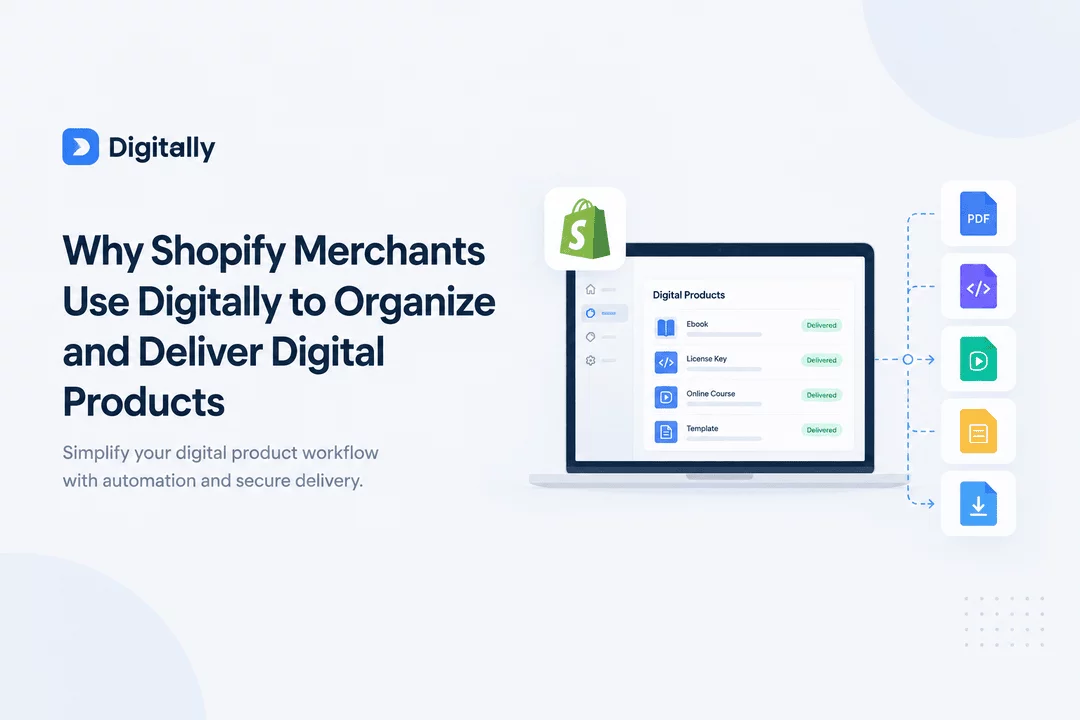
Why Shopify Merchants Use Digitally to Organize and Deliver Digital Products
Selling digital products on Shopify can be a great way to build an online business without managing physical inventory or shipping. From ebooks and PDF guides to software activation codes, license keys, online courses, templates, and downloadable files, digital products allow merchants to sell valuable content to customers around the world.
However, as a digital product catalog grows, managing files, organizing product assets, fulfilling orders, and delivering purchases efficiently can become challenging. Merchants need a reliable way to keep their digital products organized while providing customers with a smooth purchasing and delivery experience.
That is where Digitally – Digital Products comes in. Digitally helps Shopify merchants manage digital products, automate delivery, distribute license keys, customize customer communications, and control access to downloadable content from their Shopify stores.
In this guide, we’ll explore why Shopify merchants use Digitally to organize and deliver digital products and how the right digital product delivery workflow can support business growth.
What Is Digitally?
Digitally is a Shopify app designed to help merchants sell and deliver digital goods directly through their online stores. Instead of relying on scattered files, manual emails, or separate delivery processes, merchants can use Digitally to manage digital assets and connect them with customer orders.
The app supports a variety of digital products, including:
- Ebooks and PDFs: Digital books, guides, worksheets, reports, and downloadable documents.
- Software and license keys: Activation codes, software licenses, and product keys.
- Digital files: Templates, graphics, music, videos, and other downloadable content.
- Online resources: Custom links and access URLs for digital products.
- Codes and vouchers: Digital codes, promotional codes, and other deliverable assets.
- QR codes: Digital access and delivery options for supported products.
Digitally also offers features such as automated fulfillment, customizable delivery emails, download limits, expiring download links, PDF stamping, and branded download experiences. These tools help merchants create a more organized process for delivering digital purchases.
You can explore the app on the Digitally Shopify App Store listing.
1. Keep Digital Products Organized in One Place
One of the biggest challenges of selling digital products is keeping everything organized as your business grows.
A merchant selling five ebooks may find it easy to manage files manually. But what happens when the catalog expands to hundreds of products, multiple file versions, different license keys, and several downloadable bundles?
Without an organized system, merchants may struggle to locate the correct files, connect assets to the right products, or update delivery information when a product changes.
Digitally helps merchants manage digital products and their associated assets within a workflow connected to their Shopify store.
Simplify digital product management
With Digitally, merchants can organize different types of digital products, including documents, downloadable files, custom links, and license keys.
This is useful for businesses such as:
- Creators selling ebooks, workbooks, and digital guides.
- Designers offering templates, graphics, and creative assets.
- Software sellers distributing activation codes and licenses.
- Educators providing downloadable learning resources.
- Digital stores selling music, videos, and other downloadable content.
A more organized catalog makes it easier to maintain products, manage delivery settings, and prepare for future expansion.
2. Automate Digital Product Delivery After Purchase
Customers who buy digital products usually expect to receive their purchases quickly. If they must wait for a manual email or contact support to access a file, the buying experience can become frustrating.
Manual delivery can also consume valuable time, particularly when a store receives orders outside normal business hours.
Digitally helps merchants automate digital order fulfillment and deliver digital assets through supported delivery channels, including email, checkout experiences, and download pages.
Reduce repetitive manual work
For example, imagine a merchant selling downloadable design templates.
Without an automated workflow, the merchant might need to check each order, locate the correct file, and send the download link manually. As sales increase, these repetitive tasks can become difficult to manage.
With an appropriately configured Digitally workflow, the merchant can connect the digital product to the delivery process so customers can access their purchases without requiring the same manual steps for every order.
Automation can help merchants:
- Reduce repetitive fulfillment tasks.
- Deliver digital purchases more efficiently.
- Improve the consistency of order fulfillment.
- Spend more time creating products and marketing the store.
- Handle growing order volumes with a more structured workflow.
The result is a smoother process for both merchants and customers.
3. Deliver License Keys and Activation Codes Efficiently
Not every digital product is a downloadable file. Some products require a unique code, license key, voucher, or activation code.
Examples include software licenses, digital subscriptions, game-related codes, and other products that customers redeem through an external platform.
Managing these products manually can create additional work. Merchants need to ensure that customers receive the appropriate code and that fulfillment is handled consistently.
Simplify code distribution
Digitally supports digital code and license key delivery, including automated distribution for supported workflows.
Merchants can use the app to manage license keys and deliver digital codes through configured delivery channels.
This can be particularly useful for:
- Software license sellers.
- Businesses selling activation codes.
- Digital voucher stores.
- Merchants distributing unique access codes.
- Stores that need to assign digital assets to individual orders.
By connecting code delivery to the purchasing process, merchants can reduce manual handling and create a more consistent customer experience.
4. Protect Digital Downloads With Access Controls
Digital products are convenient to distribute, but merchants may also want greater control over how customers access their files.
For example, an ebook creator might want to limit repeated downloads, while a business selling premium PDF resources may want to add identifying information to downloaded documents.
Digitally includes features designed to help merchants manage access to digital downloads and protect certain types of content.
Use download limits and expiring links
Depending on the product and configuration, merchants can use download limits and link expiration settings to control access to digital files.
These features can help merchants establish clearer download policies and reduce unnecessary access to their digital assets.
Add PDF stamping
For supported PDF products, PDF stamping can help personalize downloaded documents with identifying order or customer information, according to the configured settings.
This can be useful for creators selling premium guides, educational materials, workbooks, and other downloadable documents.
While no access-control method can eliminate all unauthorized sharing, download restrictions and PDF stamping can provide additional tools for managing digital content.
5. Create a Better Customer Delivery Experience
A digital purchase does not end when the customer completes checkout. Customers also need a clear, convenient way to receive and access what they bought.
If delivery emails are confusing, download instructions are unclear, or customers cannot easily locate their files, they may contact support for assistance.
Digitally helps merchants improve the delivery experience through customizable email templates and download pages.
Customize delivery emails
Branded delivery emails allow merchants to provide customers with relevant information about their purchases.
A well-organized delivery email can explain what the customer purchased, how to access the product, and where to find the appropriate download or redemption instructions.
Provide a more consistent download experience
Customizable download pages help merchants create a delivery experience that better fits their store and brand.
A consistent experience can make digital purchases feel more professional while helping customers understand the next steps after checkout.
For digital businesses, these details matter. Customers should be able to focus on using their purchase rather than figuring out how to access it.
6. Manage Different Types of Digital Products
Many Shopify merchants do not sell just one type of digital product.
A creator might sell ebooks and templates, while a software business might offer activation codes alongside downloadable documentation. A growing digital store may need to manage files, links, videos, PDFs, and license keys within the same business.
Using separate manual processes for every product type can make operations more complicated.
Digitally supports several digital product formats and delivery methods, helping merchants manage different digital selling needs within one app.
Examples of businesses that can benefit
Ebook and PDF stores
Sell guides, digital books, planners, worksheets, and educational documents with a structured delivery process.
Software and license businesses
Distribute activation codes and license keys through supported digital fulfillment workflows.
Design and template shops
Offer downloadable templates, creative assets, and digital resources to customers.
Online educators and content creators
Sell learning materials, videos, and other digital resources that customers can access after purchasing.
Digital code and voucher stores
Manage and distribute supported codes, vouchers, and other digital assets.
This flexibility makes Digitally relevant to businesses with different digital product catalogs and delivery requirements.
7. Spend Less Time on Repetitive Tasks
Running a digital product business involves more than creating products and attracting customers. Merchants also need to manage orders, answer customer questions, update files, and maintain delivery processes.
When every order requires manual attention, operational work can take time away from activities that help the business grow.
Digitally helps reduce repetitive work through features such as automated fulfillment, digital asset delivery, and configurable customer communications.
Focus on growing your store
With a more structured workflow, merchants can devote more attention to:
- Developing new digital products.
- Improving product descriptions and storefront content.
- Creating marketing campaigns.
- Building customer relationships.
- Reviewing product performance.
- Expanding their digital catalog.
Automation does not eliminate every support or management task, but it can make routine fulfillment more manageable.
8. Understand Your Digital Product Workflow
As a digital store grows, merchants may need better visibility into how products and delivery processes are performing.
Digitally offers analytics and management features that can help merchants review aspects of their digital product operations.
Understanding the performance of your catalog can help you identify which products deserve more attention and where your delivery workflow may need improvement.
For example, a merchant might review product performance alongside sales information from Shopify to identify popular products, evaluate marketing campaigns, and decide which digital resources to develop next.
Combining product management with a consistent delivery process helps merchants make more informed decisions as their businesses evolve.
9. Scale Your Digital Product Business With More Confidence
A digital product business can grow from a small collection of downloadable files into a larger catalog serving customers across multiple markets.
As that happens, merchants may need to manage more products, more orders, different delivery methods, and additional access requirements.
Building a structured digital fulfillment process early can make future growth easier to manage.
Digitally provides tools for organizing digital assets, automating delivery, distributing codes, controlling downloads, and customizing the customer experience.
Whether you are launching your first ebook or managing an established software and digital download store, the goal is the same: create a process that works reliably for your products and customers.
The best setup depends on your catalog, order volume, file sizes, security requirements, and preferred delivery methods. Reviewing these needs can help you configure Digitally in a way that supports your business.
How to Get Started With Digitally on Shopify
Getting started with a digital product delivery app is easier when you approach the setup step by step.
Here is a practical workflow to consider:
Step 1: Identify your digital products
Decide which products you want to sell, such as ebooks, PDFs, templates, software keys, videos, or downloadable files.
Step 2: Install Digitally
Visit the Digitally – Digital Products app listing and review the available features and plans before installing the app.
Step 3: Add your digital assets
Upload the relevant files, configure supported custom links, or prepare license keys and codes for the products you want to offer.
Step 4: Configure delivery settings
Choose the appropriate supported delivery method for each product. Review any available download limits, link expiration settings, PDF protection options, and email customization settings that fit your needs.
Step 5: Test the customer experience
Before promoting your products, verify that the product is connected to the correct digital asset and that the configured delivery instructions are clear. Where possible, test the process with a test order or another appropriate verification method.
Step 6: Review and improve
As your catalog grows, review your product organization, customer feedback, and fulfillment workflow. Update files and delivery settings when your products or business requirements change.
Following these steps can help you establish a more reliable digital selling process from the beginning.
Why Choose Digitally for Your Shopify Store?
Shopify merchants need more than a place to list digital products. They need a way to connect product management with a dependable fulfillment process and a clear customer experience.
Digitally brings several important capabilities together:
- Digital product management: Manage digital files, links, codes, and license keys.
- Automated delivery: Reduce repetitive order fulfillment tasks.
- Download controls: Configure supported download limits and link expiration.
- PDF protection: Use PDF stamping for supported digital documents.
- Branded communication: Customize delivery emails and download pages.
- Multiple product formats: Support different types of digital goods through appropriate workflows.
- Operational visibility: Use available management and analytics features to review your digital product operations.
Rather than managing every part of digital fulfillment separately, merchants can use Digitally to build a more organized workflow connected to their Shopify store.
Final Thoughts
Organizing and delivering digital products efficiently is an important part of running a successful Shopify store. As your catalog grows, manual fulfillment and scattered product assets can make everyday operations harder to manage.
Digitally – Digital Products helps Shopify merchants bring digital product management, delivery automation, license key distribution, download controls, and customer communication into a more organized workflow.
Whether you sell ebooks, PDF guides, templates, software activation codes, or other digital goods, the right setup can save time, improve the buying experience, and make your business easier to manage as it grows.
Ready to simplify digital product management on Shopify?
Explore Digitally – Digital Products on the Shopify App Store to discover the features and plan that fit your business.
Frequently Asked Questions
Digitally is a Shopify app that helps merchants sell, manage, and deliver digital products. It supports digital files, ebooks, PDFs, license keys, activation codes, custom links, and other digital assets, along with features for automated delivery and download management.
Digitally can be useful for new merchants who want to establish an organized digital delivery process, as well as established businesses managing larger catalogs. Before choosing a plan, review the app's current pricing, product limits, storage allowances, and order limits to ensure they match your needs.
Yes. Digitally supports automated digital product fulfillment for configured workflows. Merchants can set up supported delivery methods so customers can receive their digital purchases without requiring manual fulfillment for every order.
Depending on your product setup, you can use Digitally to sell ebooks, PDFs, software licenses, activation codes, templates, videos, digital files, custom links, QR codes, and other supported digital assets.
Digitally offers features such as download limits, expiring download links, and PDF stamping for supported products. These features can help merchants manage access and add protection to certain digital assets, although they cannot guarantee that content will never be copied or shared.
Yes. Digitally provides customizable delivery email features, allowing merchants to create a delivery experience that better reflects their brand and gives customers clearer instructions for accessing their purchases.
Sell digital products on Shopify
Shopify digital downloads
Digitally
Shopify Digital Products
License Keys
Digital Product Management
Secure digital downloads

Digitally ‑ Digital Products
Sell files, e-books, license keys, promo codes & digital links
 Install Now