How to Set Up Instant Product Key Delivery for Software & Digital Downloads
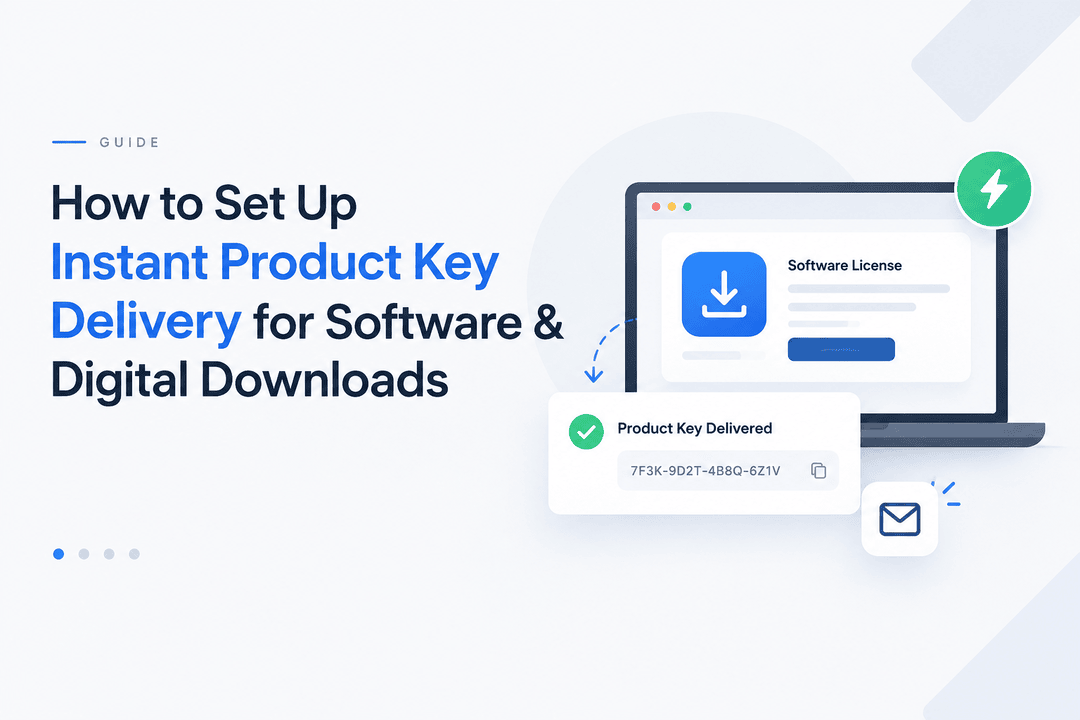
Selling software, plugins, games, subscriptions, and other digital products online is easier when customers receive their product keys immediately after purchase.
Instead of manually sending license codes through email, Shopify merchants can automate the entire process—from payment confirmation to secure key delivery. This creates a faster customer experience while reducing repetitive support work.
In this guide, we'll explain how instant product key delivery works, what you need to prepare, and how Shopify merchants can automate the process with Digitally – Digital Products.
What Is Instant Product Key Delivery?
Instant product key delivery is an automated system that sends a product key, license code, activation code, or other digital credential to a customer immediately after a successful purchase.
For example, a customer purchases a software license from your Shopify store. Instead of waiting for someone to manually send the code, the system automatically selects an available key and delivers it through the configured delivery method.
A typical workflow looks like this:
Customer places order → Payment is confirmed → Key is assigned → Key is delivered → Customer activates the product
This is especially useful for products such as:
- Software licenses
- Plugin licenses
- Game keys
- Subscription keys
- Membership codes
- Activation codes
- API keys
- Downloadable software
- Online course access codes
- Digital vouchers and codes
Why Instant Key Delivery Matters
Customers buying digital products generally expect fast access. If someone purchases a software license and has to wait several hours for their activation code, the buying experience can quickly become frustrating.
Automated delivery provides several advantages.
1. Deliver Keys 24/7
An automated system can deliver keys regardless of whether you're working, sleeping, or away from your store.
Customers don't have to wait for business hours.
2. Reduce Manual Work
Manually copying and sending hundreds of license keys can become time-consuming and increases the chance of human error.
Automation handles the repetitive work for you.
3. Improve Customer Experience
Immediate access makes the purchasing process feel smoother and more professional.
A customer can complete their purchase and receive the information they need without contacting support.
4. Scale Your Digital Store
As order volume increases, manual key delivery becomes harder to manage.
Automated delivery allows your store to handle more orders without requiring the same increase in administrative work.
5. Reduce Delivery Errors
Manually copying keys can result in missing characters, incorrect codes, or sending the wrong key to the wrong customer.
Automated systems help reduce these problems by managing the delivery process systematically.
What You Need Before Setting Up Product Key Delivery
Before configuring automated delivery, prepare the following:
Your Digital Product
First, create the software, plugin, game, subscription, or other digital product you want to sell through Shopify.
Your Product Keys
Prepare a list of valid product keys or license codes.
For example:
ABCD-1234-EFGH-5678
IJKL-9012-MNOP-3456
QRST-7890-UVWX-1234
YZAB-5678-CDEF-9012
You can maintain a pool of unused keys that the delivery system can assign as orders arrive.
Your Delivery Method
Decide where customers should receive their key.
Depending on your setup, this could include:
- Order confirmation email
- Dedicated digital delivery email
- Download page
- Thank-you page
- Customer account area
A well-designed delivery process should make the key easy to find while keeping it protected.
How to Set Up Instant Product Key Delivery on Shopify
Step 1: Create Your Digital Product
Start by creating your product in Shopify.
Add the product name, description, price, images, and other information customers need before purchasing.
For example:
Product: Premium Video Editor License
License Type: 12-Month License
Delivery: Instant Digital Delivery
Clearly explaining what the customer receives helps reduce confusion and support requests.
Step 2: Install a Digital Delivery App
Shopify's standard product functionality is designed primarily for physical and general ecommerce products. Digital products often require additional delivery functionality.
A dedicated digital delivery app can connect your Shopify products with downloadable files, license keys, activation codes, and other digital content.
Digitally – Digital Products is designed to automate digital delivery directly from your Shopify store.
Step 3: Add Your Product Keys
Once your digital product is connected, add your available license keys to the product.
If you have a large inventory of keys, you don't necessarily need to enter them individually.
With Digitally, merchants can use bulk license-key management, including CSV import/export, to make larger key inventories easier to manage.
For example, a CSV file could contain:
Product Key
ABCD-1234-EFGH-5678
IJKL-9012-MNOP-3456
QRST-7890-UVWX-1234
Step 4: Configure Key Assignment
The next step is to determine how keys should be assigned when an order is completed.
The system can use your available key inventory and assign an unused key to the appropriate customer.
This means the merchant doesn't need to manually select a key for every order.
For products where customers receive multiple keys, key quantities can also be configured according to the product setup.
For example:
Customer purchases 2 units × 3 keys per unit = 6 keys delivered
This makes automated key delivery suitable for more complex digital products as well.
Step 5: Configure the Delivery Email
Your delivery email is an important part of the customer experience.
Instead of sending a plain message containing only a license code, create a clear email that explains what the customer purchased and how to use it.
A useful delivery email can include:
- Customer name
- Product name
- Product key
- Activation instructions
- Download link
- Support information
- Important terms or expiration information
For example:
Your license is ready
Thank you for your purchase.
Product: Premium Software License
License Key: ABCD-1234-EFGH-5678
Use this key to activate your software.
Download: Your software download link
If you need help activating your license, please contact our support team.
A professional email makes the automated experience feel much more personal.
Step 6: Test the Complete Customer Journey
Before launching your automated delivery system, place a test order.
Check the complete process:
- Customer adds the product to the cart.
- Customer completes checkout.
- Payment is confirmed.
- A license key is assigned.
- The delivery email is sent.
- The customer receives the correct key.
- The key can be activated successfully.
- The key is removed from available inventory.
Testing is especially important if you're selling expensive software licenses or products with limited key inventory.
How Digitally Helps Automate Product Key Delivery
Digitally – Digital Products can handle more than simply sending an email containing a code.
It provides tools designed specifically for Shopify merchants selling digital products.
License Key Management
Store and manage license keys associated with your Shopify products.
Bulk Key Import
If you already have a large collection of keys, bulk CSV importing can make inventory setup much faster.
Automatic Delivery
Deliver keys automatically after the customer's purchase instead of manually processing each order.
Custom Email Templates
Customize your digital delivery emails so customers receive clear instructions and relevant purchase information.
Download Limits
For downloadable products, you can configure download restrictions to help control access.
Expiring Links
Use expiring download links when appropriate to provide an additional layer of control over digital files.
PDF Stamping
For PDF products, PDF stamping can help personalize delivered documents and discourage unauthorized sharing.
Custom Links
Not every digital product is a traditional downloadable file. Digitally also supports custom links, allowing merchants to deliver access to external resources.
License Key Validation API
For businesses with their own software or licensing infrastructure, a validation API can help connect license management with a product or application.
Product Keys vs. Download Links
Product keys and download links solve different parts of digital delivery.
A download link gives the customer access to a digital file.
A product key gives the customer a code that can be used to activate or authorize a product.
Some products require both.
For example:
Purchase → Download software → Receive license key → Activate software
If you sell software, plugins, themes, or other products that require activation, combining file delivery with key delivery can create a complete automated customer experience.
How to Keep Product Keys Secure
Automated delivery should be convenient, but security should not be ignored.
Here are several best practices.
Don't Display Keys Publicly
License keys should only be accessible to the customer who purchased them.
Avoid exposing keys on public pages or URLs that can be easily shared.
Use Secure Delivery
Deliver sensitive information through controlled customer-facing delivery channels.
Track Key Inventory
Keep track of which keys are available, assigned, and used.
This helps prevent accidental duplicate assignments.
Protect Your CSV Files
If you maintain your license inventory in CSV files, treat those files as sensitive business data.
Don't upload them to publicly accessible locations.
Set Appropriate Download Limits
If you're also delivering software or other files, consider using download limits and expiring links where appropriate.
What Happens When Your Key Inventory Runs Out?
One important consideration is key inventory.
Imagine selling a software license with 500 available keys. If all 500 are sold, your automated system needs to know what to do when no unused key remains.
Before launching your product, establish a replenishment process.
You should regularly monitor:
Available Keys → Assigned Keys → Remaining Inventory
When your inventory becomes low, add a new batch of keys before your existing supply reaches zero.
This is particularly important for products with high sales volume.
Can You Sell Subscription and Membership Keys?
Yes.
The same automated delivery concept can work for many types of digital credentials.
Examples include:
- Subscription keys
- Membership keys
- Plugin licenses
- Software activation codes
- API keys
- Course access codes
- Game activation keys
For recurring digital products, you may also need to consider expiration dates, renewal processes, and license validation.
The delivery system handles the initial distribution, while your licensing system can manage ongoing access where necessary.
Common Mistakes to Avoid
Manually Sending Every Key
This may work when you have only a few orders, but it quickly becomes difficult to manage at scale.
Using the Same Key Multiple Times
Each customer should receive the correct available key according to your licensing rules.
Forgetting to Test Delivery
A small configuration error can prevent customers from receiving their digital products.
Always place test orders before launching.
Providing Poor Activation Instructions
Even if the key is delivered instantly, customers may still contact support if they don't know where or how to use it.
Include clear instructions with every delivery.
Ignoring Key Inventory
Running out of keys can interrupt sales and create customer service problems.
Monitor your available inventory regularly.
Best Practices for a Professional Digital Delivery Experience
A good automated delivery system should be both fast and easy to understand.
Consider the following best practices:
Deliver immediately: Customers should receive their digital products as soon as the order is successfully processed.
Make keys easy to find: Don't bury important license information inside a long email.
Include instructions: Explain exactly how customers can activate or use their purchase.
Use consistent branding: Customize delivery emails to match your Shopify store.
Protect sensitive information: Treat license keys as valuable digital assets.
Automate repetitive tasks: The fewer manual steps required, the easier your store is to scale.
Monitor your system: Regularly test delivery and check your key inventory.
Final Thoughts
Instant product key delivery can transform the way Shopify merchants sell software and other digital products.
Instead of manually processing every order, you can create an automated workflow that assigns available keys and delivers them to customers immediately.
With Digitally – Digital Products, Shopify merchants can manage license keys, import keys in bulk, customize delivery emails, deliver digital files, use custom links, and build a more automated digital fulfillment process.
Whether you're selling software licenses, plugin keys, subscription codes, game keys, or downloadable products, automated delivery can save time while creating a faster and more professional customer experience.
If you're ready to automate your digital product fulfillment, Digitally provides the tools you need to deliver files and product keys directly through your Shopify store.
Frequently Asked Questions
Instant product key delivery automatically sends a license key, activation code, or product key to a customer after their Shopify purchase, eliminating the need for manual delivery.
Yes. A digital delivery app such as Digitally can connect license-key inventory with Shopify products and automatically deliver an available key after purchase.
Yes. Bulk CSV import can be useful when you have hundreds or thousands of license keys that need to be added to your digital product inventory.
Yes. Digitally supports digital file delivery as well as license keys, codes, and custom links, allowing merchants to create a complete digital fulfillment workflow.
Use a centralized key inventory that tracks available and assigned keys. Automated key assignment helps ensure that each purchase receives an appropriate unused key.
Automated key delivery can be used for software licenses, plugin licenses, game keys, subscription keys, membership codes, API keys, activation codes, and other digital products that require a unique code.
Shopify Digital Products
Product Key Delivery
Digitally
License Key Delivery
Software License
Digital Downloads
License Keys

Digitally ‑ Digital Products
Sell files, e-books, license keys, promo codes & digital links
 Install Now