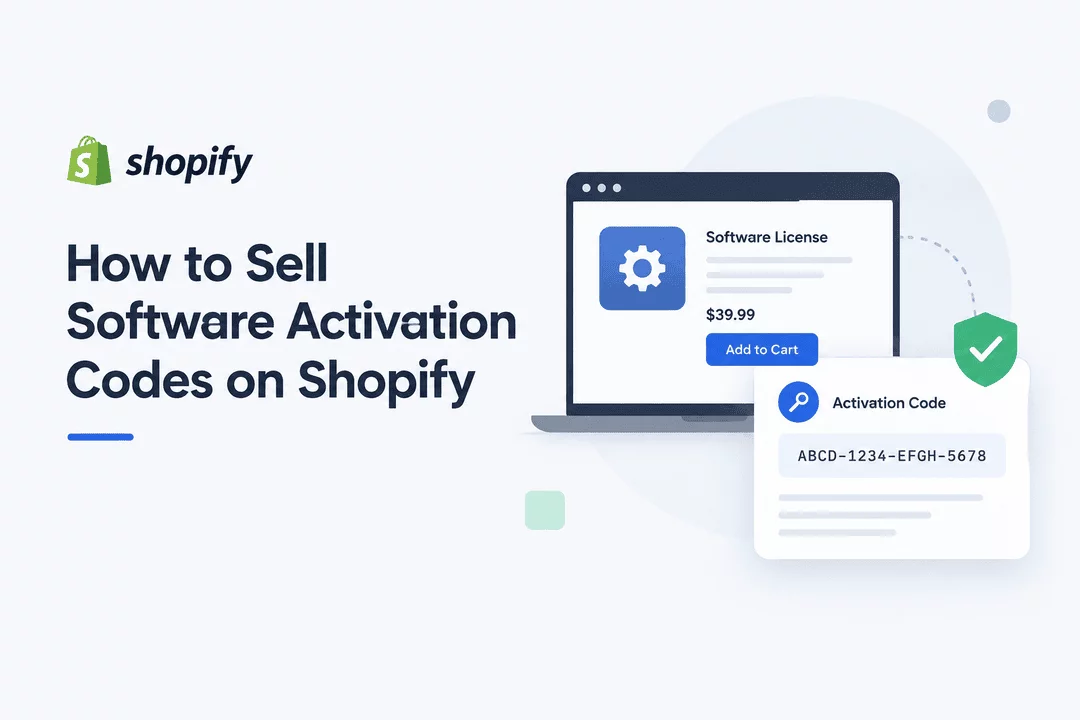
How to Sell Software Activation Codes on Shopify
Selling software online can be a highly scalable business model. Instead of shipping physical products, you can deliver a software activation code immediately after a customer completes a purchase.
For Shopify merchants, this creates an opportunity to build a professional software-selling store while automating the delivery process.
The challenge is making sure activation codes are delivered securely, instantly, and reliably without requiring manual work for every order.
In this guide, we'll explain how to sell software activation codes on Shopify, how automated code delivery works, what to consider when managing license keys, and how Digitally – Digital Products can simplify the entire process.
What Is a Software Activation Code?
A software activation code is a unique combination of letters, numbers, or symbols that allows a customer to activate or unlock a software product.
Depending on the software, activation codes may also be called:
- Product keys
- License keys
- Activation keys
- Serial numbers
- Registration codes
- Subscription keys
- Access codes
For example, a software product could be sold with a code such as:
XXXX-XXXX-XXXX-XXXX
After purchasing the software, the customer receives the code and enters it into the software's activation screen.
This makes activation codes particularly useful for selling software, plugins, applications, subscriptions, memberships, games, and other digital products.
Why Sell Software Activation Codes on Shopify?
Shopify provides a flexible foundation for selling digital products because you can create product pages, accept payments, manage orders, and build your own branded storefront.
Selling activation codes through Shopify can provide several advantages.
1. Instant Delivery
Customers don't have to wait for an email from you or manually contact your support team.
Once payment is completed, the activation code can be delivered automatically.
2. Automated Fulfillment
Manually sending codes becomes difficult when your store starts receiving dozens or hundreds of orders.
An automated delivery system can assign and send available codes without requiring you to process every order manually.
3. Better Customer Experience
Customers expect digital products to be available quickly.
Instant access means customers can purchase your software and start using it almost immediately.
4. Your Own Store and Brand
Instead of relying entirely on third-party marketplaces, Shopify lets you sell through a store that you control.
You can customize your product pages, branding, pricing, checkout experience, and customer communication.
5. Scalable Digital Sales
Once your activation-code delivery process is automated, you can handle significantly more orders without increasing manual fulfillment work.
How to Sell Software Activation Codes on Shopify
The process can be broken into several simple steps.
Step 1: Create Your Software Product
Start by creating your software product in Shopify.
Add important information such as:
- Software name
- Product description
- Version
- Features
- System requirements
- Compatibility information
- Pricing
- Installation instructions
- Activation instructions
Your product page should clearly explain what the customer receives after purchasing.
For example:
Product: Premium Video Editor License
License: 1 PC
Duration: 12 months
Delivery: Instant activation code
Platform: Windows
Clear product information helps reduce confusion and support requests.
Step 2: Prepare Your Activation Codes
Next, prepare a collection of unique activation codes.
For example:
ABCD-1234-EFGH-5678
JKLM-9012-NOPQ-3456
RSTU-7890-VWXY-1234
Each code should ideally be unique and should only be assigned to the appropriate customer.
If you already have hundreds or thousands of codes, manually entering them one by one isn't practical.
This is where bulk code management becomes useful.
Step 3: Import Your Codes
A digital delivery system can allow you to upload your activation codes in bulk.
For example, you might maintain a CSV file containing your available codes.
A code-management workflow can then:
- Import your codes.
- Store them securely.
- Track available codes.
- Assign a code when an order is placed.
- Mark the assigned code as used.
- Deliver the code to the customer.
This eliminates much of the manual work associated with software license fulfillment.
Step 4: Connect the Codes to Your Shopify Product
Your activation codes need to be associated with the correct Shopify product or variant.
For example, you might sell:
Video Editor Pro
- 1-Month License
- 1-Year License
- Lifetime License
Each option can have its own collection of activation codes.
This prevents customers from receiving the wrong type of license.
Step 5: Automate Code Delivery
This is the most important part of the process.
After a successful purchase, the system should automatically select an available activation code and deliver it to the customer.
With Digitally – Digital Products, you can use license-key and activation-code delivery to automate this workflow.
Instead of manually checking an order and copying a code into an email, the delivery process can happen automatically after purchase.
The code can be included in the customer's digital delivery experience and email.
How Digitally Helps You Sell Activation Codes
Digitally – Digital Products is designed to help Shopify merchants sell and deliver digital products without complicated manual fulfillment.
For software sellers, its license-key functionality can be used to manage and deliver activation codes.
License Key Management
You can maintain a pool of activation codes associated with your digital product.
When a customer purchases the product, an available code can be assigned to that order.
Bulk License Import
If you have a large number of activation codes, bulk import can save significant time.
Instead of adding codes individually, you can prepare your codes in a CSV file and import them into your store.
Automated Delivery
After the purchase, the customer can receive their assigned activation code as part of the automated digital delivery.
This is particularly useful when selling software around the clock.
Email Delivery
You can customize your digital product emails and include relevant information such as:
- Product name
- Activation code
- Download instructions
- Installation instructions
- License information
- Support information
Track Code Availability
Keeping track of your remaining license inventory is important.
If you're selling a limited pool of activation codes, monitoring availability can help prevent situations where customers purchase a product but no valid code remains.
Example: Selling a Software License on Shopify
Imagine you sell a desktop photo-editing application.
Your Shopify product could look like this:
Product: PhotoMaster Pro
License: 1 Year
Price: $49
Delivery: Instant
Activation: 1 Device
Your activation-code inventory might contain:
PMPR-4821-XK93
PMPR-7294-LM52
PMPR-3816-QW74
PMPR-9152-ZR63
A customer purchases PhotoMaster Pro.
The automated process can then:
Customer places order → Payment confirmed → Available code assigned → Code delivered → Code marked as used
The customer receives their license without you having to manually process the order.
What Should You Include With an Activation Code?
Simply sending a code may not provide enough information for customers.
Consider including clear instructions such as:
Product Information
Tell the customer exactly which software the code belongs to.
Activation Instructions
Explain where the customer should enter the code.
Download Link
If the software itself is a digital download, provide a secure download link.
License Information
Explain:
- Number of devices
- License duration
- Renewal information
- Transfer restrictions
- Supported operating systems
Support Information
Tell customers where to go if their activation code doesn't work.
Providing this information immediately after purchase can reduce unnecessary support tickets.
How to Protect Software Activation Codes
Activation codes can have monetary value, so protecting them is important.
Here are several practices to consider.
Use Unique Codes
Avoid using the same activation code for multiple customers unless the license system specifically supports shared codes.
Don't Display Codes Publicly
Never place license keys directly in public product descriptions, blog posts, or other publicly accessible pages.
Automate Assignment
An automated system can help ensure each customer receives the correct available code.
Track Used and Available Codes
Knowing which codes have already been delivered helps prevent accidental reuse.
Use Secure Digital Delivery
Use a digital delivery system that provides controlled access to your files and license information.
Limit Downloads When Appropriate
If you're also delivering software files, download limits and expiring links can provide additional control over access.
What Types of Products Can Use Activation-Code Delivery?
Software activation codes aren't limited to desktop applications.
You can use similar delivery workflows for many digital products.
Software
- Desktop applications
- SaaS subscriptions
- Productivity software
- Design software
- Developer tools
Plugins and Extensions
- WordPress plugins
- Shopify apps
- Browser extensions
- Audio plugins
- Design extensions
Games
- Game activation keys
- DLC codes
- Expansion keys
- Digital game licenses
Memberships
- Membership activation codes
- Subscription keys
- Premium access codes
APIs and Developer Products
- API keys
- Developer licenses
- Service activation codes
The important requirement is that the code can be delivered digitally after purchase.
Activation Codes vs. Digital Downloads
Activation codes and digital downloads serve different purposes.
A digital download gives the customer access to a file.
An activation code gives the customer a way to activate or authenticate a product or service.
You can also combine both.
For example:
Purchase → Download software → Receive activation code → Install software → Activate license
This creates a complete digital fulfillment experience.
How to Reduce Manual Work
Manual delivery can work when you have only a few orders.
But imagine receiving 100 software orders every day.
You would need to:
- Open each order.
- Find an available code.
- Copy the code.
- Verify that it hasn't already been used.
- Send it to the customer.
- Update your inventory.
- Handle customers who didn't receive their code.
This quickly becomes inefficient.
Automated delivery can handle much of this process for you.
That's one of the main reasons Shopify merchants selling software should consider a dedicated digital delivery solution.
Best Practices for Selling Software Activation Codes
Before launching your software product, consider these best practices:
Make Delivery Expectations Clear
Tell customers whether the activation code is delivered instantly or after a short processing period.
Explain License Restrictions
Clearly state how many devices or users the license supports.
Provide Activation Instructions
Don't make customers search for instructions after purchasing.
Keep Your Code Inventory Organized
Separate codes by product, license type, duration, and other relevant attributes.
Monitor Your Inventory
Make sure you know when your available codes are running low.
Use Branded Emails
A professional delivery email can make your digital store look more trustworthy.
Provide Customer Support
Even automated systems can't eliminate every possible activation problem. Make it easy for customers to contact you.
Final Thoughts
Selling software activation codes on Shopify can be a simple and scalable way to build a digital-product business.
The key is to create a fulfillment process that is instant, secure, organized, and automated.
Instead of manually sending codes for every order, Shopify merchants can use a digital delivery solution to manage activation codes, assign available licenses, and deliver them automatically to customers.
With Digitally – Digital Products, you can turn your Shopify store into a complete digital fulfillment system—helping you sell software licenses, activation codes, downloads, and other digital products while reducing manual work.
Frequently Asked Questions
Yes. Shopify can be used to sell software and other digital products, while a digital delivery solution can automate the fulfillment of activation codes after purchase.
Activation codes can be delivered through an automated digital delivery email, download page, customer account area, or another delivery method supported by your setup.
Yes. Using a license-key management system such as Digitally, you can manage activation-code inventory and use bulk imports rather than entering every code individually.
Yes. You can deliver a software download and its corresponding activation code as part of the same digital purchase.
Yes. Digitally – Digital Products can help Shopify merchants automate license-key and activation-code delivery after a customer completes a purchase.
Yes. Digitally can be used for a wide range of digital products, including downloads, license keys, subscription keys, custom links, and other digital content.
License Keys
Software Licenses
Shopify Digital Products
sell digital product
Digitally
Software Activation Codes
Digital Downloads

Digitally ‑ Digital Products
Sell files, e-books, license keys, promo codes & digital links
 Install Now