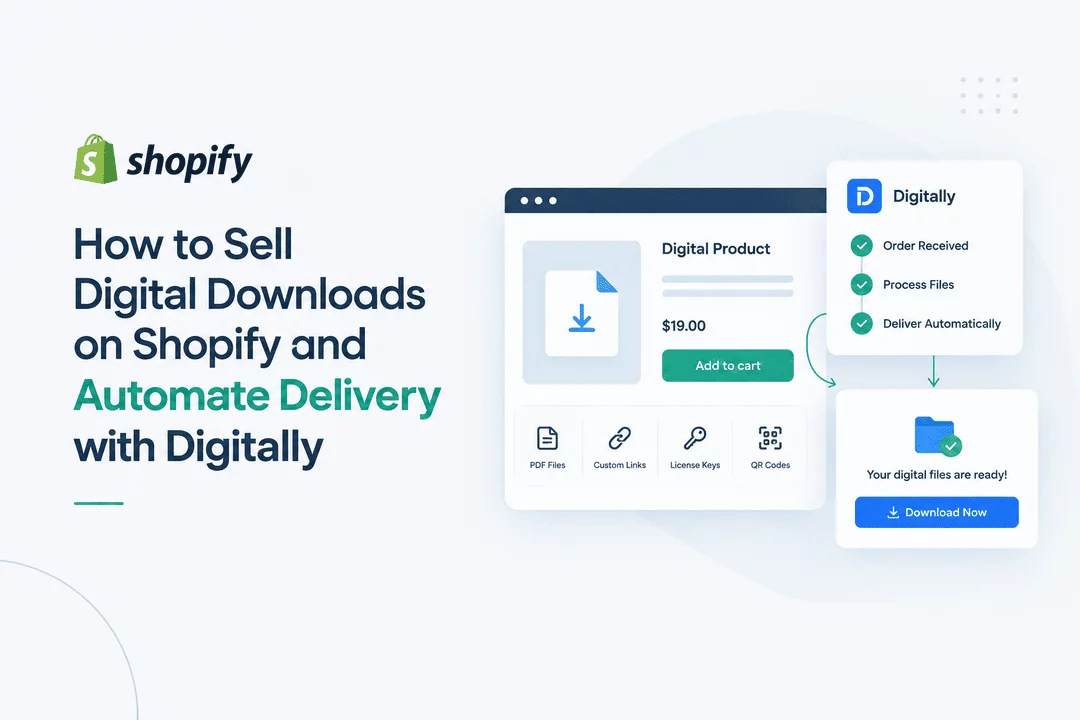
How to Sell Digital Downloads on Shopify and Automate Delivery with Digitally
Selling digital downloads on Shopify is a simple way to build an online business without managing physical inventory, packaging, or shipping. Whether you sell ebooks, PDFs, templates, software, music, courses, graphics, or other downloadable files, Shopify can provide the storefront while a digital delivery app handles the fulfillment.
The key is automation. When a customer completes a purchase, they should receive access to their digital product quickly and securely—without requiring you to manually send files or links.
That is where Digitally – Digital Products can help. Digitally lets Shopify merchants deliver digital files, custom links, license keys, QR codes, and other digital content automatically after purchase.
In this guide, you'll learn how to sell digital downloads on Shopify and automate the entire delivery process.
What Are Digital Downloads?
Digital downloads are products that customers purchase online and access electronically instead of receiving a physical item.
Common examples include:
- Ebooks and PDFs
- Digital planners
- Printable templates
- Design assets
- Fonts and graphics
- Software and plugins
- Music and audio files
- Video files
- Online resources
- License and activation keys
- Membership or subscription keys
- Game keys and DLC
- Educational materials
Unlike physical products, digital products can be created once and sold repeatedly. This can make them an attractive product category for creators, educators, designers, developers, and other online businesses.
Why Sell Digital Downloads on Shopify?
Shopify gives you control over your online storefront, checkout experience, products, branding, and customer relationships.
For digital-product businesses, this means you can create a professional store around your products instead of relying entirely on a third-party marketplace.
Some advantages include:
No Physical Inventory
Digital products don't require warehouses, shelves, or physical stock. Once your product is ready, you can sell it repeatedly without restocking inventory.
No Shipping
Customers don't need to wait for a package. After payment, they can receive a download link or other digital access method.
Global Sales
Digital products can be sold to customers in different locations without dealing with traditional shipping logistics.
Automated Fulfillment
With the right digital delivery system, orders can trigger automatic delivery immediately after purchase.
Multiple Product Types
You aren't limited to simple PDF downloads. You can sell files, links, codes, licenses, and other forms of digital content.
How to Sell Digital Downloads on Shopify
Setting up a digital-download business involves several basic steps.
Step 1: Create Your Digital Product
Start by creating the product you want to sell.
For example, you might create:
- A 50-page ebook
- A Canva template pack
- A collection of design files
- A software plugin
- A video tutorial
- A digital planner
- A collection of audio files
Make sure your files are organized and ready for customers to access.
Step 2: Create the Product in Shopify
Add your digital product to your Shopify store just as you would create another product.
Add:
- Product title
- Description
- Product images
- Price
- Variants, if applicable
- Product information
- Relevant marketing content
Because the customer isn't receiving a physical product, you should make the digital nature of the product clear in your product description.
Step 3: Add Your Digital Files
The next step is connecting the digital content to your Shopify product.
This is where a dedicated digital delivery app becomes useful.
Instead of manually emailing every customer, you can connect the files to your products and let the delivery system handle fulfillment automatically.
Step 4: Configure Automatic Delivery
With Digitally, you can connect digital files to Shopify products and configure how customers receive their purchases.
Depending on your product, you can deliver:
- Downloadable files
- Custom links
- License keys
- Activation codes
- Subscription keys
- QR codes
- Other digital content
Once configured, the delivery process can happen automatically after the customer's purchase.
Step 5: Customize the Customer Experience
Your digital delivery process is part of your overall customer experience.
With Digitally, you can customize elements such as email templates and download pages so the delivery experience better matches your store's branding.
You can also use download limits and expiring links where appropriate to add additional control over digital access.
How Automated Digital Delivery Works
A typical automated workflow looks like this:
Customer visits your Shopify store → Customer purchases a digital product → Shopify processes the order → Digitally identifies the purchased content → Customer receives the digital delivery → Customer downloads or accesses the product
This removes repetitive manual work from your fulfillment process.
For example, imagine you sell a $20 digital planner.
Without automation, you might need to:
- Check the Shopify order.
- Confirm payment.
- Find the correct file.
- Create or copy a download link.
- Email the customer.
- Repeat the process for every order.
With automated delivery, the process can happen automatically after the order is completed.
Deliver Large Digital Files
Digital products aren't always small PDFs.
You may need to deliver software packages, video files, design collections, or other large digital assets.
Digitally supports files up to 2GB, making it possible to deliver a wide range of digital products through your Shopify store.
Instead of creating a complicated manual delivery workflow, you can connect your digital assets to the appropriate Shopify products.
Sell License Keys and Activation Codes
Some digital businesses don't deliver a downloadable file at all.
For example, software companies may sell:
- Product license keys
- Activation codes
- Subscription keys
- Plugin licenses
- API or service keys
- Game keys
Digitally supports license-key delivery and can work with bulk key imports using CSV files.
This can be particularly useful when you have hundreds or thousands of unique keys that need to be distributed to customers.
You can also configure how many keys a customer receives based on the quantity purchased.
For example, if a customer purchases two units and each unit includes three keys, the delivery system can provide six keys.
Protect Your Digital Products
One of the biggest concerns when selling digital downloads is unauthorized sharing.
A customer who purchases your ebook, template, software, or other file may share the download link with someone else.
Automated delivery can include controls that help you manage access.
Digitally provides features such as:
- Download limits
- Expiring download links
- PDF stamping
- Secure file hosting
- IP fraud protection
- Customer account re-access
- Download tracking and analytics
These features can help merchants maintain greater control over their digital products.
Deliver Digital Products Through Custom Links
Not every digital product needs to be a downloadable file.
You may want to provide customers with access to:
- A private webpage
- An external resource
- A course
- A membership area
- A software activation page
- A cloud-based resource
- A video library
Digitally supports custom-link delivery, allowing you to deliver a URL after purchase instead of simply attaching a file.
This gives Shopify merchants more flexibility when building different types of digital products.
Use QR Codes for Digital Delivery
QR codes can also be useful for certain digital products.
For example, a customer could receive a QR code that takes them to a digital resource, private page, event information, or another online destination.
This can create a simple bridge between physical-world experiences and digital content.
Automate Drip Content
Some digital businesses don't want to provide everything immediately.
For example, an online educator could release:
- Lesson 1 on purchase
- Lesson 2 after several days
- Lesson 3 later
- Bonus content after another period
A drip-content workflow can help you release additional digital content over time rather than delivering everything at once.
This can be useful for courses, educational resources, subscription-style products, and content libraries.
Customize Digital Delivery Emails
The delivery email is often the first interaction customers have with your digital product after purchasing.
A generic email can feel disconnected from your store.
Digitally provides customizable email templates for different delivery scenarios, including files, keys and codes, and custom links.
You can create a delivery experience that matches your brand while giving customers clear instructions for accessing their purchases.
Example: Selling an Ebook
Suppose you sell an ebook called "The Complete Shopify SEO Guide."
Your workflow could look like this:
1. Create the ebook
Prepare your PDF and make sure it is ready for customers.
2. Create the Shopify product
Add the ebook to your Shopify store with its title, description, cover image, and price.
3. Connect the PDF
Use Digitally to associate the ebook file with the Shopify product.
4. Configure delivery
Set your download and access settings.
5. Customer purchases
The customer completes checkout.
6. Automatic fulfillment
Digitally delivers the ebook download to the customer.
7. Customer downloads
The customer receives access without waiting for manual assistance.
This workflow can continue working as your order volume grows.
Example: Selling Software License Keys
Now consider a software business.
Instead of delivering a PDF, you have a database or CSV file containing unique activation keys.
You can import your available keys and connect them to the relevant Shopify product.
When a customer purchases the product, the appropriate license key can be delivered automatically.
This eliminates the need to manually copy and paste license keys into individual customer emails.
Best Practices for Selling Digital Downloads
Make Delivery Instructions Clear
Tell customers exactly what they will receive and how they will access it.
Use Descriptive Product Pages
Explain the product, file format, compatibility, included content, and any important requirements.
Test Your Delivery Workflow
Place a test order before launching your product to customers. Make sure the correct file, link, or key is delivered.
Protect Valuable Content
Use available access controls such as download limits and expiring links when appropriate.
Keep Your Files Organized
Use clear file names and organize your digital assets so they are easy to manage as your catalog grows.
Create a Consistent Email Experience
Customize delivery emails so customers immediately recognize your brand and understand what to do next.
Monitor Downloads
Analytics and download tracking can help you understand how customers interact with your digital products.
Why Automate Digital Delivery?
Manual fulfillment may work when you have a few orders, but it becomes increasingly difficult as your store grows.
Automation can help you:
- Save time
- Reduce repetitive work
- Deliver products faster
- Reduce fulfillment mistakes
- Improve the customer experience
- Manage larger order volumes
- Control access to digital content
The goal isn't simply to sell a digital product. It's to build a fulfillment process that can operate reliably after each purchase.
Start Selling Digital Downloads on Shopify
Shopify provides the storefront and checkout infrastructure, while a dedicated digital delivery solution can handle the fulfillment side of your digital-product business.
With Digitally – Digital Products, Shopify merchants can automate the delivery of files, custom links, license keys, activation codes, QR codes, and other digital content.
Whether you're selling a single ebook or managing a large catalog of software licenses and digital assets, automation can make the process easier to manage.
If you're ready to automate digital product delivery on Shopify, try Digitally and build a smoother digital fulfillment workflow for your store.
Frequently Asked Questions
You can create digital products in your Shopify store and use a digital delivery app to automatically provide customers with their purchased files, links, or other digital content after checkout.
Digitally connects digital content to Shopify products and automatically delivers files, custom links, license keys, activation codes, and other digital products after a customer completes a purchase.
You can sell ebooks, PDFs, templates, graphics, software, plugins, audio files, videos, educational resources, license keys, subscription keys, and many other digital products.
Yes. With a digital delivery solution, customers can automatically receive their download links or other digital content after their Shopify order is completed, reducing the need for manual fulfillment.
Yes. Digitally supports license key and activation-code delivery, including bulk key management through CSV import and export.
You can use features such as download limits, expiring links, PDF stamping, secure file hosting, and access controls to help manage and protect your digital products.
Shopify Digital Products
Digital Downloads
Sell Digital Products
Digitally
Automated Delivery
Digital Product Delivery

Digitally ‑ Digital Products
Sell files, e-books, license keys, promo codes & digital links
 Install Now