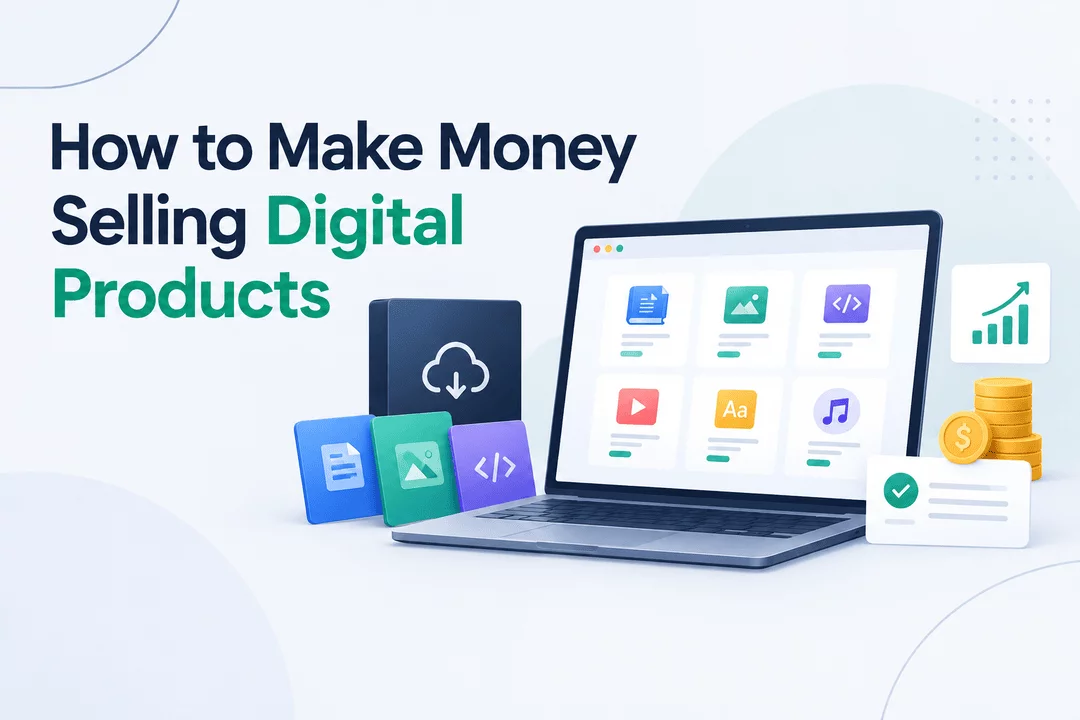
How to Make Money Selling Digital Products
Selling digital products has become one of the most accessible ways to build an online business. Unlike physical products, digital products can often be created once and sold repeatedly without inventory, shipping, or warehousing costs.
Whether you’re a designer, educator, developer, writer, musician, or entrepreneur, you can turn your knowledge or creative skills into downloadable products and sell them online.
In this guide, we’ll explore how to make money selling digital products, what products you can sell, how to price them, where to sell them, and how to automate digital delivery with Shopify.
What Are Digital Products?
Digital products are goods that customers purchase and access electronically rather than receiving as physical items.
Common examples include:
- Ebooks and digital guides
- Online courses
- Printable planners and templates
- Design assets
- Stock photos and graphics
- Fonts and illustrations
- Software and apps
- Music and audio files
- Video content
- Digital artwork
- Presets and filters
- Game assets
- License keys and activation codes
- Membership or subscription content
The biggest advantage is that customers can receive their purchases instantly, while sellers can automate much of the fulfillment process.
Why Sell Digital Products?
Digital products can offer several advantages over traditional physical products.
1. Low Overhead
You don't need to manufacture, package, store, or ship every order. Once your product is created, additional sales generally don't require the same production process as physical goods.
2. Sell Worldwide
A digital product can be purchased by customers in different countries without international shipping.
3. Instant Delivery
Customers can receive files, links, codes, or other digital content immediately after completing their purchase.
4. Scalable Business Model
A successful digital product can potentially be sold many times without maintaining physical inventory.
5. Multiple Revenue Opportunities
You can create different products at different price points, offer bundles, introduce subscriptions, or sell complementary products to existing customers.
10 Profitable Digital Products You Can Sell
If you're wondering what to sell, start with a product that solves a specific problem for a clearly defined audience.
1. Ebooks
Turn your expertise into a practical guide, tutorial, checklist, or educational ebook.
For example:
- Beginner guides
- Industry-specific manuals
- Recipe books
- Business guides
- Educational resources
2. Templates
Templates can save customers time and effort.
You could sell:
- Canva templates
- Resume templates
- Business documents
- Social media templates
- Presentation templates
- Spreadsheet templates
- Notion templates
3. Printables
Printable products are popular because customers can download and use them immediately.
Examples include:
- Planners
- Calendars
- Worksheets
- Checklists
- Budget trackers
- Educational activities
4. Online Courses
If you have expertise in a particular subject, you can package your knowledge into a structured course.
Topics could include:
- Design
- Marketing
- Programming
- Photography
- Business
- Language learning
- Personal development
5. Graphics and Design Assets
Designers can sell reusable creative assets such as:
- Icons
- Illustrations
- Mockups
- Social media graphics
- Presentation assets
- UI kits
6. Software and Plugins
Developers can sell applications, plugins, scripts, themes, extensions, and other software products.
You can also provide customers with license keys after purchase.
7. Digital Audio
Musicians and audio creators can sell:
- Sound effects
- Music tracks
- Sample packs
- Loops
- Audio presets
- Meditation recordings
8. Video Products
Video creators can sell tutorials, educational content, stock footage, video templates, or specialized video assets.
9. Photography and Digital Art
Photographers and artists can sell high-resolution images, artwork, presets, brushes, and other creative resources.
10. Membership or Subscription Content
Instead of selling a single product, you can offer recurring access to premium content, resources, downloads, or a digital library.
How to Make Money Selling Digital Products
Creating a digital product is only the first step. To build revenue, you need a process for creating, marketing, selling, delivering, and improving your products.
Step 1: Choose a Specific Audience
Start by identifying who you want to serve.
Instead of creating a generic product for "everyone," choose a specific audience with a clear need.
For example:
"Social media templates for small restaurants"
is more specific than:
"Social media templates."
A specific audience makes it easier to create relevant products and marketing messages.
Step 2: Find a Problem to Solve
Successful digital products usually provide a useful outcome.
Ask:
- What problem does my audience have?
- What takes them too much time?
- What information are they looking for?
- What task could be made easier?
- What resource would help them achieve their goal?
Your product should make the customer's life easier, save time, provide knowledge, or help them accomplish something.
Step 3: Create the Product
Build the product around the problem you identified.
Focus on usability rather than simply adding more content.
For example, a useful budgeting template may be more valuable to a customer than a huge spreadsheet filled with unnecessary features.
Step 4: Set Your Price
Pricing depends on factors such as:
- Product complexity
- Customer value
- Target audience
- Competition
- Your expertise
- Support requirements
- Product format
You can also create multiple pricing levels.
For example:
Basic: Single template
Pro: Template bundle
Premium: Complete resource library + updates
This gives customers different ways to purchase based on their needs.
Step 5: Create a Sales Page
Your product page should quickly explain:
- What the product is
- Who it's for
- What problem it solves
- What's included
- How customers receive it
- Pricing
- Frequently asked questions
Use screenshots, previews, demonstrations, or sample pages when appropriate.
Step 6: Choose an Ecommerce Platform
For creators who want their own branded storefront, Shopify provides tools for creating an online store and selling products.
For digital products, you'll also need a reliable method for delivering files or other digital content after purchase.
That's where a digital delivery app can become useful.
Shopify can be used to sell digital products such as ebooks, software, downloadable files, courses, graphics, and license-based products.
A typical workflow looks like this:
Create Product → Customer Purchases → Payment Confirmed → Digital Product Delivered → Customer Downloads
Instead of manually sending files to every customer, you can automate the delivery process.
Automate Digital Delivery With Digitally
Digitally – Digital Products can help Shopify merchants deliver digital products after customers complete their purchases.
With Digitally, merchants can deliver files, custom links, license keys, activation codes, and other digital content directly to customers.
You can use features such as:
- Digital file delivery
- Files up to 2GB
- Custom links
- License key delivery
- Bulk license-key imports
- Download limits
- Expiring download links
- PDF stamping
- QR code delivery
- Custom email templates
- Drip content updates
- Download Page Editor
- Product synchronization
- Analytics
- IP fraud protection
- Secure digital hosting
This can reduce manual fulfillment and create a more consistent delivery experience for customers.
Sell More With Product Bundles
One way to increase revenue from digital products is to bundle related products together.
For example:
Individual Product: $9
Starter Bundle: $19
Complete Bundle: $39
A customer who originally planned to buy one product may choose a bundle when the additional value is clear.
You can create bundles around a specific outcome rather than simply grouping unrelated products.
Create Multiple Versions of Your Product
You don't always need to create an entirely new product to expand your catalog.
You could offer:
- Beginner and advanced versions
- Personal and commercial licenses
- Individual products and bundles
- Standard and premium versions
- Monthly and yearly access
- Basic and extended versions
For software products, for example, different plans could include different features or license terms.
Build Recurring Revenue
Some digital products work particularly well with recurring revenue.
Examples include:
- Software subscriptions
- Premium content libraries
- Monthly design resources
- Membership communities
- Educational libraries
- Regular template releases
Instead of relying entirely on one-time purchases, recurring products can create an ongoing customer relationship.
Market Your Digital Products
A great product still needs to be discovered.
Consider using several marketing channels.
Search Engine Optimization
Create useful content around the problems your products solve.
For example, if you sell budgeting templates, you could publish articles about:
- How to create a personal budget
- How to track monthly expenses
- Budgeting tips for beginners
- How to manage irregular income
These articles can attract people who are already searching for solutions.
Social Media
Demonstrate your product rather than only promoting it.
You could share:
- Tutorials
- Before-and-after examples
- Product previews
- Tips
- Short videos
- Customer use cases
Email Marketing
Build an email list and provide useful content before promoting your products.
You can also use email sequences to introduce new products, provide updates, and re-engage previous customers.
Affiliate Marketing
You can work with creators or publishers whose audiences match your target customers.
Depending on your business model, affiliates can earn a commission for referring customers.
Improve Your Product After Launch
Launching your product isn't the end of the process.
Pay attention to:
- Customer questions
- Support requests
- Reviews
- Refund reasons
- Download behavior
- Conversion rates
- Frequently requested features
Use this information to improve the product and create future versions.
Common Mistakes to Avoid
Creating a Product Nobody Needs
Before spending significant time creating a product, validate that there is genuine interest in the problem you're solving.
Making the Product Too Broad
A product designed for a specific use case can be easier to position than something intended for everyone.
Ignoring Product Delivery
A great product can still create a poor customer experience if customers struggle to access it.
Automated delivery can help ensure customers receive their purchases consistently.
Underestimating Marketing
Creating the product is only one part of the business. You also need a plan for attracting potential customers.
Providing Poor Customer Support
Digital products may require instructions, troubleshooting, licensing information, or download assistance. Clear documentation can reduce friction.
Final Thoughts
Learning how to make money selling digital products starts with identifying a specific audience and creating something that solves a real problem.
From ebooks and templates to software, license keys, courses, and digital assets, there are many types of products you can build and sell online.
The key is to create useful products, establish a clear sales process, market them consistently, and automate fulfillment wherever possible.
For Shopify merchants, Digitally can help simplify the digital delivery side of the business, allowing you to deliver files, links, license keys, and other digital products after purchase.
Frequently Asked Questions
Yes. Digital products can be sold repeatedly without the inventory and shipping requirements associated with physical products. Revenue depends on factors such as product demand, pricing, marketing, and customer acquisition.
You can use a digital delivery app such as Digitally to automatically deliver files, custom links, license keys, and other digital content after an order.
Yes. Digitally supports license key and activation-code delivery, including bulk license-key management.
Yes. A Shopify store can contain different types of digital products, allowing you to sell items such as ebooks, templates, software, files, license keys, and other digital resources from the same storefront.
Digital Products
Sell Digital Products
Shopify Digital Products
Digital Downloads
Digitally
Digital Product Delivery
Passive Income

Digitally ‑ Digital Products
Sell files, e-books, license keys, promo codes & digital links
 Install Now