License Key Delivery Automation for Shopify: Sell Software License Keys Online the Right Way
Selling software online is one of the most profitable digital business models today. But if you’re manually emailing product keys after every order, you’re creating unnecessary delays, security risks, and scaling problems.
In this guide, you’ll learn how to automate license key delivery on Shopify using apps like Digitally, so you can sell software license keys the right way — securely, instantly, and without manual work.
Why Manual License Key Delivery Is a Problem
Many new merchants start like this:
- Customer purchases a software product
- Store owner receives order notification
- Owner manually emails the license key
- Customer waits… and sometimes contacts support
This creates several issues:
- ❌ Delayed delivery
- ❌ Human error (wrong key sent)
- ❌ Duplicate keys accidentally reused
- ❌ No tracking of which key went to which order
- ❌ Hard to scale
If you want to sell software professionally, automation is essential.
What Is License Key Delivery Automation?
License key delivery automation means:
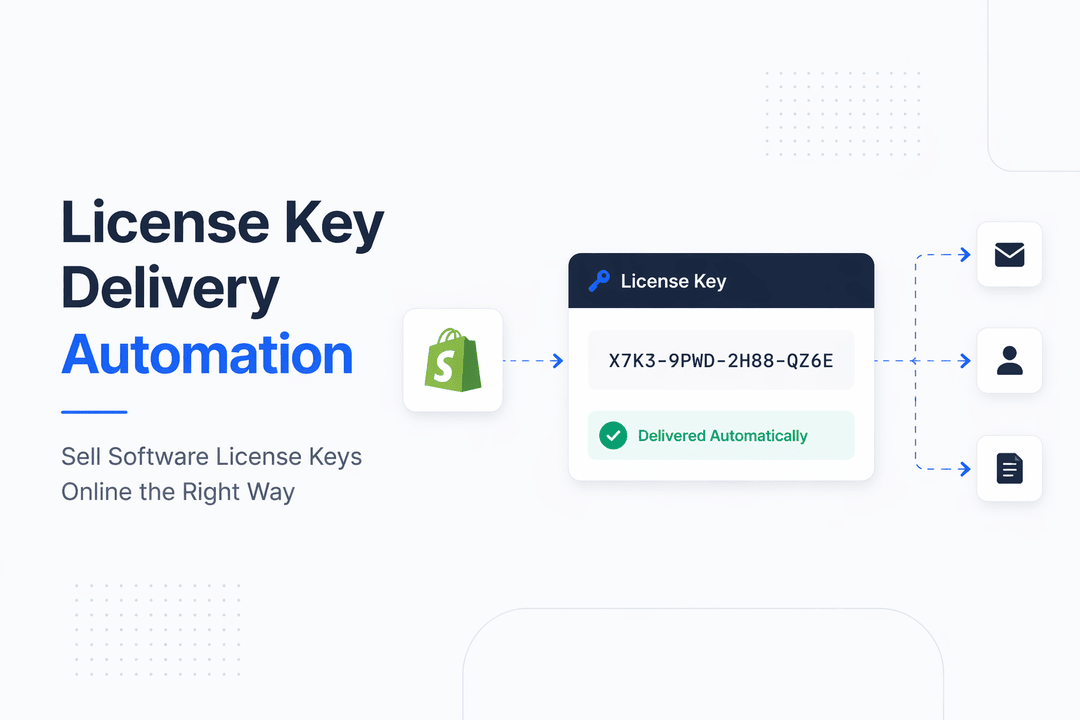
Once payment is confirmed → The system automatically assigns a unique product key → The customer instantly receives it via email and/or download page.
No manual emails. No spreadsheets. No copying and pasting.
With the right Shopify app, the entire workflow becomes automatic.
How License Key Automation Works on Shopify
Here’s the simplified process:
Step 1: Upload License Keys
You upload a list of unique license keys into your digital delivery app (like Digitally). These are securely stored inside the system.
Step 2: Customer Purchases Product
Customer completes checkout on Shopify.
Step 3: Payment Confirmation
After payment is successfully processed, the app triggers fulfillment.
Step 4: Automatic Key Assignment
The system:
- Assigns one unused license key
- Marks it as delivered
- Links it to that specific order
Step 5: Instant Delivery
The customer receives:
- License key via email
- Key displayed on the order confirmation page
- (Optional) Download instructions
Benefits of Automating License Key Delivery
1️⃣ Instant Fulfillment After Payment
Customers expect immediate access.
Automation ensures:
- No waiting
- No time-zone delays
- No support tickets asking, “Where is my key?”
Instant delivery increases trust and conversion rates.
2️⃣ No More Manual Emails
Manually sending keys:
- Doesn’t scale
- Wastes time
- Increases risk of mistakes
With automation:
- You can sell 10 keys or 10,000 keys
- The process stays the same
- Zero extra workload
3️⃣ Secure Key Storage
Security matters when selling license keys.
A proper automation system provides:
- Secure key storage
- Unique key tracking
- Prevention of duplicate delivery
- Inventory management visibility
You always know:
- How many keys are left
- Which keys were delivered
- Which order received which key
4️⃣ Automatic Inventory Management
When keys run out, the system:
- Stops selling automatically
- OR
- Notifies you to upload more keys
This prevents overselling and customer frustration.
5️⃣ Professional Customer Experience
Automated delivery creates:
- Clean branded emails
- Organized download pages
- Clear activation instructions
- Seamless checkout-to-activation flow
Here’s a practical overview:
1. Install a Digital Delivery App
Choose a Shopify app that supports:
- License key management
- Automated fulfillment
- Secure storage
- Instant email delivery
For example, Digitally is designed specifically for selling digital products and license keys on Shop
2. Create a Digital Product
Inside Shopify:
- Create a product (e.g., “Pro Software License – 1 Year”)
- Disable shipping
- Set it as a digital product
3. Upload Your License Keys
Inside the app dashboard:
- Upload keys in bulk (CSV or text list)
- Assign keys to the product
- Enable automatic delivery
4. Customize Email & Instructions
Add:
- Activation steps
- System requirements
- Support contact
- Refund policy (if applicable)
This reduces support tickets significantly.
5. Test the Purchase Flow
Always test:
- Checkout
- Payment confirmation
- Key assignment
- Email delivery
- Activation process
Once verified, you’re ready to scale.
Advanced Tips for Selling Software License Keys
🔐 Use Unique Keys Only
Never reuse keys. Always upload unique, unused keys.
📊 Track Fulfillment Metrics
Monitor:
- Delivery success rate
- Refund rate
- Key inventory levels
🚫 Reduce Fraud
- Enable Shopify fraud analysis
- Consider manual review for high-risk orders
- Limit quantity per order if necessary
📈 Bundle Keys Strategically
Sell:
- Monthly licenses
- Lifetime licenses
- Bulk packages
- Subscription renewals
Automation supports all these models.
Who Should Use License Key Automation?
This setup is perfect for:
- SaaS resellers
- Antivirus sellers
- VPN providers
- Software developers
- Plugin/theme sellers
- Course creators using activation codes
If you sell any product that requires a unique code — automation is mandatory.
Why Shopify + License Automation Is Powerful
Shopify handles:
- Checkout
- Payments
- Taxes
- Global currencies
Your digital delivery app handles:
- Key storage
- Key assignment
- Fulfillment automation
Together, they create a fully automated digital sales system.
Final Thoughts
If you're serious about selling software license keys online, manual fulfillment is not sustainable.
License key delivery automation ensures:
- ⚡ Instant delivery
- 🔒 Secure key management
- 📦 Automatic fulfillment
- 📈 Scalability without extra work
Using Shopify with a specialized app like Digitally allows you to sell software license keys professionally, securely, and at scale.
Frequently Asked Questions
You can automate license key delivery by using a digital delivery app like digitally that assigns unique keys after payment confirmation. Once a customer completes checkout, the app instantly sends the license key via email and displays it on the order confirmation page — no manual work required.
Shopify does not natively generate or manage unique license keys. You need a specialized digital delivery app to securely store keys, assign them automatically, and track which key is sent to each order.
Yes — if you use a trusted digital product app. Apps like Digitally securely store your license keys, track usage, prevent duplicate delivery, and manage inventory automatically. This is much safer than spreadsheets or manual email delivery.
Most license key automation apps automatically stop selling the product once inventory runs out or notify you to upload more keys. This prevents overselling and protects your customer experience.
Yes. You can create separate Shopify products for different license types (e.g., monthly, yearly, lifetime) and assign separate key pools to each product. Automation works the same way regardless of license type.
Automated delivery provides: Instant fulfillment Zero human error Secure key tracking Scalability Professional branded emails Manual fulfillment slows growth and increases the risk of sending duplicate or incorrect keys.
license key delivery automation
Digitally
sell software license keys online
instant product key delivery
secure license key storage
software key fulfillment shopify
shopify software sales

Digitally ‑ Digital Products
Sell files, e-books, license keys, promo codes & digital links
 Install Now