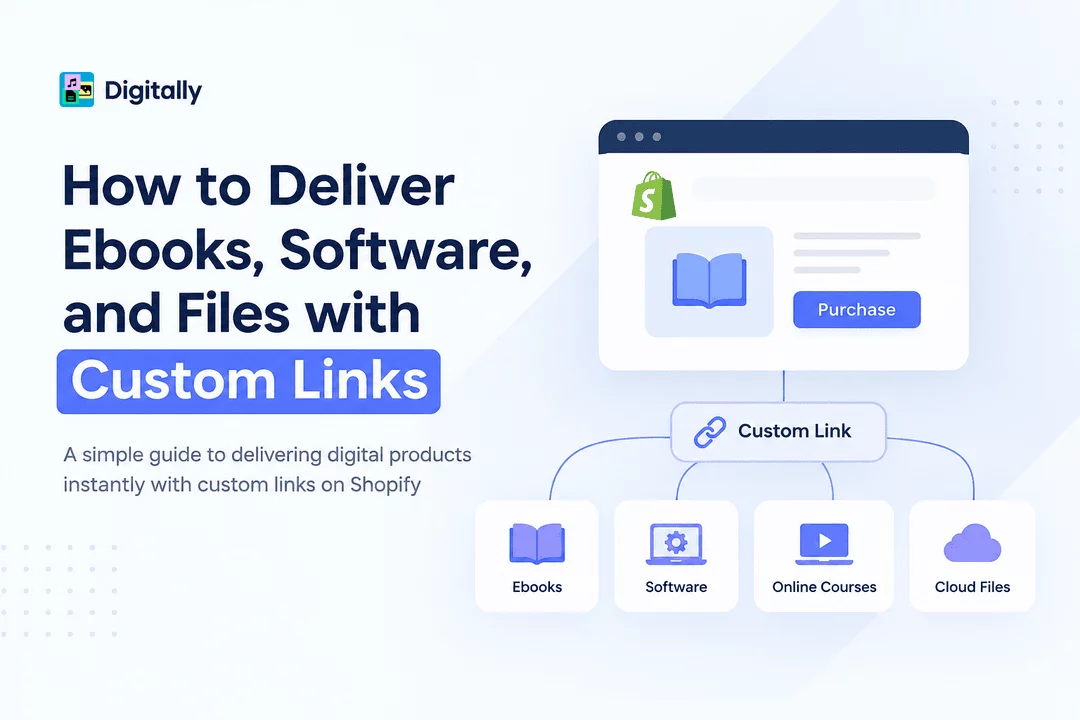
How to Deliver Ebooks, Software, and Files with Custom Links
Selling digital products online is one of the simplest ways to build a scalable ecommerce business. Unlike physical products, ebooks, software, templates, guides, courses, and other downloadable products can be delivered instantly without shipping, inventory, or manual fulfillment.
But not every digital product needs to be delivered as a traditional file download.
Sometimes, the best delivery method is a custom link.
A custom link can send customers directly to a software activation page, membership portal, cloud-hosted file, video, online course, private resource, license activation page, or any other URL associated with their purchase.
For Shopify merchants, this creates a flexible way to deliver digital products while keeping the customer experience fast and automated. With Digitally, merchants can connect custom links to Shopify products and automatically provide customers with access after purchase.
In this guide, we'll explain what custom-link delivery is, when to use it, and how to deliver ebooks, software, and other digital products through custom links.
What Is Custom-Link Delivery?
Custom-link delivery means providing a customer with a specific URL instead of—or alongside—a downloadable file.
For example, instead of attaching a PDF ebook directly to an email, you could provide a secure link that takes the customer to the ebook or a dedicated download page.
Similarly, a software seller could deliver:
- A software download URL
- A license activation page
- A private customer portal
- A cloud storage link
- A product activation page
- An online course
- A membership area
- A video or media resource
- A digital resource library
The customer purchases the product through Shopify, and the corresponding link is delivered automatically.
Why Use Custom Links for Digital Products?
Traditional file delivery works well when your product is a simple PDF, ZIP file, image, or other downloadable asset.
However, many digital businesses sell products that live somewhere else.
For example, a software company may want customers to access its application through an external download or activation portal. A course creator may host lessons on a separate platform. A membership business may need to direct customers to a private login page.
Custom links make these workflows much easier.
1. Deliver Products Hosted Elsewhere
Your digital product doesn't necessarily need to be stored directly inside Shopify.
You can use a custom URL to direct customers to resources hosted on your preferred platform.
2. Provide Instant Access
Customers don't have to wait for manual fulfillment. After completing their purchase, they can receive their access information automatically.
3. Support Different Digital Product Types
Custom links aren't limited to ebooks. They can be used for software, subscriptions, courses, memberships, resources, and many other digital products.
4. Simplify Your Fulfillment Process
Instead of manually emailing links to customers after every order, you can automate delivery through your Shopify store.
5. Create a Better Customer Experience
Customers receive the information they need immediately after purchase, reducing confusion and support requests.
Examples of Digital Products You Can Deliver with Custom Links
Custom-link delivery is useful for many types of digital products.
Ebooks
If your ebook is hosted on a cloud platform, content portal, or dedicated download page, you can provide customers with a custom link after purchase.
For example:
Product: "The Complete Shopify SEO Guide"
Delivery: Customer receives a link to the ebook download page.
Software
Software products often require more than a simple file attachment.
You can use custom links to direct customers to:
- Software download pages
- Installation instructions
- License activation pages
- Customer dashboards
- Software portals
- Updates and documentation
Online Courses
If your course is hosted on another platform, the purchase can trigger delivery of the course access URL.
Memberships
Customers can receive a link to a private membership area or account portal after purchasing access.
Templates and Resources
Design templates, business resources, spreadsheets, Notion templates, and other digital assets can also be delivered through custom URLs.
Video and Audio Products
If your content is hosted on a dedicated platform, customers can receive the appropriate access link after checkout.
How to Deliver Digital Products with Custom Links on Shopify
Setting up custom-link delivery doesn't have to be complicated. The basic workflow looks like this:
Shopify Product → Customer Purchase → Automated Fulfillment → Custom Link → Customer Access
Here's how the process works.
Step 1: Create Your Digital Product
Start by creating the product in Shopify.
Add the product title, description, price, images, and other information just as you would for any other Shopify product.
For example:
Product: Premium Photoshop Template Pack
Price: $29
Delivery Method: Custom Link
Step 2: Prepare Your Destination URL
Determine where customers should go after purchasing.
This could be:
- A download page
- A software portal
- A cloud-hosted resource
- A course platform
- A membership page
- A private content page
- A license activation page
Make sure the destination is accessible to the intended customers.
Step 3: Connect the Custom Link to Your Product
With Digitally, you can configure digital product delivery and associate a custom link with the Shopify product.
The link becomes part of the digital fulfillment process instead of requiring you to manually send it to every customer.
Step 4: Let Automation Handle Delivery
Once a customer completes the purchase, Digitally can deliver the digital product information according to your configured delivery settings.
Depending on your setup, customers can receive their digital access information through the available delivery experience, such as email or the Shopify order/thank-you experience.
Step 5: Test the Customer Experience
Before launching your product, complete a test order.
Check that:
- The correct link is delivered
- The URL works properly
- Customers can access the intended content
- The email or delivery page displays correctly
- The link is easy to understand
- The product is delivered after a successful purchase
Testing prevents broken links and customer support issues later.
Custom Links vs. File Downloads
Both delivery methods have their advantages.
Delivery Method | Best For |
File download | PDFs, ZIP files, images, documents |
Custom link | Hosted resources, software portals, courses, memberships |
License key | Software activation codes and product keys |
Custom link + file | Products requiring both a downloadable file and online access |
The right choice depends on where your digital product is hosted and how customers need to access it.
When Should You Use a Custom Link?
Custom links are particularly useful when your product isn't simply a downloadable file.
Consider using them when:
Your product is hosted externally:
If the actual resource lives on another platform, a custom link can connect the Shopify purchase to that resource.
Customers need to access a portal:
Software, memberships, and subscriptions often require customers to log into a dedicated system.
Your content changes regularly:
A central URL can make it easier to maintain access to updated content without replacing the entire digital product.
You want to combine multiple resources:
A custom landing page can provide access to ebooks, videos, templates, documentation, and other resources from one location.
Best Practices for Custom-Link Delivery
A custom link is only useful if customers can access it easily and securely.
Use Clear Delivery Instructions
Don't simply send customers a URL without context.
Tell them what the link is for and what they should do next.
For example:
Your ebook is ready! Click the button below to access your download.
Test Every Link
Broken links can quickly lead to customer complaints.
Test your URLs before publishing your product and periodically check them afterward.
Use Secure Destinations
If your product contains paid or private content, make sure the destination page has appropriate access controls.
A publicly accessible URL may not be suitable for sensitive or premium content.
Keep Links Organized
If you sell many digital products, maintain a clear system for tracking which link belongs to which Shopify product.
Make the Customer Journey Simple
Customers should be able to understand exactly where to click and what happens next.
The fewer steps required, the better the experience.
How Digitally Helps Shopify Merchants
Managing digital fulfillment manually can become difficult as your store grows.
Digitally – Digital Products helps Shopify merchants automate the delivery of digital products directly from their stores.
You can use Digitally to deliver different types of digital content, including:
- Files
- Ebooks
- Software
- License keys
- Subscription keys
- Custom links
- QR codes
- Other digital resources
For merchants using custom links, this means you can connect your Shopify products with external digital resources and automate the delivery process.
Instead of checking orders and manually sending links, your digital fulfillment workflow can run automatically.
Final Thoughts
Custom-link delivery gives Shopify merchants a flexible way to sell digital products that aren't limited to traditional file downloads.
Whether you're selling ebooks, software, online courses, memberships, templates, or access to external resources, custom links can make fulfillment faster and easier for both merchants and customers.
The key is to choose the right delivery method for your product, use reliable destinations, test your links, and automate fulfillment whenever possible.
With Digitally, Shopify merchants can create a more streamlined digital delivery system and provide customers with instant access to the products and resources they've purchased.
Frequently Asked Questions
You can use a digital product delivery app to connect your Shopify product with an ebook URL. After a customer completes their purchase, the custom link can be delivered automatically through the configured fulfillment process.
Yes. Digitally supports custom-link delivery, allowing Shopify merchants to provide customers with access to software, ebooks, hosted files, online resources, and other digital products through a URL.
Custom links can be used for ebooks, software downloads, online courses, membership portals, templates, cloud-hosted files, license activation pages, videos, and other digital resources.
It depends on the product. Downloadable files are ideal for PDFs, ZIP files, images, and documents, while custom links are useful when the product is hosted on an external platform or requires access to a portal or online resource.
Use secure destination pages, access controls, expiring URLs when available, and clear customer authentication requirements. Always test your links before making a product available for sale.
Yes. Digitally can automate digital fulfillment for Shopify products, helping merchants deliver files, license keys, custom links, and other digital content without manually sending each order.
Digital Products
Shopify Digital Products
Custom Links
Digital Product Delivery
Digital Downloads
digitally
Automated Fulfillment

Digitally ‑ Digital Products
Sell files, e-books, license keys, promo codes & digital links
 Install Now