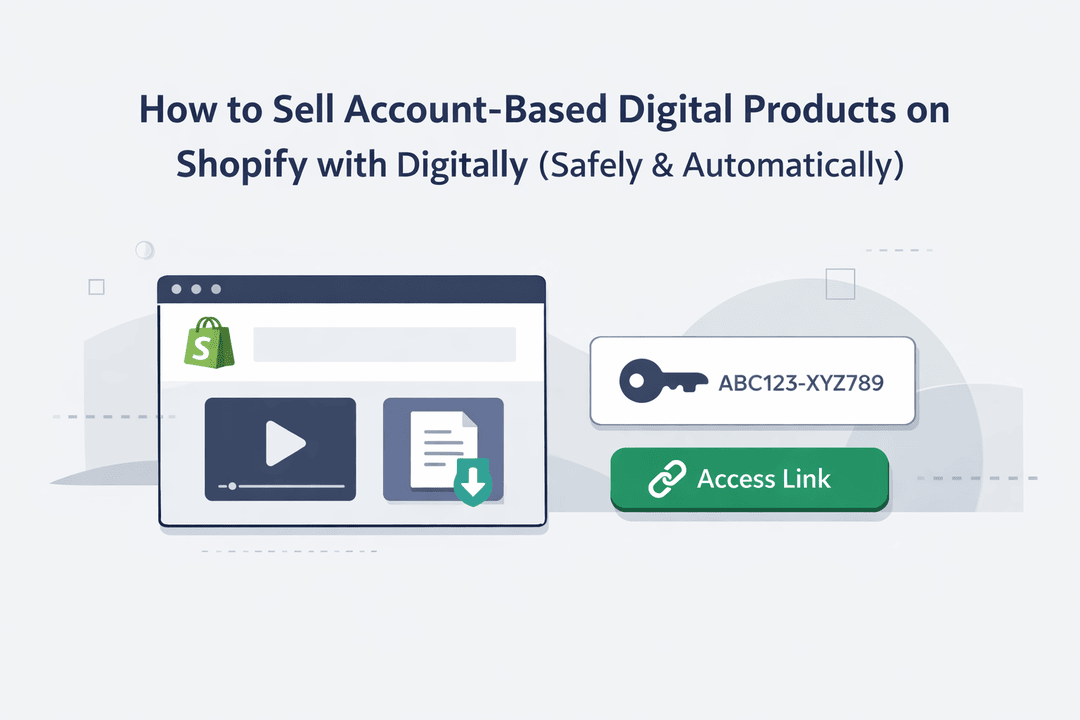
How Creators Can Scale Digital Product Sales on Shopify

Selling digital products is one of the most flexible ways to build an online business. From ebooks and online courses to templates, software, design assets, and downloadable resources, creators can turn their knowledge and skills into products that customers can purchase from anywhere.
However, getting the first few sales is only the beginning. As your business grows, managing orders, delivering files, supporting customers, and protecting digital products can become increasingly challenging.
The key to sustainable growth is building a system that can handle more customers without requiring more manual work.
Shopify provides creators with the tools to build and manage an online store, while digital product delivery solutions like Digitally – Digital Products help automate the fulfillment process.
In this guide, we'll explore practical strategies creators can use to scale digital product sales on Shopify.
1. Choose Digital Products That Can Grow With Your Business
The first step toward scaling is choosing products that can serve more customers without significantly increasing production costs.
Unlike physical products, digital products don't require inventory replenishment or shipping for every order. Once created, they can be sold repeatedly.
Some popular digital product categories include:
- Ebooks and Guides: Educational resources, tutorials, and industry-specific guides.
- Online Courses: Video lessons, training materials, and educational programs.
- Templates: Canva templates, spreadsheets, website themes, and business documents.
- Software and Digital Tools: Applications, plugins, scripts, and software license keys.
- Creative Assets: Fonts, graphics, illustrations, presets, and stock resources.
- Audio and Video Files: Music tracks, sound effects, video templates, and editing resources.
Start with products that solve a specific customer problem. Once you understand what your audience needs, you can expand your catalog with complementary products.
2. Build a Professional Shopify Store
Your online store is where potential customers discover your products and decide whether to purchase.
A professional Shopify storefront can help establish credibility and make the buying process easier.
Focus on these important elements:
Clear Product Descriptions
Explain what customers receive, how the product works, and who it is designed for. Include important details such as file formats, compatibility, product requirements, and usage instructions.
High-Quality Product Images
Use attractive previews, screenshots, mockups, and product demonstrations to show customers what they are purchasing.
Simple Navigation
Organize products into relevant categories so visitors can quickly find what they need.
Customer Confidence
Include clear policies, frequently asked questions, contact information, and transparent refund terms.
A well-organized store reduces confusion and helps customers make informed purchasing decisions.
3. Automate Digital Product Delivery
Manual fulfillment becomes difficult when your store starts receiving more orders.
Imagine receiving 100 orders in a day and having to email every customer individually with their purchased files or license keys. This approach takes time and increases the possibility of mistakes.
Automation makes scaling much easier.
With Digitally – Digital Products, Shopify merchants can automate digital product fulfillment by connecting downloadable files, license keys, and custom download links to their products.
Depending on your product setup, you can:
- Automatically deliver digital files after purchase.
- Send software license keys and activation codes.
- Provide customers with custom download links.
- Manage digital product access.
- Configure download limits and expiration settings.
- Send automated delivery emails.
This allows creators to spend less time managing individual orders and more time developing products, marketing their stores, and serving their customers.
4. Create Multiple Pricing Options and Product Bundles
Selling a single product at one price can limit your revenue opportunities.
Consider offering different product versions to serve customers with different needs and budgets.
For example, a creator selling design templates could offer:
- Basic Package: A small collection of essential templates.
- Professional Package: Additional templates and premium resources.
- Complete Bundle: The entire collection with bonus materials.
Bundles can also encourage customers to purchase multiple related products in one transaction.
Other pricing strategies include:
- Introductory pricing for new products.
- Limited-time promotional offers.
- Premium editions with additional features.
- Complementary product bundles.
- Discounts for purchasing multiple resources.
Test different pricing structures and monitor which products and offers generate the strongest results.
5. Expand Your Product Catalog Strategically
As your audience grows, introducing related products gives existing customers more reasons to return.
For example, a creator selling an ebook about graphic design could expand into:
- Canva design templates.
- Social media content packs.
- Branding kits.
- Design tutorials.
- Premium creative resource bundles.
The important thing is to expand strategically rather than adding unrelated products simply to increase your catalog size.
Look at customer questions, product feedback, search trends, and purchasing behavior to identify opportunities.
A focused product catalog makes marketing easier and helps establish your store as a reliable resource in a particular niche.
6. Protect Your Digital Products
Digital products are easy to distribute, but unauthorized sharing can create problems for creators.
If customers can access unrestricted download links, purchased files may be shared beyond their intended audience.
Consider implementing appropriate protection measures.
Useful practices include:
- Using controlled download links instead of publicly accessible file URLs.
- Setting download limits where appropriate.
- Configuring link expiration.
- Using PDF stamping to personalize supported PDF downloads.
- Managing license keys and activation codes.
- Monitoring download activity.
Digitally offers features that help Shopify merchants manage digital delivery and protect their downloadable content.
For software sellers, license key management is particularly useful. Instead of manually sending activation codes, creators can configure automated delivery for purchased license keys.
No digital protection system can prevent every form of unauthorized sharing, but combining access controls with sensible delivery settings can reduce unnecessary exposure.
7. Use Marketing Channels to Attract More Customers
A scalable digital product business needs a consistent way to attract potential buyers.
Relying entirely on visitors who discover your Shopify store organically can limit growth.
Build a marketing strategy around the channels where your target audience spends time.
Search Engine Optimization (SEO)
Create useful blog posts targeting questions your potential customers search for. For example, a creator selling spreadsheet templates could publish articles about budgeting, financial planning, and productivity.
Pinterest Marketing
Pinterest can help digital product creators reach people searching for inspiration, templates, printables, and educational resources.
Create visually appealing pins that lead directly to relevant product pages or helpful blog posts.
Social Media Marketing
Use Instagram, Facebook, TikTok, and YouTube to demonstrate your products, share tutorials, publish customer success stories, and answer common questions.
Email Marketing
Build an email list by offering useful free resources, such as checklists, sample templates, or downloadable guides.
Send helpful content, product updates, and relevant offers to subscribers.
The goal is to build multiple sources of traffic rather than depending on one marketing channel.
8. Improve the Customer Experience
Getting customers to purchase is important, but providing a positive experience can encourage repeat purchases and recommendations.
Digital product customers generally expect quick access to their purchases.
Make sure your fulfillment process is straightforward.
Important areas to improve include:
- Clear purchase confirmation emails.
- Immediate digital product delivery when payment and fulfillment conditions are met.
- Easy-to-understand download instructions.
- Accessible customer support.
- Clear product information and compatibility details.
- A simple process for resolving download problems.
Digitally helps merchants automate important parts of digital fulfillment, reducing the need to handle every order manually.
When customers can easily access what they purchased, they are more likely to have a positive shopping experience.
9. Monitor Sales and Identify Growth Opportunities
Scaling a business requires more than increasing traffic. You also need to understand what is working.
Regularly review your Shopify store's performance and use available analytics to make informed decisions.
Pay attention to:
- Total sales and revenue.
- Best-selling digital products.
- Conversion rates.
- Average order value.
- Customer acquisition channels.
- Repeat purchases.
- Customer feedback and support requests.
Digitally also provides analytics features that help merchants understand download activity and identify popular digital products.
Use these insights to improve product listings, adjust pricing, identify customer interests, and prioritize products that perform well.
For example, if one template bundle consistently attracts more downloads and sales than other products, consider creating additional products for the same audience.
10. Build a Business That Doesn't Depend on Manual Work
One of the biggest advantages of digital products is the ability to automate repetitive tasks.
As order volume increases, manual processes can slow down growth.
Consider automating the following areas:
Business Activity | Scalable Approach |
|---|---|
Order fulfillment | Automated digital delivery |
File distribution | Controlled download links |
License key delivery | Automated code assignment |
Customer communication | Automated email notifications |
Product management | Organized digital product library |
Performance tracking | Sales and download analytics |
Automation doesn't mean removing the human element from your business. It means reducing repetitive work so you can focus on activities that create more value.
How Digitally Helps Creators Scale Digital Sales on Shopify
Managing digital products alongside a growing Shopify store requires a reliable fulfillment process.
Digitally – Digital Products is designed to help Shopify merchants manage and deliver digital products without relying on manual file distribution.
With Digitally, creators can:
- Attach digital files to Shopify products.
- Automate file delivery after purchases.
- Sell and distribute software license keys.
- Create custom download links.
- Configure download limits and expiration settings.
- Manage digital orders and customer access.
- Monitor download activity through analytics.
- Use additional content protection features, including PDF stamping.
Whether you're selling ebooks, templates, software, educational resources, or other downloadable products, Digitally can help simplify the operational side of your business.
By combining Shopify's ecommerce capabilities with automated digital fulfillment, creators can build a more organized system for handling increasing order volumes.
Final Thoughts
Scaling digital product sales on Shopify is not just about creating more products or attracting more visitors. It requires a combination of the right products, effective marketing, automated fulfillment, customer experience improvements, and performance tracking.
Start by understanding your audience and creating products that solve real problems. Build a professional Shopify storefront, automate repetitive delivery tasks, and use customer feedback and sales data to guide your next decisions.
As your business grows, focus on systems that allow you to serve more customers without making everyday operations unnecessarily complicated.
With Shopify and a digital fulfillment solution like Digitally, creators can spend less time managing orders and more time building products, reaching new audiences, and growing their digital businesses.
Frequently Asked Questions
Yes. Shopify supports digital product sales. You can sell ebooks, templates, online resources, software, music, and other downloadable products. You can use a digital delivery app to automate fulfillment.
Popular options include ebooks, online courses, Canva templates, printable planners, software, graphics, fonts, audio files, and digital guides. The best choice depends on your expertise and target audience.
Creators can use digital product delivery apps to automatically distribute purchased files, download links, and license keys. Digitally – Digital Products helps Shopify merchants automate these fulfillment processes
You can use controlled download links, download limits, expiration settings, license keys, and PDF stamping. These measures help manage access and reduce unauthorized distribution.
Yes. Shopify merchants can sell software license keys and activation codes using a digital delivery solution. Digitally supports automated license key delivery, helping reduce manual fulfillment work.
Digitally helps creators automate digital file delivery, distribute license keys, manage custom download links, control download access, and monitor download activity. This reduces repetitive fulfillment tasks and makes it easier to manage a growing digital product business.
Digital Products
Digital Downloads
Shopify for Creators
Digital Product Automation
digitally
Automated Digital Delivery

Digitally ‑ Digital Products
Sell files, e-books, license keys, promo codes & digital links
 Install Now