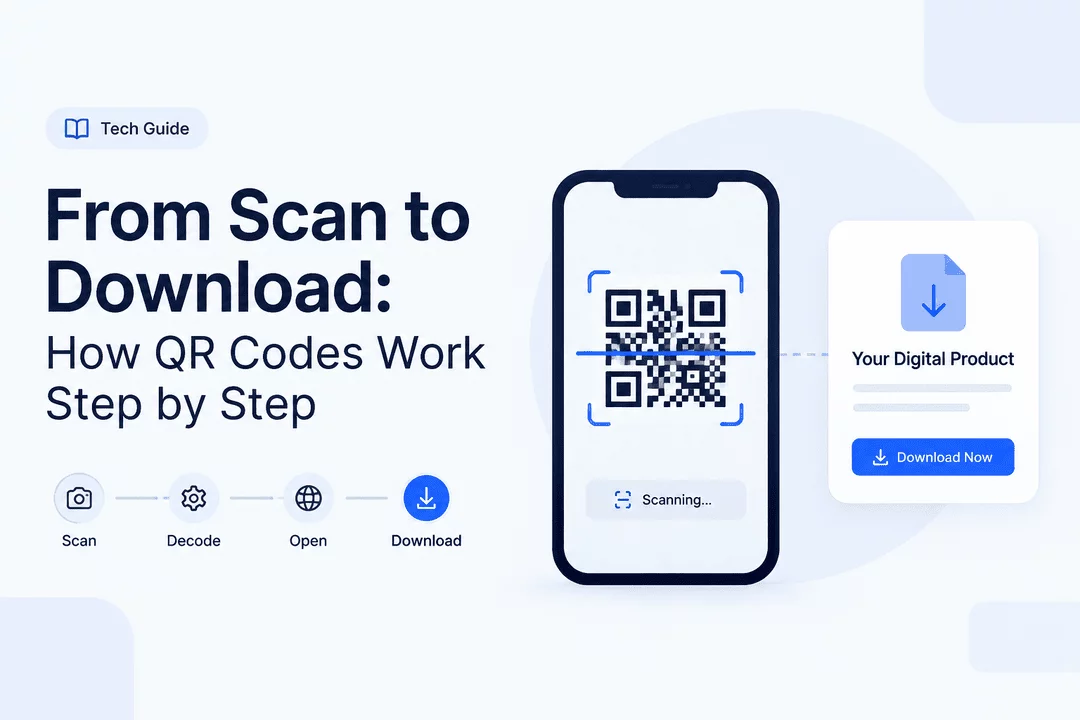
From Scan to Download: How QR Codes Work Step by Step
QR codes have become one of the simplest ways to connect physical products and experiences with digital content. A customer can point their smartphone at a code, tap a notification, and instantly access a webpage, file, product, ticket, guide, or other digital resource.
For Shopify merchants selling digital products, QR codes can make delivery faster and more convenient while reducing the need for customers to manually enter long URLs or search for download pages.
In this guide, we’ll explain how QR codes work, what happens after a customer scans one, and how Shopify merchants can use QR codes to deliver digital products.
What Is a QR Code?
A QR code, or Quick Response code, is a two-dimensional barcode that stores information in a pattern of black-and-white—or sometimes colored—squares.
Unlike traditional barcodes that usually store a small amount of information horizontally, QR codes can store more data and can be scanned from different angles.
A QR code can contain or point to information such as:
- Website URLs
- Digital download pages
- Product information
- Event tickets
- PDFs and ebooks
- License keys
- Membership pages
- Registration forms
- Custom links
- Promotional campaigns
The QR code itself typically does not contain the entire digital file. Instead, it commonly stores a URL or identifier that tells the scanning device where to access the relevant content.
How QR Codes Work: The Step-by-Step Process
The journey from scanning a QR code to downloading digital content involves several steps.
Step 1: A QR Code Is Created
The process starts when a merchant creates a QR code.
For example, suppose you sell a digital fitness guide through Shopify. You could create a QR code that directs customers to a secure page where they can access their purchased guide.
The QR code converts the destination information into a visual pattern that a smartphone camera can recognize.
With a digital product delivery solution such as Digitally, merchants can use QR codes as one of the ways to provide customers with access to digital content.
Step 2: The Customer Scans the Code
The customer opens their smartphone camera or QR scanning application and points it at the code.
Modern smartphones can usually recognize QR codes automatically. Once detected, the phone displays a notification or link.
The customer then taps the notification to continue.
Step 3: The QR Code Is Decoded
The smartphone analyzes the geometric pattern inside the QR code.
It identifies elements such as:
- Position markers
- Alignment patterns
- Data modules
- Error-correction information
- Encoded information
The scanner converts this visual pattern back into readable data.
In many cases, that data is a URL.
Step 4: The Smartphone Opens the Destination
If the QR code contains a URL, the phone opens the corresponding webpage.
For a Shopify digital product, this could be a secure download page containing the customer's purchased content.
At this point, the QR code has completed its primary job: connecting the physical scan to the digital destination.
Step 5: The System Verifies Access
For digital products, the destination should not necessarily be a publicly accessible file URL.
A secure delivery system can verify whether the customer is authorized to access the content.
Depending on the setup, the system may check information such as:
- The customer's order
- Product ownership
- Download permissions
- Link expiration
- Download limits
- Access tokens
- Other security rules
This step is particularly important when selling paid digital products.
Step 6: The Customer Views or Downloads the Content
After successful verification, the customer can access the content.
Depending on the product, this might mean:
- Downloading a PDF
- Opening an ebook
- Accessing a software file
- Viewing a digital guide
- Retrieving a license key
- Opening a custom URL
- Accessing another digital resource
The customer experience can be as simple as Scan → Open → Download.
What Actually Happens Behind a QR Code?
It is useful to understand that a QR code is not necessarily the digital product itself.
Imagine a QR code that points to:
https://example.com/download/abc123
When a customer scans the code, their phone reads the URL and opens it.
The server then receives the request and determines what should happen next.
A simplified flow looks like this:
QR Code → Smartphone Camera → Encoded URL → Web Server → Access Verification → Download Page → Digital Product
This architecture makes QR codes useful for digital delivery because the code can act as a bridge between a physical item and an online resource.
Static vs. Dynamic QR Codes
There are two common approaches to QR codes: static and dynamic.
Static QR Codes
A static QR code contains information that generally cannot be changed after the code has been generated.
For example, a code might permanently point to a specific webpage.
Static codes can work well for simple use cases such as:
- Business websites
- Product information
- Social profiles
- Permanent documentation
However, they can be less flexible when you need to change the destination later.
Dynamic QR Codes
A dynamic QR code typically points to a redirect or managed destination.
This allows the destination to be changed without necessarily replacing the physical QR code.
For merchants, dynamic QR codes can provide more flexibility for campaigns, products, events, and digital content.
How Shopify Merchants Can Use QR Codes
QR codes can be useful in many Shopify businesses, especially when physical and digital experiences overlap.
1. Deliver Digital Downloads
A merchant can use a QR code to send customers to a page containing a purchased digital file.
Examples include:
- PDFs
- Workbooks
- Templates
- Guides
- Ebooks
- Design files
2. Deliver Software or License Information
Software sellers can use QR codes to direct customers toward a secure delivery page containing their software or license information.
This can be especially useful when a customer purchases a physical product that includes digital software or activation information.
3. Provide Access to Event Content
Event organizers can place QR codes on tickets, printed materials, badges, or promotional products.
After scanning, customers could access:
- Event schedules
- Digital tickets
- Speaker information
- Downloadable resources
- Bonus content
4. Connect Physical Products to Digital Content
QR codes can turn a physical product into an entry point for digital experiences.
For example, a merchant selling a printed recipe book could include QR codes that lead customers to:
- Bonus recipes
- Video tutorials
- Downloadable meal plans
- Exclusive content
5. Deliver Exclusive Customer Content
QR codes can also be used for customer-only experiences.
A merchant could print a QR code inside product packaging that takes customers to exclusive digital content or a post-purchase resource page.
QR Codes and Digital Product Security
Convenience should not come at the expense of security.
If a QR code points directly to a permanent public file URL, anyone who obtains that URL may potentially access the file.
For paid digital products, merchants should consider using controlled access rather than exposing permanent download URLs.
Useful security measures can include:
- Expiring download links
- Download limits
- Customer/order verification
- Protected download pages
- Access tokens
- PDF stamping
- Monitoring suspicious download activity
The exact security options depend on how the digital delivery system is configured.
How Digitally Can Help With QR Code Delivery
Digitally is designed to help Shopify merchants sell and deliver digital products directly through their stores.
Merchants can use Digitally to deliver different types of digital products, including files, license keys, custom links, and QR-code-based content.
Instead of manually sending digital files after every order, merchants can automate delivery and give customers a faster post-purchase experience.
This can be particularly useful for businesses selling ebooks, PDFs, software, educational resources, digital assets, and other downloadable products.
Best Practices for Using QR Codes
Before adding QR codes to your Shopify products, keep these best practices in mind.
Make the Code Easy to Scan
Give the QR code enough space and avoid making it unnecessarily small.
Customers should be able to scan it without struggling to position their phone.
Use a Clear Call to Action
Don't assume customers know what a QR code is for.
Add a short instruction such as:
“Scan to download your digital guide.”
This makes the purpose immediately clear.
Test Before Launching
Always test QR codes using multiple devices before publishing or printing them.
Check that:
- The code scans correctly.
- The destination opens.
- Customers can access the intended content.
- The download works on mobile.
- The page is easy to navigate.
Optimize the Destination for Mobile
Most QR code scans happen on smartphones.
Make sure the destination page is responsive, fast, and easy to use on a small screen.
Protect Paid Content
Avoid exposing unrestricted permanent file URLs when the content is sold.
Use appropriate access controls and download protections to reduce unauthorized sharing.
Common QR Code Mistakes to Avoid
QR codes are simple to create, but several mistakes can lead to a poor customer experience.
Linking to the Wrong Page
Always test the final destination before distributing the code.
Making the QR Code Too Small
A tiny QR code may be difficult for smartphone cameras to recognize.
Poor Contrast
The QR pattern should have sufficient contrast against its background.
Forgetting the Destination
A QR code only helps if the destination works. Check that the linked page remains active.
Using an Unsecured Download
For paid digital products, avoid treating a QR code as a security mechanism. The QR code provides access to a destination; the destination itself needs appropriate protection.
The Future of QR-Based Digital Delivery
QR codes have moved beyond restaurant menus and contact cards. They can now serve as a practical connection between physical products and digital experiences.
For Shopify merchants, this creates opportunities to combine packaging, printed materials, tickets, promotional campaigns, and physical products with automated digital delivery.
The process can be remarkably simple:
Scan → Verify → Access → Download
With the right digital delivery system behind the QR code, merchants can provide customers with fast access while maintaining greater control over their digital content.
Final Thoughts
QR codes work by converting information into a scannable visual pattern. When a customer scans the code, their smartphone decodes the information—often a URL—and opens the associated digital destination.
For Shopify merchants, that simple process can become a powerful digital delivery workflow.
Whether you're selling ebooks, PDFs, software, license keys, educational resources, or other downloadable products, QR codes can make accessing digital content more convenient.
With Digitally, Shopify merchants can automate digital product delivery and use QR codes as part of a streamlined customer experience—from the moment a customer completes an order to the moment they access their digital product.
Frequently Asked Questions
A QR code stores information, usually a URL, that directs customers to a digital destination. After scanning, the customer's smartphone decodes the code, opens the destination, verifies access when required, and allows the customer to view or download the digital product.
Yes. Shopify merchants can use QR codes to connect customers with digital products such as ebooks, PDFs, guides, software, license information, and other downloadable content.
A static QR code contains fixed information that generally cannot be changed after creation. A dynamic QR code typically uses a managed destination or redirect, allowing merchants to change the destination without replacing the physical QR code.
Digitally helps Shopify merchants automate digital product delivery, including QR-code-based content. Merchants can connect customers with files, license keys, custom links, and other digital resources after purchase.
A QR code itself should not be considered a security feature. For paid products, the destination should use appropriate access controls, such as protected download pages, expiring links, download limits, or order verification.
QR codes can connect customers to many types of digital content, including PDFs, ebooks, templates, software, educational resources, license keys, event information, bonus content, and custom digital links.
QR Codes
Digitally
Secure Downloads
Digital Products
Digital Product Delivery
QR Code Delivery
Shopify Digital Products

Digitally ‑ Digital Products
Sell files, e-books, license keys, promo codes & digital links
 Install Now