Can You Sell Digital Downloads on Shopify Without Inventory?
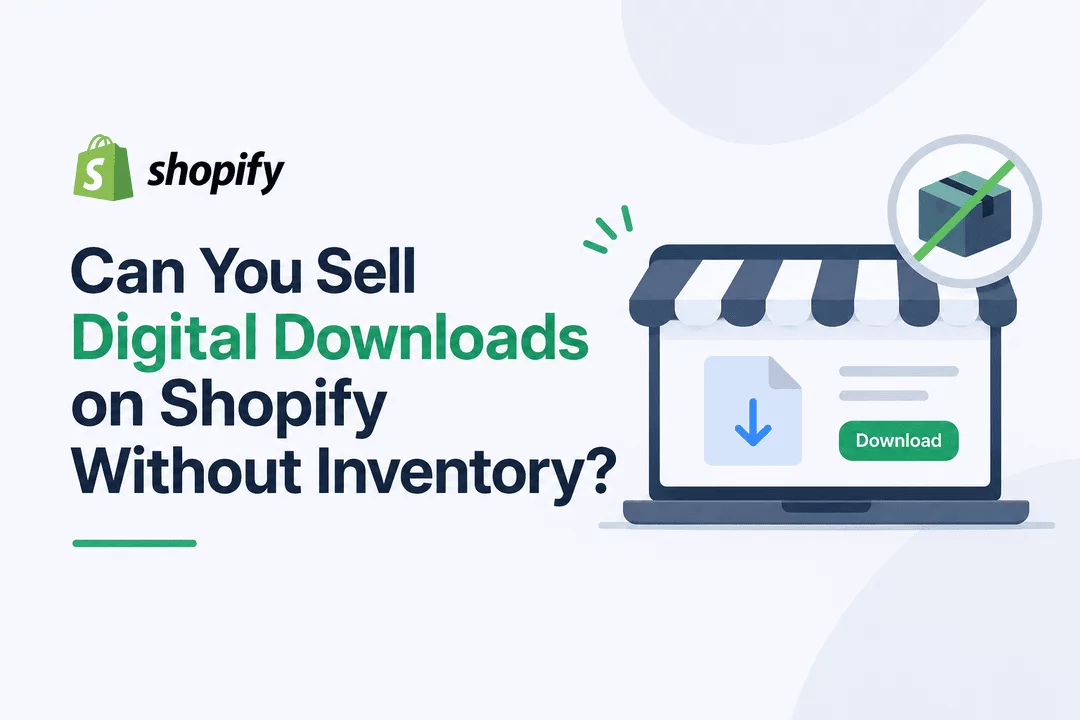
Yes! You can sell digital downloads on Shopify without keeping physical inventory, managing a warehouse, or shipping products to customers. Unlike traditional ecommerce businesses, selling digital products allows you to create a file once and sell it repeatedly to customers around the world.
Whether you want to sell ebooks, PDF guides, printable planners, digital artwork, templates, online courses, or software, Shopify provides a platform where you can build your online store and sell digital products.
The best part? You can automate the entire delivery process using a digital downloads app like Digitally, so customers receive their purchased files, links, or license keys without requiring manual fulfillment.
In this guide, we'll explain how selling digital downloads on Shopify works, what products you can sell, and how to start your own inventory-free digital product business.
What Does Selling Digital Downloads Without Inventory Mean?
Selling digital downloads without inventory means offering products that customers can purchase and access online instead of receiving through physical shipping.
For example, imagine creating a printable weekly planner. You upload the PDF file to your Shopify store, add a product listing, and set your price.
When someone purchases it, they receive a download link to access the file. You don't need to print anything, package an order, or visit a shipping office.
You simply create the product once and make it available for future customers.
This business model is particularly attractive to creators, designers, educators, freelancers, and entrepreneurs who want to build an online business with fewer operational responsibilities.
What Digital Products Can You Sell on Shopify Without Inventory?
There are many types of digital products you can sell through a Shopify store. Your options depend on your skills, interests, and the needs of your target audience.
Here are some popular ideas:
1. Ebooks and PDF Guides
Ebooks are among the easiest digital products to create and sell. You can write guides about topics you understand and sell them as downloadable PDF files.
Examples include:
- Business and marketing guides
- Fitness and nutrition guides
- Educational ebooks
- Recipe books
- Personal development workbooks
- How-to guides and tutorials
2. Printable Products
Printable products are popular among customers who enjoy organizing their personal and professional lives.
You can create downloadable files that customers can print at home or use digitally.
Examples include:
- Daily and weekly planners
- Budget trackers
- Calendars
- Habit trackers
- Wedding invitations
- Digital worksheets
- Coloring pages
3. Digital Art and Design Files
If you're a graphic designer, illustrator, or creative professional, you can turn your skills into digital products.
Examples include:
- Social media templates
- Canva templates
- SVG files
- Clipart bundles
- Fonts and design assets
- Procreate brushes
- Digital illustrations
- Lightroom presets
4. Online Courses and Educational Materials
If you have knowledge or expertise in a particular subject, you can package it into educational digital products.
You could sell:
- Video tutorials
- Online course materials
- Educational PDFs
- Training resources
- Recorded workshops
- Study guides
5. Software, License Keys, and Activation Codes
Digital products aren't limited to downloadable files. You can also sell software licenses, activation codes, product keys, and other digital credentials.
For example:
- Software license keys
- Game activation codes
- eSIM codes
- Subscription access codes
- Promo codes
- Digital vouchers
These products can be delivered electronically after a customer completes a purchase.
Why Sell Digital Downloads on Shopify Instead of Physical Products?
Selling digital products offers several advantages over traditional ecommerce.
Here are some reasons why entrepreneurs choose digital downloads.
No Physical Inventory Required
You don't need shelves, storage space, warehouses, or inventory management for physical goods. Your digital files can be stored electronically and delivered whenever customers place orders.
No Shipping or Packaging Costs
Since customers receive products online, you don't need to pay for packaging materials, shipping labels, or delivery services.
This can make running a digital product store simpler and more convenient.
Sell the Same Product Repeatedly
One of the biggest advantages of digital products is that you can sell the same file multiple times.
For example, you can create an ebook once and sell hundreds or thousands of copies without manufacturing another physical product for every order.
Automated Order Fulfillment
You don't have to manually send files to every customer. With the right digital downloads app, your store can automatically deliver purchased products through email, checkout, or download pages.
Reach Customers Worldwide
Digital products can be purchased online from customers in different countries. You don't need to arrange international shipping or manage physical delivery networks.
How to Sell Digital Downloads on Shopify Without Inventory
Starting a digital product store on Shopify is easier than you might think. Follow these steps to get started.
Step 1: Choose Your Digital Product
First, decide what you want to sell.
Consider your skills, experience, and the problems you can solve for potential customers.
For example, if you're a graphic designer, you could sell templates, illustrations, or printable designs. If you're a writer, you could create ebooks, guides, or educational resources.
Start with one product category and focus on creating something useful for your target audience.
Step 2: Create Your Digital Product
Once you've chosen your product, prepare the digital files you want to sell.
Depending on your product, you might create:
- PDF documents
- ZIP archives
- MP3 audio files
- MP4 videos
- PNG and JPG images
- Software files
- Digital license keys
Make sure your files are properly organized and ready for customers to download.
Step 3: Create Your Shopify Store
Next, set up your Shopify store.
Choose a store name, select a suitable theme, customize your storefront, and create the essential pages.
You should also add clear product descriptions, attractive product images, pricing information, and any instructions customers need before purchasing.
Step 4: Install a Digital Downloads App
Shopify provides the ecommerce infrastructure, but you also need a way to deliver digital products to customers after they purchase.
This is where a digital downloads app becomes useful.
Digitally – Digital Products helps Shopify merchants upload and manage digital products and automate their delivery.
With Digitally, you can:
- Upload and sell ebooks, PDFs, images, videos, and other digital files.
- Deliver files automatically after successful purchases.
- Sell license keys, activation codes, and digital vouchers.
- Deliver custom links and QR codes.
- Set download limits and expiration rules.
- Protect PDF files with PDF stamping.
- Customize delivery emails and download pages.
- Provide access through email, checkout, and customer accounts.
Instead of manually sending files after every order, you can use Digitally to simplify digital product fulfillment.
Step 5: Add Your Digital Products to Shopify
After installing Digitally, create your digital products and upload their associated files or configure the appropriate delivery method.
For example, if you're selling a PDF ebook:
- Create a product in your Shopify store.
- Add the product title, description, images, and price.
- Open Digitally and create or connect the digital product.
- Upload your ebook PDF.
- Configure your delivery settings.
- Save your product and make it available in your store.
You can follow a similar process for other supported digital products, including license keys and custom download links.
Step 6: Test the Purchase and Delivery Process
Before promoting your store, test the customer experience.
Check that:
- Customers can purchase your digital products successfully.
- The correct files or digital assets are delivered.
- Download links work properly.
- Delivery emails display the correct information.
- Download restrictions work as expected.
Testing helps you identify potential issues before real customers encounter them.
Step 7: Promote Your Digital Products
Once your store is ready, start attracting potential customers.
Some effective marketing strategies include:
- SEO: Publish helpful blog posts and optimize product pages for relevant search terms.
- Pinterest: Share attractive images of planners, printables, templates, and other visual products.
- Social Media: Use Instagram, TikTok, Facebook, and other platforms to showcase your products.
- Email Marketing: Build an email list and share new product announcements, helpful content, and special offers.
- Content Marketing: Create tutorials and educational content related to the digital products you sell.
The more relevant traffic you attract, the more opportunities you have to generate sales.
How Does Automatic Digital Product Delivery Work?
One of the most important parts of running a digital product store is delivering the purchased product to customers.
With physical products, fulfillment usually involves picking, packing, and shipping an order. Digital products work differently.
Here's how the process typically works:
- A customer visits your Shopify store.
- They select a digital product and complete checkout.
- Shopify processes the order.
- Your digital downloads app handles the product delivery according to your settings.
- The customer receives access to their purchased files, links, or license keys.
With Digitally, you can automate digital delivery through supported channels, including email, checkout, download pages, and customer accounts.
This means you can spend less time handling individual orders and more time creating products, improving your store, and marketing your business.
Is Selling Digital Downloads on Shopify Profitable?
Selling digital downloads on Shopify can be profitable, but success depends on your product quality, pricing, competition, marketing, and customer demand.
Digital products have some attractive business characteristics:
- You don't need to purchase physical inventory.
- You can sell products repeatedly.
- You avoid traditional shipping and packaging costs.
- You can automate much of the fulfillment process.
- You can expand your product catalog without managing additional physical stock.
However, digital products still require time, effort, and investment. You need to create valuable products, understand your audience, maintain your store, and attract customers.
For better results, focus on solving a specific customer problem instead of creating products simply because they're easy to make.
Start Selling Digital Downloads on Shopify With Digitally
You don't need a warehouse, physical inventory, or shipping supplies to start an online business on Shopify.
All you need is a valuable digital product, a Shopify store, and a reliable way to deliver purchases to customers.
Digitally – Digital Products makes it easier to manage digital downloads and automate product delivery directly from your Shopify store.
Whether you're selling ebooks, PDFs, printable designs, videos, software licenses, activation codes, or other digital assets, Digitally gives you tools to manage delivery and provide a better customer experience.
Ready to start selling digital products without inventory?
Explore Digitally on the Shopify App Store and simplify your digital product business.
Frequently Asked Questions
Yes. You can sell ebooks, PDFs, templates, printable files, videos, software, and other digital products without maintaining physical inventory. Customers receive their purchases electronically instead of through physical shipping.
Yes. You can sell ebooks, PDF guides, workbooks, planners, and other downloadable documents through your Shopify store. A digital downloads app can help you upload files and automate delivery.
Yes. Digital products are delivered electronically, so you don't need traditional shipping or physical delivery services.
Yes. Shopify provides tools for building an online store, managing products, accepting payments, and processing orders. You can extend its digital product capabilities with a dedicated app like Digitally.
Yes. You can generate revenue by selling useful digital products that customers are willing to purchase. Your results will depend on product demand, quality, pricing, marketing, and customer experience.
Sell Digital Products
Shopify Without Inventory
Digital Downloads
Digitally
Shopify Digital Downloads
Automated Digital Delivery
Passive Income

Digitally ‑ Digital Products
Sell files, e-books, license keys, promo codes & digital links
 Install Now