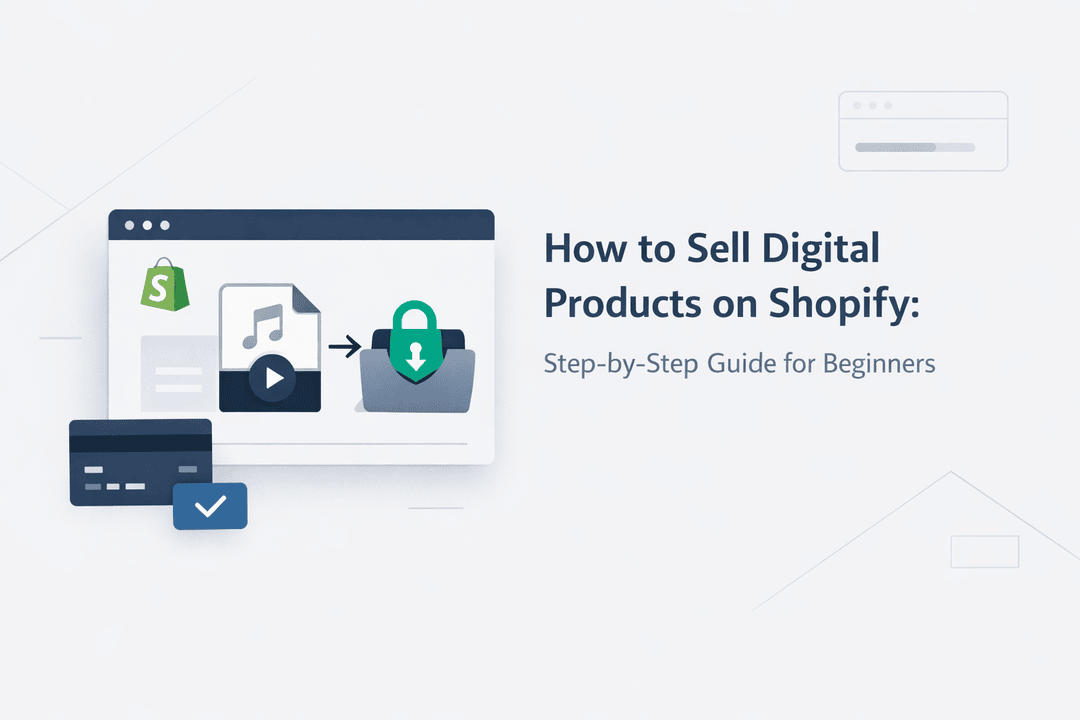
How to Sell Digital Products on Shopify: Step-by-Step Guide for Beginners
Selling digital products on Shopify is one of the fastest ways to build a scalable online business. No inventory, no shipping headaches, and no limits on how many times you can sell the same product. If you’re a beginner, though, the setup can feel confusing—files, payments, delivery, security, automation… where do you even start?
This step-by-step guide walks you through exactly how to sell digital products on Shopify, from product creation to instant delivery after payment. By the end, you’ll have a clear, beginner-friendly system you can use to sell ebooks, software license keys, design assets, subscriptions, or any other digital product.
What Are Digital Products?
Digital products are items customers can download or access online instead of receiving physically. Common examples include:
- 📘 Ebooks, PDFs, guides
- 🎨 Design files (PSD, Figma, Canva templates)
- 💻 Software, apps, plugins, license keys
- 🎓 Online courses and video content
- 🔑 Subscription keys, activation codes, API keys
Unlike physical products, digital products are delivered instantly after purchase—making automation and security essential.
Why Use Shopify to Sell Digital Products?
Shopify is one of the best platforms for selling digital products because it offers:
- Secure checkout and trusted payment processing
- Full control over branding and customer experience
- Powerful app ecosystem for automation and delivery
- Scalability from your first sale to thousands per day
However, Shopify doesn’t natively handle advanced digital delivery. That’s where a dedicated digital delivery app like Digitally becomes essential.
Step 1: Decide What Digital Product You’ll Sell
Before touching Shopify, get clear on your product:
Ask yourself:
- Who is this for?
- What problem does it solve?
- Is it a one-time purchase or recurring?
Beginner-friendly digital product ideas:
- A niche ebook or checklist
- Website templates or themes
- Software license keys
- Premium downloadable resources
👉 Tip: Start simple. You can always expand your product line later.
Step 2: Create Your Shopify Store
If you don’t already have a Shopify store:
- Sign up at Shopify
- Choose a theme (free themes work perfectly for beginners)
- Set your store name, currency, and basic settings
You don’t need custom code or technical skills at this stage.
Step 3: Add a Digital Product in Shopify
Now let’s create your product:
- Go to Products → Add product
- Enter your product title and description
- Upload product images or preview screenshots
- Set pricing
- Uncheck “This is a physical product” (important)
At this point, Shopify knows your product is digital—but it still doesn’t know how to deliver it. That’s where automation comes in.
Step 4: Install a Digital Product Delivery App
To sell digital products professionally, you need automation for:
- Instant file or license key delivery
- Secure downloads
- Order-based access control
- Fraud prevention
Digitally is built specifically for Shopify sellers who want reliable digital product delivery.
With Digitally, you can:
- Automatically deliver files or license keys after payment
- Protect files from unauthorized sharing
- Handle high-volume sales without manual work
Step 5: Upload Files or License Keys in Digitally
Depending on your product type, Digitally supports multiple delivery methods:
📂 File Delivery
- Upload PDFs, ZIP files, videos, or documents
- Set download limits and expiration rules
🔑 License Key Delivery
- Upload a list of unique license keys
- Automatically assign one key per order
- Prevent reuse or duplication
This setup ensures every customer receives exactly what they paid for—instantly.
Step 6: Enable Instant Delivery After Payment
One of the biggest advantages of digital products is instant fulfillment.
With Digitally:
- Customers receive their download or license key immediately after checkout
- Delivery happens via secure email and/or order page
- No manual emails, no delays, no mistakes
This improves:
- Customer satisfaction
- Conversion rates
- Refund reduction
Step 7: Secure Your Digital Products
Security is critical when selling digital goods.
Digitally helps protect your products with:
- Secure download links
- Download limits per customer
- Time-based access expiration
- Order validation to prevent sharing
This reduces piracy and ensures only paying customers can access your content.
Step 8: Set Up Payments and Taxes
Shopify supports multiple payment methods, including:
- Credit/debit cards
- PayPal
- Local payment gateways
Make sure to:
- Enable your preferred payment providers
- Configure digital product taxes (VAT/GST if applicable)
Shopify handles the checkout security so you don’t have to.
Step 9: Test the Buying Experience
Before launching, always test:
- Make a test purchase
- Confirm payment flow
- Verify instant delivery
- Check email notifications
Testing ensures your customers have a smooth, professional experience from day one.
Step 10: Launch and Market Your Digital Product
Once everything works:
- Publish your product
- Share it via email, social media, or ads
- Optimize your product page for SEO
Because delivery is automated, you can focus on marketing instead of fulfillment.
Why Automation Matters for Digital Product Sales
Manual delivery doesn’t scale.
Automation helps you:
- Save time
- Avoid errors
- Sell globally 24/7
- Scale without adding workload
This is especially important for:
- Software sellers
- Subscription-based products
- High-volume launches
Common Mistakes Beginners Should Avoid
- ❌ Sending files manually via email
- ❌ Using insecure public download links
- ❌ Forgetting to disable physical shipping
- ❌ Not testing delivery before launch
Using a dedicated solution like Digitally helps you avoid these pitfalls from the start.
Final Thoughts: Selling Digital Products on Shopify the Right Way
Selling digital products on Shopify doesn’t have to be complicated. With the right setup and automation, you can create a professional, secure, and scalable digital business—even as a beginner.
By combining Shopify’s powerful storefront with Digitally’s instant delivery, automation, and security, you get the best of both worlds:
- A trusted ecommerce platform
- Reliable digital product fulfillment
Whether you’re selling ebooks, software license keys, or premium downloads, this system grows with you.
Frequently Asked Questions
Yes. Digital products don’t require physical inventory or shipping. Once your product is created, it can be sold unlimited times and delivered automatically after purchase.
Digital products are delivered using a digital delivery app. After payment, customers receive instant access via a secure download link or email. Apps like Digitally automate this entire process so you don’t need to send files manually.
Yes. Shopify provides secure checkout, payment processing, and order validation. When combined with a delivery solution like Digitally, you also get protected download links, access limits, and reduced risk of file sharing or piracy.
Popular digital products include ebooks, templates, online courses, software license keys, design assets, and subscription-based content. Products that solve a clear problem or save time tend to perform best.
Absolutely. You can upload a list of unique license keys and automatically deliver one per order using a tool like Digitally, ensuring instant fulfillment and preventing duplicate key usage.
Yes. Once payment is confirmed, customers receive immediate access to their digital product. Instant delivery improves customer satisfaction and significantly reduces support requests and refunds.
digitally
how to sell digital products on Shopify
Shopify digital product delivery
best way to sell digital downloads on Shopify
secure digital product delivery Shopify
sell ebooks and software on Shopify
Shopify instant delivery

Digitally ‑ Digital Products
Sell files, e-books, license keys, promo codes & digital links
 Install Now