How to Sell Digital Products Securely on Gumroad
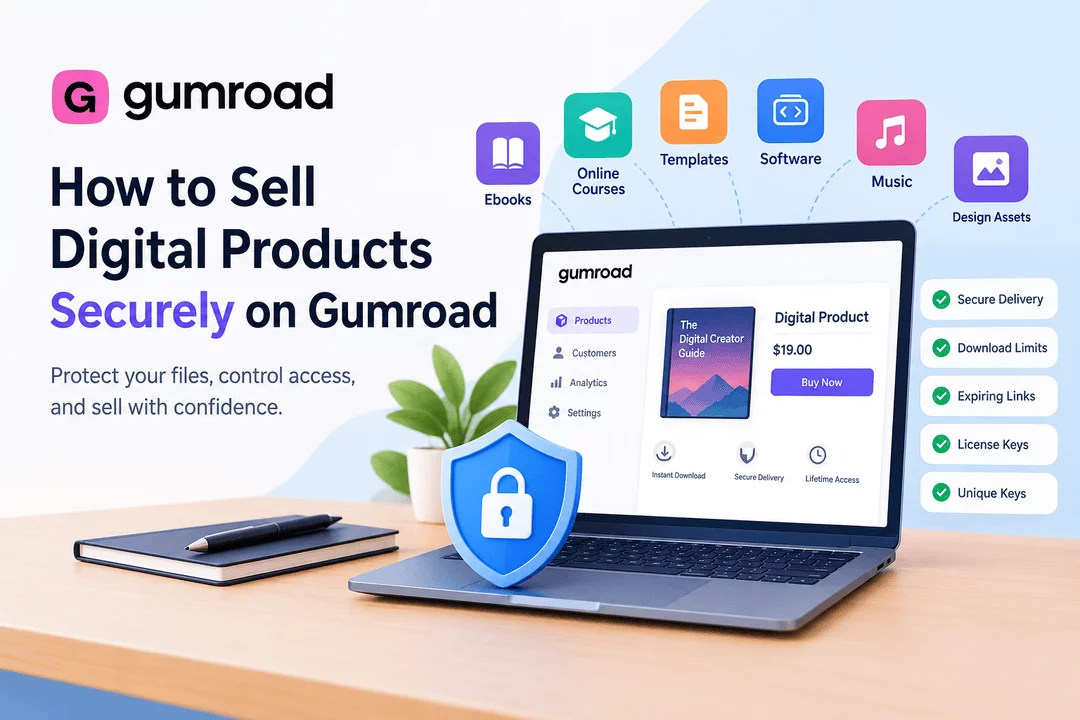
Selling digital products online can be highly profitable because you can create a product once and sell it repeatedly without dealing with physical inventory or shipping. Platforms like Gumroad make it easy to sell ebooks, courses, templates, software, music, design assets, and other downloadable products.
However, selling digital products also comes with security challenges. Download links can be shared, files can be redistributed, and license keys or private content can be exposed if delivery isn't properly controlled.
This guide explains how to sell digital products securely on Gumroad and what security practices you should consider when choosing a digital product delivery platform.
What Are Digital Products?
Digital products are products that customers receive electronically instead of physically. Common examples include:
- Ebooks and PDFs
- Online courses
- Templates
- Software and plugins
- Fonts and graphics
- Music and audio files
- Video content
- Photography and digital artwork
- Membership or subscription access
- License and activation keys
- API or service keys
- Printable products
Because customers receive these products digitally, the delivery process needs to be automated while protecting the files and access credentials.
Is Gumroad Suitable for Selling Digital Products?
Gumroad is designed to help creators sell digital products online without building a complete ecommerce system from scratch. Sellers can create products, accept payments, and provide customers with access to their purchases.
For creators who want a straightforward selling experience, this can simplify the process.
However, security depends on more than simply uploading a file and sending it to a customer. Sellers should also consider how download links are protected, how many times customers can access files, how digital products are delivered, and how unauthorized sharing can be reduced.
1. Use Secure Digital File Delivery
One of the most important steps is protecting the actual files customers purchase.
Instead of exposing a permanent public URL to your files, use controlled download links whenever possible. Secure delivery can help reduce unauthorized access and make it harder for customers to share a direct file URL.
For Shopify merchants using a dedicated digital delivery solution such as Digitally, files can be delivered automatically after a successful purchase while providing controls designed specifically for digital products.
2. Limit Download Access
Unlimited downloads can make it easier for purchased files to be shared with other people.
Consider using download limits when your business model allows it. For example, you could allow a customer to download a product a limited number of times rather than providing unlimited access.
Download restrictions can be particularly useful for:
- Premium ebooks
- Software
- Design resources
- Templates
- Digital courses
- Paid documents
The appropriate limit depends on the type of product and your customer experience requirements.
3. Use Expiring Download Links
Another useful security measure is using download links that expire after a specific period.
For example, instead of giving customers a permanent download URL, a link could remain valid for a limited amount of time.
Expiring links can reduce the risk of an old purchase link being shared publicly or reused indefinitely.
When configuring digital delivery, balance security with convenience. Customers should have enough time to access their purchases without unnecessary friction.
4. Protect Software With License Keys
If you sell software, plugins, themes, apps, or other products that require activation, simply delivering a download file may not be enough.
License keys can help you control how customers activate and use your product.
A secure digital product workflow can include:
- Customer purchases the product.
- Payment is confirmed.
- A unique license key is assigned.
- The customer receives the download and license information.
- Your software validates the license.
- The license can be managed according to your terms.
This approach can be particularly useful for subscription software, WordPress plugins, desktop applications, SaaS products, and API services.
5. Keep License Keys Unique
Never reuse the same license key for multiple customers when each customer is supposed to receive an individual license.
Unique keys make it easier to track:
- Which customer received a key
- When the key was issued
- Whether it has been activated
- Whether it has expired
- Whether it has reached its allowed usage
For businesses selling large numbers of software licenses, bulk license-key management can also save significant administrative time.
6. Protect Premium PDFs
PDF files are among the most common digital products sold online. Unfortunately, PDFs can also be easily copied and redistributed.
One option is PDF stamping, which can add customer-specific information to a purchased document.
For example, a PDF could include information such as:
- Customer name
- Order information
- Email address
- Purchase details
This doesn't make copying impossible, but it can provide an additional layer of protection and discourage unauthorized redistribution.
7. Avoid Exposing Public File URLs
A common mistake when selling digital products is uploading premium files to publicly accessible storage and placing the URL directly in an email or webpage.
If someone obtains that URL, they may be able to share it with other people.
Instead, use a delivery system designed to control access to digital files.
For Shopify merchants, Digitally – Digital Products can connect digital files to Shopify products and automate delivery after purchase.
8. Use QR Codes for Controlled Delivery
QR codes can be useful when selling digital products that need to be accessed from a phone.
For example, you could use a QR code to provide access to:
- Digital event materials
- Download pages
- Product documentation
- Exclusive content
- Digital guides
- Bonus resources
A QR code can make the customer experience faster while still allowing the underlying destination to be managed through your digital delivery system.
9. Protect Your Digital Products From Unauthorized Sharing
No digital platform can guarantee that a customer will never share a product. Once someone has legitimate access to a file, determined users may attempt to redistribute it.
However, you can reduce the risk by combining multiple controls:
- Secure download links
- Download limits
- Expiring links
- License keys
- PDF stamping
- Access controls
- Customer-specific delivery
- Fraud monitoring
- Secure file hosting
Think of digital product security as a layered system rather than a single feature.
10. Automate Delivery After Payment
Security shouldn't come at the expense of convenience.
A good digital product delivery system should automatically deliver the correct product after payment while applying the appropriate security controls.
For Shopify merchants, Digitally can automate the delivery of:
- Digital files
- License keys
- Activation codes
- Subscription keys
- Custom links
- PDFs
- QR codes
- Other digital content
This eliminates the need to manually send products to every customer.
Gumroad vs. Shopify for Secure Digital Product Delivery
Gumroad can be useful for creators who want a simple way to start selling digital products.
Shopify, however, gives merchants more control over their storefront, customer experience, branding, product catalog, and ecommerce workflow.
When using Shopify with a dedicated digital delivery app such as Digitally, merchants can combine Shopify's ecommerce infrastructure with tools specifically designed for digital product fulfillment.
This can be useful for businesses that need more advanced workflows involving files, licenses, download controls, custom links, or automated digital delivery.
Best Practices for Secure Digital Product Selling
Before launching your digital product, review your delivery process using this checklist:
Security Checklist
- Use secure file delivery.
- Avoid publicly exposing premium file URLs.
- Consider download limits.
- Use expiring links where appropriate.
- Generate unique license keys for licensed products.
- Protect premium PDFs with stamping when appropriate.
- Monitor unusual download activity.
- Keep customer and product data secure.
- Automate delivery after successful payment.
- Give customers a convenient way to access purchases again.
- Regularly review your digital delivery workflow.
How Digitally Helps Shopify Merchants Sell Digital Products
If you sell digital products through Shopify, Digitally – Digital Products provides a dedicated system for delivering digital products after purchase.
You can use Digitally to deliver files, license keys, activation codes, custom links, PDFs, and other digital content automatically.
Features such as download limits, expiring links, PDF stamping, license-key management, secure hosting, and automated delivery can help merchants build a more controlled digital fulfillment workflow.
Instead of manually sending files or managing individual customer requests, merchants can connect digital content to their Shopify products and automate delivery.
Final Thoughts
Selling digital products securely requires more than simply uploading a file and sending customers a download link.
Whether you use Gumroad or Shopify, consider how your files are hosted, how customers receive access, whether download links can expire, and how you can reduce unauthorized sharing.
For Shopify merchants who need more advanced digital fulfillment, a dedicated solution like Digitally can provide tools for automated delivery, license keys, download restrictions, PDF protection, custom links, and other digital product workflows.
The goal is to create a system that makes purchasing easy for legitimate customers while adding sensible controls around your digital products.
Frequently Asked Questions
Use secure delivery methods, download restrictions, expiring links, customer access controls, and other measures to reduce unauthorized access and sharing.
Yes. Digitally helps Shopify merchants automatically deliver digital files, license keys, activation codes, custom links, PDFs, and other digital content after purchase.
You can reduce unauthorized sharing by using expiring links, download limits, controlled access, and customer-specific delivery rather than permanent public URLs.
Yes. Unique license keys can help businesses control software activation, track licenses, and manage access according to their licensing model.
PDF stamping, controlled downloads, expiring links, and customer-specific information can add additional protection and discourage unauthorized redistribution.
Yes. Digitally supports automated license-key and activation-code delivery, making it suitable for Shopify merchants selling software, subscriptions, plugins, and other licensed digital products.
Gumroad
digital products
secure digital downloads
digital product security
sell digital products
Digitally
license keys

Digitally ‑ Digital Products
Sell files, e-books, license keys, promo codes & digital links
 Install Now