How Digitally Simplifies License Key Delivery for Shopify Merchants
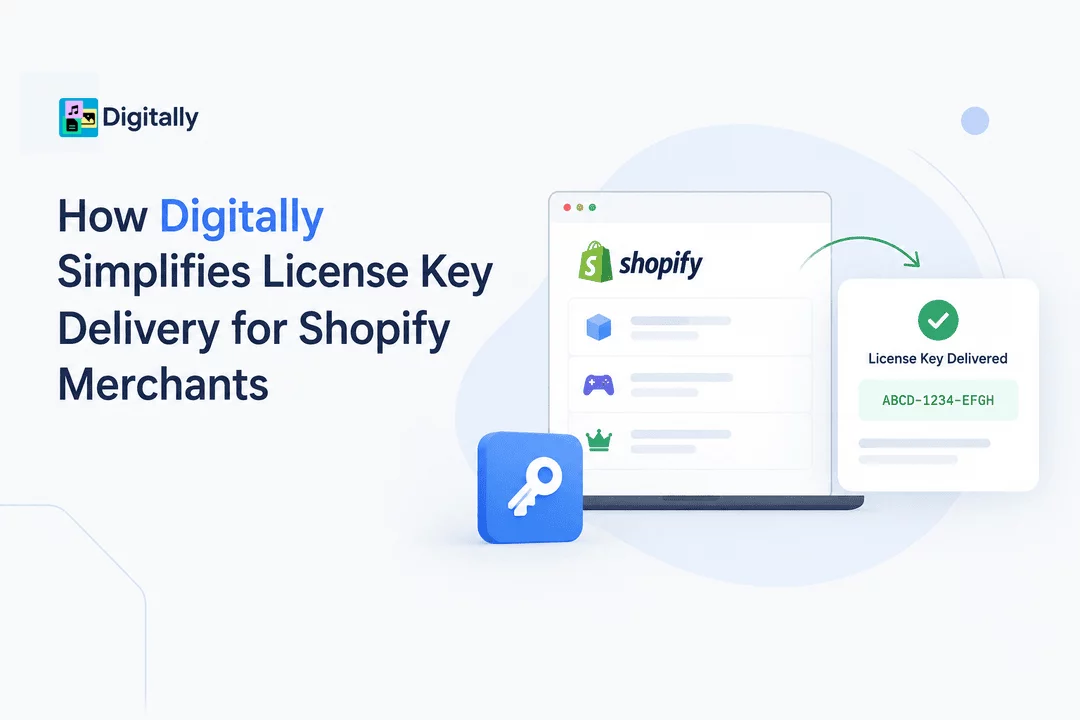
Selling software, subscriptions, memberships, games, and other digital products on Shopify can be highly scalable—but delivering unique license keys to customers can become complicated as order volume grows.
Manually sending license keys takes time, increases the risk of errors, and can create delays for customers waiting to access their purchases. Shopify merchants need a reliable way to automatically deliver the correct key after every successful purchase.
Digitally – Digital Products simplifies this process by allowing Shopify merchants to upload, manage, and automatically deliver license keys and activation codes directly to customers.
What Is License Key Delivery?
A license key is a unique code that gives a customer access to a digital product, software application, subscription, game, membership, or other restricted content.
For example, a software merchant might sell:
- Annual software licenses
- Activation codes
- Subscription keys
- Game keys
- DLC codes
- Course access codes
- Membership keys
- Plugin licenses
- API or service keys
After a customer completes a purchase, they expect to receive their key quickly. Automating this process eliminates the need for merchants to manually find and send a code for every order.
Why Manual License Key Delivery Can Become Difficult
When a store has only a few orders, manually sending license keys may seem manageable. But as sales increase, the process becomes increasingly time-consuming.
A manual workflow might look like this:
- Customer places an order.
- Merchant checks the order.
- Merchant finds an unused license key.
- Merchant copies the key.
- Merchant sends it to the customer.
- Merchant records that the key has been used.
Repeating these steps hundreds or thousands of times can introduce unnecessary work and potential mistakes.
Common problems include:
- Sending the wrong key
- Accidentally sending the same key twice
- Forgetting to send a key
- Delaying customer access
- Losing track of available keys
- Spending staff time on repetitive tasks
Automation can turn this process into a much simpler workflow.
How Digitally Automates License Key Delivery
With Digitally, merchants can prepare their license keys in advance and connect them to the digital products they sell through Shopify.
Once a customer purchases a product, Digitally can automatically provide the appropriate license key or activation code.
The basic workflow is:
Upload Keys → Connect to Product → Customer Purchases → Key Delivered Automatically
This means merchants don't need to manually process every license-key order.
1. Upload Your License Keys
Merchants can add their available license keys to Digitally and organize them for the products they sell.
For stores managing large numbers of keys, bulk CSV import can make the process more efficient.
Instead of entering every key individually, merchants can prepare their keys in a spreadsheet and import them in bulk.
2. Connect Keys to Your Shopify Products
After adding license keys, merchants can associate them with the appropriate Shopify products.
For example:
Product: Premium Video Editing Software
Available Keys:
- ABCD-1234-EFGH
- IJKL-5678-MNOP
- QRST-9012-UVWX
When customers purchase the product, an available key can be delivered to them.
3. Automatically Deliver the Key
Once the order is completed, the customer can receive their license key without requiring manual intervention from the merchant.
This creates a faster purchasing experience and helps merchants reduce repetitive customer-support tasks.
4. Include Keys in Customer Emails
License keys can be delivered through customized digital-product emails.
Merchants can customize their messaging and create a branded experience instead of sending customers a generic manually written message.
This is especially useful for stores selling products where immediate access is important.
Bulk License Key Management
Managing a handful of license keys is relatively easy. Managing thousands is a different challenge.
Digitally supports bulk license-key workflows so merchants can work with large key inventories more efficiently.
For example, a software company selling 10,000 annual licenses could upload its available keys in bulk instead of manually adding every code.
This can make license inventory easier to maintain as the business grows.
Keep Track of Available License Keys
Running out of license keys can cause problems if customers can purchase a product but don't receive a valid activation code.
Digitally provides license-key management features that can help merchants monitor their available key inventory, depending on their plan.
This allows merchants to keep an eye on key availability and replenish their inventory when necessary.
Support Different Digital Products
License key delivery isn't limited to traditional software.
Shopify merchants can use license-key delivery for many types of digital products, including:
Software
Sell desktop applications, SaaS subscriptions, plugins, themes, and other software products with unique activation codes.
Games
Deliver game keys, downloadable content codes, or other digital activation codes after purchase.
Online Courses
Provide students with unique access codes for courses, learning platforms, or educational resources.
Memberships
Deliver membership or subscription keys that customers can use to activate access.
Plugins and Extensions
Sell WordPress plugins, Shopify extensions, design tools, audio plugins, and other software with individual licenses.
Digital Services
Some digital services can also use unique keys or codes to activate customer accounts or subscriptions.
License Keys for Recurring Revenue
License keys can also support recurring-revenue business models.
For example, a merchant might sell:
- Monthly software subscriptions
- Annual licenses
- Premium memberships
- Recurring service plans
- Yearly plugin licenses
Each purchase can be connected to an appropriate license or activation process.
When combined with Shopify's ecommerce capabilities, automated key delivery allows merchants to build a digital sales workflow without manually handling every transaction.
Reduce Customer Waiting Time
Customers purchasing digital products generally expect immediate access.
If someone purchases software and has to wait several hours for an activation key, it can create unnecessary friction.
Automated delivery can help provide the key soon after the order is successfully processed.
This creates a more convenient experience:
Purchase → Payment → License Key → Product Access
Instead of:
Purchase → Wait → Contact Support → Receive Key
For merchants, this can also reduce questions such as:
"Where is my license key?"
Customize the Customer Experience
Automated delivery doesn't have to feel impersonal.
Digitally allows merchants to customize their digital-product email templates so they can create messaging that matches their brand.
A merchant can provide information such as:
- Product name
- License key
- Activation instructions
- Download information
- Support details
- Additional customer instructions
This helps customers understand what to do after receiving their purchase.
Improve Accuracy
One of the biggest advantages of automation is consistency.
When license keys are delivered manually, human error can result in:
- Incorrect codes
- Duplicate codes
- Missing codes
- Typing mistakes
- Delayed delivery
An automated system can handle the repetitive part of the process consistently, allowing merchants to spend more time on product development, marketing, and customer relationships.
Secure Digital Delivery
License keys are valuable because they provide access to digital products and services.
Merchants therefore need to consider how their digital products and codes are delivered.
Digitally provides secure digital delivery features designed to help merchants control access to their digital products. Depending on the product and configuration, merchants can also use features such as download limits and expiring links to add additional controls around digital delivery.
For businesses concerned about unauthorized sharing, combining license keys with appropriate access controls can provide a more structured delivery workflow.
A Simple Example
Imagine a Shopify merchant selling a premium design software package for $49.
The merchant has 5,000 unique activation codes.
Without automation, the merchant might need to:
- Monitor new orders.
- Find an unused activation code.
- Copy the code.
- Send it to the customer.
- Mark the code as used.
With Digitally, the merchant can upload the license keys and connect them to the relevant Shopify product.
The workflow becomes:
- Customer purchases the software.
- Digitally processes the digital delivery.
- An available license key is assigned.
- The customer receives the key.
- The merchant can continue managing key inventory from the app.
The merchant can therefore handle a much larger number of digital orders without manually sending every activation code.
Why Shopify Merchants Use Automated License Key Delivery
Automated license-key delivery can provide several practical benefits:
Save Time: Reduce repetitive manual order processing.
Deliver Faster: Customers can receive their keys without waiting for manual fulfillment.
Reduce Errors: Automation helps minimize mistakes associated with copying and sending codes manually.
Scale More Easily: A structured key-delivery workflow can handle higher order volumes.
Manage Key Inventory: Keep license codes organized and monitor availability.
Improve Customer Experience: Give customers a clear and consistent post-purchase experience.
Customize Communications: Deliver keys through branded digital-product emails.
Getting Started With Digitally
Setting up automated license key delivery doesn't need to be complicated.
A typical workflow is:
Step 1: Install Digitally
Add Digitally – Digital Products to your Shopify store.
Step 2: Create or Select Your Digital Product
Choose the Shopify product that customers will purchase.
Step 3: Add Your License Keys
Upload your available activation codes or license keys. For large inventories, you can use bulk CSV import.
Step 4: Configure Delivery
Set up how customers should receive their digital product and license key.
Step 5: Customize Your Email
Create a branded customer email containing the information customers need to activate their purchase.
Step 6: Test the Workflow
Place a test order to verify that the correct digital content and license key are delivered as expected.
Once everything is configured, your store can automate the license-key delivery process for future purchases.
Final Thoughts
License key delivery is an important part of selling software, subscriptions, games, plugins, memberships, and other key-based digital products on Shopify.
Manually distributing keys may work when order volume is low, but it becomes increasingly difficult to manage as a business grows. Automating the process can help merchants save time, reduce delivery errors, and provide customers with faster access to their purchases.
Digitally – Digital Products gives Shopify merchants tools for managing and delivering license keys alongside their digital products. With bulk key management, automated delivery, customizable emails, and additional digital-delivery features, merchants can build a more efficient workflow for selling digital products.
If you're selling license-based digital products on Shopify, Digitally can help turn license key delivery into an automated part of your order fulfillment process.
Frequently Asked Questions
Shopify merchants can use a digital delivery app to upload license keys, connect them to products, and automatically deliver an available key after a customer completes a purchase.
Digitally simplifies license key delivery by allowing merchants to manage license keys, import keys in bulk using CSV files, connect keys to Shopify products, and automatically deliver them to customers.
Yes. Merchants can use bulk CSV import to add large numbers of license keys instead of entering each key individually.
License key delivery can be used for software, games, plugins, subscriptions, memberships, online courses, digital services, and other products that require unique activation codes.
Yes. Once the purchase is successfully processed, an available license key can be delivered automatically according to the merchant's configured digital delivery workflow.
Yes. Digitally supports various digital delivery features, including downloadable files, custom links, download limits, expiring links, PDF stamping, QR code delivery, and customizable customer emails.
Shopify Digital Products
License Key Delivery
Software License Keys
Automated Delivery
Digitally
License Key Management
Activation Codes

Digitally ‑ Digital Products
Sell files, e-books, license keys, promo codes & digital links
 Install Now