Gumroad Automatic File Delivery for Digital Products
Selling digital products online is a great way to build a business without worrying about physical inventory, packaging, or shipping. However, delivering digital files to customers after a purchase is an important part of the selling process.
Whether you sell ebooks, PDF guides, templates, music, software, or online resources, customers expect to receive their purchases quickly and conveniently.
This is where Gumroad automatic file delivery for digital products becomes useful. Gumroad allows creators to sell downloadable products and automatically provide customers with access to their purchased files after checkout.
But how does Gumroad's automatic delivery system work? What happens after a customer completes a purchase? And what options are available if you want to sell digital products through your own Shopify store?
Let's explore everything you need to know.
What Is Gumroad Automatic File Delivery?
Gumroad automatic file delivery is a feature that allows digital product sellers to deliver purchased files to customers without manually sending emails or download links.
Instead of handling every order individually, sellers upload their digital files to Gumroad and connect them to their products.
When someone purchases a product, Gumroad automatically provides access to the purchased content.
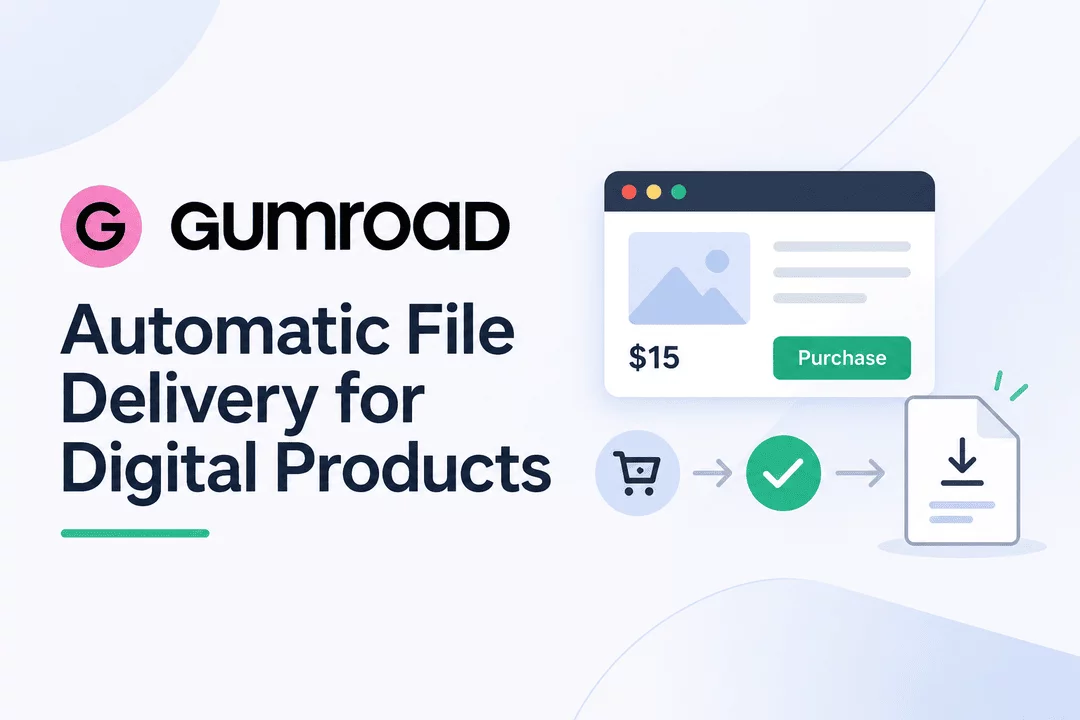
For example, imagine you sell a digital planner for $15. Once a customer completes the payment, they receive an email receipt containing a link to access their purchase.
This automated process saves time, reduces manual work, and makes purchasing digital products easier for customers.
How Does Gumroad Automatically Deliver Digital Products?
Gumroad makes digital product fulfillment relatively simple. Once your product is configured, the platform handles the delivery process after a successful purchase.
Here is how the process generally works:
1. Create Your Digital Product
First, create a product in your Gumroad account.
Add your product title, description, pricing, and other relevant information. You can sell different types of digital products, including:
- PDF documents and ebooks
- Digital planners and templates
- Music and audio files
- Videos and educational resources
- Software and downloadable files
- Digital artwork and creative resources
2. Upload Your Digital Files
After creating your product, upload the files customers will receive after purchasing.
Make sure your files are properly organized and ready for customers to download.
For example, if you're selling a collection of design templates, you can prepare the files in a ZIP folder and upload them to your product.
3. Publish Your Product
Once your product information and files are ready, publish your listing.
- You can share your Gumroad product page through social media, email marketing, your website, or other marketing channels.
4. Customers Purchase Your Product
When a customer visits your product page, they can complete the checkout process using an available payment method.
After a successful purchase, Gumroad processes the order and provides access to the purchased digital content.
5. Gumroad Sends the Download Link
Gumroad automatically emails customers a receipt containing a link to their purchased content.
Customers can click the View Content button to access their download page.
Customers with a Gumroad account can also access their purchases through their Gumroad Library.
This means sellers don't need to manually email every customer after receiving an order.
Benefits of Automatic Digital File Delivery
Automating digital product delivery offers several advantages for online sellers.
Saves Time
Manually sending files after every purchase can become exhausting, especially when your store starts receiving multiple orders daily.
Automatic delivery eliminates much of this repetitive work.
Provides a Better Customer Experience
Customers don't want to wait hours or days to receive a product they purchased online.
Automated delivery helps customers access their digital purchases quickly, creating a smoother buying experience.
Reduces Manual Fulfillment Errors
Sending files manually increases the possibility of mistakes, such as sending the wrong file or forgetting an order.
Automation helps reduce these common fulfillment problems.
Supports Business Growth
As your digital product business grows, manually fulfilling every order becomes increasingly difficult.
An automated delivery system allows you to handle more orders without increasing your daily workload at the same rate.
What Types of Digital Products Can You Sell With Automatic Delivery?
Automatic file delivery is useful for many types of digital products.
Here are some popular examples:
Ebooks and PDF Guides: Sell educational ebooks, business guides, recipes, workbooks, and downloadable documents.
Digital Templates: Offer Canva templates, social media templates, presentation designs, planners, and other creative resources.
Digital Artwork: Sell illustrations, printable artwork, graphic design assets, and downloadable creative files.
Software and License Keys: Deliver software activation codes, product keys, and other digital credentials.
Music and Audio: Sell downloadable music, sound effects, audio lessons, and other audio resources.
Online Courses: Provide downloadable course materials, worksheets, and educational resources.
The right delivery setup depends on the type of product you're selling and how customers should access it.
Gumroad vs. Shopify: Which Is Better for Selling Digital Products?
Gumroad and Shopify offer different approaches to selling digital products.
Gumroad provides a platform where creators can publish products and sell them through Gumroad product pages.
Shopify allows merchants to build and manage their own online stores, giving them more control over their storefront, branding, and overall shopping experience.
However, Shopify doesn't automatically handle every type of digital product fulfillment through its standard physical-product workflow. Merchants often use a dedicated digital downloads app to automate delivery.
Here's a simple comparison:
Feature | Gumroad | Shopify + Digitally |
Digital product sales | Yes | Yes |
Automatic file delivery | Yes | Yes |
Custom online storefront | Limited to Gumroad's selling experience | Shopify storefront |
Email delivery | Yes | Yes |
License key delivery | Yes | Yes |
Download restrictions | Available options | Download limits and expiration |
Custom delivery emails | Available options | Customizable email templates |
PDF protection | PDF stamping | PDF stamping |
Customer account access | Gumroad Library | Shopify customer accounts |
The best choice depends on your business model.
If you want to sell through Gumroad's platform, Gumroad can be a convenient option.
If you already operate a Shopify store and want to sell digital products directly through your own storefront, a Shopify digital product delivery app can be a better fit.
How to Automatically Deliver Digital Products on Shopify With Digitally
If you're running a Shopify store, you don't need to rely on manual file delivery.
Digitally – Digital Products is a Shopify app designed to help merchants sell and automatically deliver digital products directly through their Shopify stores.
It supports different types of digital products, including ebooks, PDFs, templates, software, videos, license keys, activation codes, and custom download links.
Here's how you can get started.
Step 1: Install Digitally on Your Shopify Store
Visit the Shopify App Store and search for Digitally – Digital Products.
Install the app and open it from your Shopify admin.
Step 2: Create a Digital Product
Inside Digitally, create a new digital product and connect it to the relevant Shopify product.
You can configure the digital content you want customers to receive after purchasing.
Step 3: Upload Your Digital Files
Upload your digital files, such as PDFs, ebooks, ZIP folders, templates, audio files, or videos.
You can also configure custom links or license keys depending on the product you're selling.
Step 4: Configure Automatic Delivery
Set up your preferred delivery options.
Digitally supports delivering digital content through email, checkout pages, download pages, and customer accounts.
You can also customize delivery emails to provide a more branded experience.
Step 5: Set Download Restrictions
Protect your digital products by configuring download limits and expiration settings where applicable.
For PDF products, you can also use PDF stamping to help discourage unauthorized sharing.
Step 6: Test Your Digital Product
Before promoting your product, place a test order and check the customer experience.
Make sure the correct file, link, or license key is delivered and that customers can access their purchases successfully.
Once everything is working correctly, your Shopify store can handle digital product fulfillment automatically.
Why Choose Digitally for Shopify Digital Product Delivery?
Digitally offers several tools designed specifically for Shopify merchants who want to automate digital product fulfillment.
Some of its useful features include:
- Automatic File Delivery: Deliver digital files to customers after successful purchases.
- License Key Delivery: Automatically distribute unique software keys, activation codes, and other credentials.
- Custom Links: Deliver external resources and personalized digital access links.
- PDF Stamping: Add buyer-specific information to supported PDF files.
- Download Limits: Control how many times customers can download their purchased files.
- Expiration Settings: Configure access expiration for supported digital products.
- Custom Email Templates: Customize product delivery emails to match your store's branding.
- Multiple Delivery Options: Provide access through email, checkout, download pages, and customer accounts.
Whether you're selling digital artwork, educational resources, ebooks, software, or downloadable templates, Digitally helps simplify the fulfillment process.
Final Thoughts
Gumroad automatic file delivery for digital products is a convenient way for creators to sell downloadable content without manually fulfilling every order.
By uploading your files and configuring your products, you can allow Gumroad to send customers access to their purchases automatically after checkout.
However, if you're building your business on Shopify, you may want a digital delivery solution that works directly with your existing storefront.
Digitally – Digital Products helps Shopify merchants automate file delivery, distribute license keys, manage download restrictions, and customize the customer delivery experience.
Instead of spending time manually sending digital files, you can focus on creating better products, marketing your store, and growing your digital product business.
Frequently Asked Questions
Yes. After a successful purchase, Gumroad emails customers a receipt containing a link to access their purchased digital content.
Customers can open their purchase receipt and click the View Content button to access their download page. Customers with Gumroad accounts can also find their purchases in their Gumroad Library.
Yes. Gumroad supports selling downloadable files such as PDFs and ebooks, along with other digital products.
Yes. Shopify merchants can use digital product delivery apps such as Digitally to automate the delivery of files, license keys, custom links, and other digital content.
A dedicated Shopify digital product delivery app can simplify the process. Digitally helps merchants connect digital content to Shopify products and automate delivery through supported channels.
Yes. Digitally supports automatic delivery of unique license keys and codes, helping software sellers and other digital businesses streamline order fulfillment.
Gumroad
Gumroad Digital Products
Automatic File Delivery
Digital Product Delivery
Sell Digital Products
Digitally
Shopify Digital Downloads

Digitally ‑ Digital Products
Sell files, e-books, license keys, promo codes & digital links
 Install Now