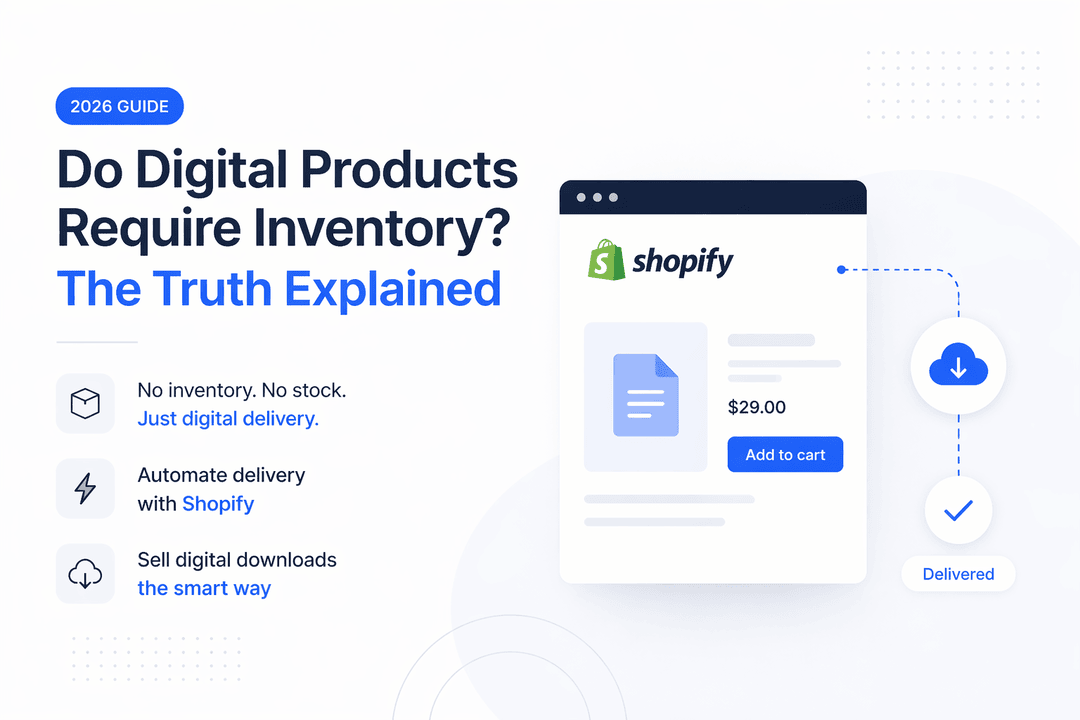
Do Digital Products Require Inventory? The Truth Explained (2026 Guide)
If you’re thinking about selling digital products online, one question comes up almost immediately:
Do digital products require inventory?
It’s a fair question—especially if you’re coming from selling physical products where inventory management is everything.
The truth is simple… but not as straightforward as you might think.
Let’s break it down.
What Makes Digital Products Different?
Digital products are completely different from physical goods.
There’s no warehouse.
No shipping.
No restocking.
Instead, you’re selling something customers can access instantly—like:
- eBooks and guides
- Online courses
- Software or license keys
- Design templates
- Music, videos, or digital assets
Once created, a digital product can be sold over and over again without any additional production cost.
That’s what makes them so powerful.
So, Do Digital Products Require Inventory?
For the majority of digital products, inventory simply doesn’t exist.
You’re not limited by stock. You don’t run out of supply. You can sell the same file to thousands of customers without ever “restocking.”
This is one of the biggest advantages of selling digital products.
It means:
- Unlimited scalability
- No storage costs
- No supply chain issues
From a business perspective, it’s about as efficient as it gets.
The Catch: When Inventory Actually Matters
Here’s where things get interesting.
While most digital products don’t need inventory, some specific cases do require stock management.
Selling License Keys or Activation Codes
If you’re selling software or digital access codes, each purchase typically requires a unique key.
That means your inventory is limited.
For example:
- 100 license keys = 100 possible sales
- Once they’re gone, you can’t sell more
In this case, digital inventory works just like physical inventory—you need to track it carefully.
Limited Digital Products
Sometimes, scarcity is intentional.
You might want to sell:
- Exclusive content
- Limited-time access
- Members-only downloads
Here, inventory becomes a strategic tool rather than a limitation. You control how many people can buy.
Tiered or Gated Access
If your product includes:
- Membership levels
- Drip content
- Course access limits
You may still need to manage availability—even if it’s not traditional inventory.
Digital vs Physical Inventory
To really understand the difference, here’s a quick comparison:
Feature | Physical Products | Digital Products |
Storage Required | Yes | No |
Can Run Out | Yes | Rarely |
Shipping Needed | Yes | No |
Inventory Tracking | Essential | Situational |
Scalability | Limited | Nearly unlimited |
The takeaway?
Digital products remove most of the friction—but not all of it.
How Shopify Handles Digital Inventory
Platforms like Shopify are built with physical products in mind, so inventory tracking is enabled by default.
When selling digital products, you have two choices:
Disable Inventory Tracking
This is best for:
- eBooks
- Templates
- Courses
You simply turn off “Track quantity” and sell without limits.
Enable Inventory Tracking
Use this when:
- Selling license keys
- Offering limited products
This prevents overselling and ensures a better customer experience.
Where Most Sellers Get Stuck
Here’s the problem many Shopify users run into:
- Manually sending files after purchase
- Forgetting to track license keys
- Overselling limited products
- Delivering a poor customer experience
Digital products are simple in theory—but messy without the right system.
How Digitally Solves This Problem
This is exactly where your Shopify app Digitally comes in.
Instead of juggling manual processes, you can automate everything.
With Digitally, you can:
- Instantly deliver digital files after checkout
- Automatically assign license keys
- Track inventory for key-based products
- Send secure download links
- Customize delivery emails
In short, it turns a complicated workflow into a smooth, hands-off system.
Best Practices for Selling Digital Products
To get the most out of your setup, keep these principles in mind:
Keep it unlimited when possible
Only use inventory when there’s a real need.
Track what’s actually limited
License keys and exclusive products should always be monitored.
Automate early
Manual delivery doesn’t scale—and it quickly becomes a bottleneck.
Test your customer experience
Always check:
- Email delivery
- Download access
- Purchase flow
Small issues here can lead to lost trust.
Final Answer: Do Digital Products Need Inventory?
Most of the time, no—digital products do not require inventory.
But in specific cases like:
- License keys
- Limited releases
- Controlled access
inventory becomes essential.
The key is knowing the difference—and setting up your store the right way from the start.
Ready to Scale Your Digital Product Business?
Selling digital products should feel simple—not stressful.
If you want to:
- Automate delivery
- Manage license keys
- Avoid overselling
- Scale without limits
Then your app Digitally is built for exactly that.
Start smart, automate early, and focus on growth 🚀
Frequently Asked Questions
No, most digital products do not require inventory on Shopify. Since they are not physical items, you can sell unlimited copies without tracking stock—unless you're offering something limited like license keys or exclusive access.
You should track inventory when your product has a limited quantity, such as:
- Software license keys
- Activation codes
- Limited memberships or downloads
In these cases, inventory helps prevent overselling.
You can automate delivery using apps like Digitally, which send files or license keys instantly after purchase. This eliminates manual work and ensures customers receive their products without delay.
Yes, most digital products like eBooks, templates, and courses can be sold unlimited times because they don’t run out of stock. You only need limits if you intentionally restrict access.
Digitally allows you to upload and manage license keys, automatically assigning one to each customer after purchase. It also tracks remaining keys, helping you avoid overselling and manage inventory efficiently.
If you don’t manage inventory for limited digital products, you may:
- Oversell license keys
- Run out of available access
- Create a poor customer experience
Using automation tools helps prevent these issues and keeps your store running smoothly.
Digitally
digital product inventory
digital downloads shopify
how to sell digital products without inventory
license key inventory management
automate digital product delivery shopify
how to manage digital product inventory

Digitally ‑ Digital Products
Sell files, e-books, license keys, promo codes & digital links
 Install Now