Digital Downloads on Shopify: From Upload to Customer Delivery
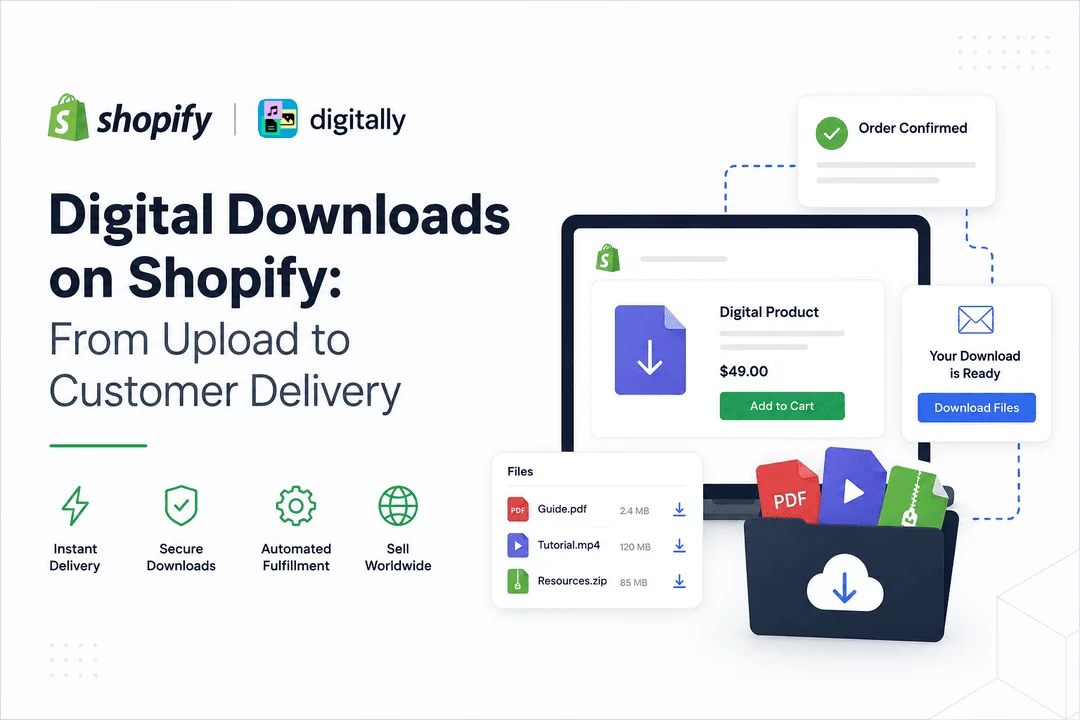
Selling digital products has become one of the easiest and most profitable ways to build an online business. Unlike physical products, digital goods require no inventory, shipping, or packaging. Customers receive their purchases instantly, while merchants can automate fulfillment and focus on growing their business.
Whether you're selling eBooks, software, music, online courses, design templates, digital artwork, PDFs, or premium content, Shopify provides an excellent platform to sell digital products. However, delivering those products securely and automatically requires the right workflow.
This guide walks you through the complete journey—from uploading a digital file to delivering it instantly to your customers—and shows how Digitally simplifies every step.
Why Sell Digital Products on Shopify?
Digital products continue to grow in popularity because they offer significant advantages over traditional physical products.
Some of the biggest benefits include:
- No inventory management
- No shipping or fulfillment costs
- Instant worldwide delivery
- High profit margins
- Fully automated order fulfillment
- Easy scalability
- Passive income opportunities
Whether you're an independent creator or an established software company, Shopify provides the infrastructure to build a successful digital business.
Common Digital Products You Can Sell
Shopify supports virtually every type of digital product, including:
- eBooks
- PDF guides
- Software applications
- License keys
- Digital artwork
- Design templates
- Stock photography
- Video courses
- Audio files
- Music downloads
- Game assets
- Premium documents
- Printable planners
- Website themes
- Mobile app resources
Many merchants even combine downloadable files with license keys or custom URLs for a more professional customer experience.
Step 1: Create Your Product in Shopify
The process begins by creating a product inside your Shopify admin.
Simply:
- Add your product title
- Write a detailed description
- Upload product images
- Set your pricing
- Disable shipping (if the product is digital)
- Publish your product
At this stage, customers can purchase your product, but Shopify alone doesn't automatically deliver downloadable files.
That's where Digitally comes in.
Step 2: Upload Your Digital Files
After installing Digitally, you can attach one or multiple files to any Shopify product.
Examples include:
- PDF files
- ZIP archives
- MP4 videos
- Software installers
- PSD files
- AI design files
- Excel spreadsheets
- Audio files
- Documentation
- Source code packages
Instead of manually emailing every customer, your files are securely stored and automatically linked to orders.
Step 3: Configure Delivery Rules
Every digital business has different delivery requirements.
Digitally allows merchants to customize how digital products are delivered.
For example:
- Deliver immediately after payment
- Deliver only after order fulfillment
- Send download links via email
- Display download buttons on the Thank You page
- Show downloads inside customer accounts
- Limit download attempts
- Set download expiration dates
These settings help protect your digital products while providing a seamless customer experience.
Step 4: Customer Places an Order
Once your product is live, customers complete checkout just like any other Shopify purchase.
The process remains familiar:
- Customer visits your store.
- Adds digital product to cart.
- Completes secure checkout.
- Payment is processed.
- Order is created.
From the customer's perspective, everything feels identical to purchasing a physical product—until delivery happens almost instantly.
Step 5: Instant Digital Delivery
Immediately after payment (or based on your chosen rules), Digitally automatically delivers the purchased files.
Customers receive access through:
- Shopify order confirmation page
- Download buttons
- Secure email links
- Customer account page
No manual work is required.
The entire process happens automatically, even while you're offline.
Secure File Delivery
Security is one of the biggest concerns when selling digital products.
Sharing permanent public download links can lead to:
- Unauthorized sharing
- Piracy
- Lost revenue
- Unlimited downloads
- Link abuse
Digitally helps protect your products with features such as:
- Secure download links
- Download limits
- Link expiration
- Controlled customer access
- Automated fulfillment
- Order-based permissions
This gives merchants greater control over how digital content is distributed.
Selling Multiple Files in One Product
Many digital products consist of more than a single file.
For example, a design bundle might include:
- Source files
- Documentation
- Fonts
- Mockups
- Tutorials
- Bonus templates
Digitally makes it easy to organize and deliver multiple files together without additional manual work.
Combining Downloads with License Keys
Many Shopify merchants sell software products that require both:
- Downloadable installer
- Software license key
Instead of sending these separately, Digitally can automate the entire experience.
Customers receive:
- Download link
- License key
- Activation instructions
All within the same automated delivery process.
This creates a professional buying experience while reducing support requests.
Benefits for Merchants
Automating digital delivery saves significant time.
Instead of manually responding to every order, merchants can:
- Automate fulfillment
- Reduce customer support
- Prevent delivery delays
- Improve customer satisfaction
- Scale without hiring additional staff
- Sell 24/7 worldwide
Whether you receive five orders per week or five thousand per day, the delivery process remains fully automated.
Benefits for Customers
Fast delivery creates a better shopping experience.
Customers appreciate:
- Instant access
- No waiting for emails
- Easy downloads
- Reliable delivery
- Secure purchase experience
- Access from anywhere
Happy customers are more likely to leave positive reviews and return for future purchases.
Best Practices for Selling Digital Downloads
To maximize sales and reduce customer support, consider these best practices:
- Write clear product descriptions.
- Include screenshots or previews.
- Explain file formats.
- Mention software compatibility.
- Provide installation instructions.
- Bundle related products together.
- Protect files with secure delivery.
- Automate fulfillment.
- Test the customer purchase flow regularly.
A smooth buying experience increases trust and encourages repeat business.
Why Choose Digitally?
Digitally is built specifically for Shopify merchants who want a reliable, automated solution for selling digital products.
With Digitally, you can:
- Upload digital files in minutes
- Deliver products automatically
- Secure download links
- Control download limits
- Combine files with license keys
- Deliver custom URLs
- Sell account-based digital products
- Automate customer fulfillment
- Scale your digital business with confidence
Whether you're selling your first eBook or managing thousands of software downloads every month, Digitally helps simplify the entire delivery process.
Final Thoughts
Selling digital downloads on Shopify should be simple—for both merchants and customers.
From uploading files to automatic customer delivery, every step should happen seamlessly without manual intervention. By automating fulfillment, protecting your files, and providing instant access after purchase, you can deliver a professional experience that builds trust and encourages repeat sales.
Digitally streamlines the entire workflow, helping Shopify merchants manage digital downloads securely and efficiently. Whether you're selling software, eBooks, templates, online courses, or creative assets, automation allows you to spend less time fulfilling orders and more time growing your business.
Frequently Asked Questions
To sell digital downloads on Shopify, create a product, upload your digital files using a digital delivery app, and configure automatic fulfillment so customers receive their purchases instantly after checkout.
You can sell a wide range of digital products, including eBooks, PDF guides, software, license keys, online courses, music, videos, design templates, digital artwork, printables, and downloadable resources.
Digitally automatically delivers purchased digital files, license keys, custom URLs, or account credentials after a successful order. It eliminates manual fulfillment and provides customers with instant, secure access to their purchases.
Yes. Digitally helps secure your digital products by offering protected download links, download limits, expiration settings, and automated delivery, reducing the risk of unauthorized sharing while improving the customer experience.
Yes. You can attach multiple files to a single product, making it easy to sell bundles, software packages, course materials, templates, or other collections of digital content in one purchase.
Shopify Digital Downloads
Shopify Digital Products
Digital Product Delivery
License Key Delivery
Digitally
Digital Fulfillment
sell digital product

Digitally ‑ Digital Products
Sell files, e-books, license keys, promo codes & digital links
 Install Now