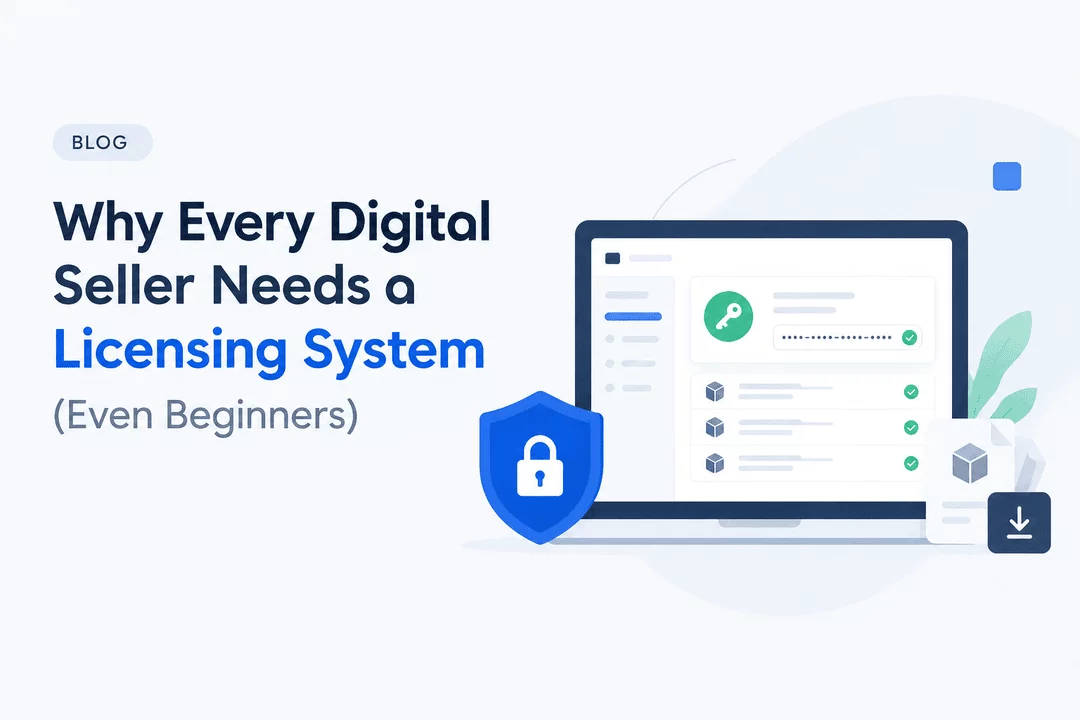
Why Every Digital Seller Needs a Licensing System (Even Beginners)
Selling digital products online is one of the easiest ways to start an online business. From ebooks and online courses to software, templates, plugins, and digital subscriptions, you can create a product once and sell it to customers around the world.
But as your digital business grows, an important question arises: How do you manage access to your products, deliver license keys, and protect your digital assets without creating unnecessary work?
That's where a digital licensing system comes in.
Many beginners assume that licensing systems are only necessary for large software companies or established businesses. In reality, even a small digital store can benefit from a simple, organized approach to managing product access and license keys.
In this guide, we'll explain what a digital licensing system is, why it matters, how it helps beginners, and how Shopify merchants can use Digitally to simplify digital product delivery.
What Is a Digital Licensing System?
A digital licensing system is a way to manage permissions, activation codes, license keys, or other credentials that customers need to access or activate a digital product.
For example, imagine you sell a Shopify app theme, a desktop software tool, a WordPress plugin, or a subscription-based digital service. After purchasing your product, the customer may need a unique activation code to unlock its features.
A licensing system helps you organize these codes and deliver them to the right customers.
Depending on the product and setup, a licensing workflow can help you:
- Generate or organize unique license keys.
- Deliver activation codes automatically after purchase.
- Assign different keys to different products or customers.
- Track available license keys and inventory.
- Reduce manual fulfillment work.
- Keep digital sales and delivery more organized.
A licensing system doesn't automatically prevent piracy or unauthorized sharing. Its effectiveness depends on how your product validates licenses and enforces access restrictions. However, it provides a useful foundation for managing digital product sales professionally.
1. Automate License Key Delivery From Day One
When you start selling digital products, manually sending license keys may seem manageable.
You receive an order, find an available key, copy it into an email, and send it to the customer. With only a few orders, this process might work.
But what happens when orders increase?
Manual delivery can lead to delays, incorrect keys, duplicate assignments, and unnecessary customer support requests.
An automated licensing workflow connects a customer's purchase to the delivery of the appropriate license key. Once the workflow is configured, eligible orders can receive their keys without requiring you to process each one manually.
For example:
- A customer purchases a software license through your Shopify store.
- The order triggers your configured digital delivery workflow.
- A unique license key is assigned to the order.
- The customer receives the key through the configured delivery method.
- Your store keeps the fulfillment process organized.
Why beginners benefit: You can establish a repeatable process before your business becomes difficult to manage.
With Digitally, Shopify merchants can deliver license keys and activation codes automatically after purchase, helping reduce repetitive fulfillment tasks.
2. Make Your Digital Store Look More Professional
Customers expect digital products to be delivered quickly and clearly.
If someone purchases a plugin, software license, or membership key but has to wait hours for an email, the experience may feel less professional than expected.
A structured licensing system helps create a smoother purchasing experience by making product access instructions and key delivery more consistent.
For example, you can provide:
- Clear instructions for using an activation code.
- Automatic delivery after a successful purchase.
- Organized emails containing the appropriate product information.
- A consistent process for fulfilling digital orders.
A better delivery experience can reduce confusion and help customers understand what to do after purchasing.
For beginners building trust with their first customers, these small details matter.
3. Reduce Manual Work as Your Business Grows
One of the biggest advantages of selling digital products is the ability to fulfill orders without physically packaging or shipping inventory.
However, manual license key delivery can reintroduce repetitive work into an otherwise scalable business.
Imagine receiving 10 orders per day. Manually assigning and emailing each key may still be manageable. At 100 orders per day, the same process can become time-consuming and harder to maintain accurately.
An automated licensing workflow can help you spend less time copying codes and more time improving your products, marketing your store, and supporting customers.
You don't need to wait until you have hundreds of orders to implement automation. Setting up a reliable system early can make future growth easier.
4. Keep License Keys and Inventory Organized
License keys are a form of digital inventory.
If you sell products that require unique activation codes, you need to know which keys are available, which have been assigned, and whether your supply is running low.
Without an organized system, it's easy to lose track of codes stored across spreadsheets, emails, and documents.
A license key management workflow can help you:
- Import license keys in bulk using a CSV file.
- Organize keys by product.
- Assign keys through your configured delivery process.
- Manage key availability.
- Reduce the risk of accidentally assigning the same key more than once.
For example, if you sell 500 software activation codes, importing and organizing them in bulk is much more practical than entering every key individually.
Digitally supports bulk license key management through CSV import and export. License key availability tracking is available on its Plus and Unlimited plans.
This gives Shopify merchants a more organized way to manage license inventory as their product catalog expands.
5. Support Different Types of Digital Products
Not every digital product uses a traditional software license. Different products require different delivery methods.
A digital seller might offer:
- Software activation codes.
- WordPress plugin licenses.
- Game keys and downloadable content.
- Subscription or membership access keys.
- API keys and other access credentials.
- Ebooks, PDFs, templates, and design files.
- Online resources delivered through custom links.
A licensing system is particularly useful when a product requires a unique code or credential to activate or access it. Other digital products may only need a secure download link or file delivery workflow.
Choosing a delivery solution that supports multiple formats gives your business more flexibility as you expand.
Digitally supports digital file delivery, license keys, custom links, and other digital fulfillment workflows within Shopify, helping merchants manage different types of digital products in one place.
6. Improve Control Over Digital Product Access
Once a digital product is sold, controlling how customers access it becomes an important consideration.
A licensing workflow can help you organize access credentials and make it easier to connect purchases with the correct product permissions.
Depending on your product, you may also use additional protections such as:
- Unique license keys for individual purchases.
- License validation through your own software or service.
- Download limits and expiring download links.
- PDF stamping to personalize purchased documents.
- Secure file hosting and controlled delivery links.
It's important to understand that these features solve different problems. A license key alone cannot guarantee that a customer won't share it. To enforce activation limits or revoke unauthorized access, the software or service using the key must support the appropriate validation rules.
For Shopify merchants, combining organized license delivery with suitable access controls can provide a stronger digital fulfillment workflow.
Digitally offers features such as download limits, expiring links, PDF stamping, and a License Key Validation API for supported use cases. These features can complement your licensing process, depending on your product and implementation.
7. Make It Easier to Handle Multiple Orders and Products
As your store grows, you may introduce different product versions, pricing tiers, or license types.
For example, a software seller might offer:
- A single-user license.
- A multi-user license.
- A premium version with additional features.
- A subscription key for recurring access.
Managing each option manually can become confusing, especially when different products require different codes or quantities.
An organized digital fulfillment setup helps you connect products with the appropriate keys and delivery instructions.
When configuring your store, make sure each product or variant is associated with the correct license pool and that your delivery rules match the quantity purchased.
With Digitally, Shopify merchants can manage license keys and configure digital delivery workflows that support their product offerings.
The result is a more structured process for handling a growing product catalog.
8. Spend Less Time Fixing Delivery Mistakes
A licensing system won't eliminate every fulfillment issue, but it can reduce several problems associated with manual processes.
Common challenges include:
- Sending a key intended for a different product.
- Accidentally reusing a license code.
- Forgetting to fulfill an order.
- Sending the wrong quantity of keys.
- Losing track of unused codes.
- Responding repeatedly to customers asking where their keys are.
Automating repetitive steps reduces the number of opportunities for human error.
You should still test your workflows, maintain backups of important license inventory, monitor failed deliveries, and establish a process for handling refunds or disputed orders.
For beginners, these practices help build a reliable foundation without adding unnecessary complexity.
9. Prepare Your Business for Recurring Revenue
Some digital products are sold once, while others provide access for a defined period or on a recurring basis.
Examples include software subscriptions, premium plugins, educational memberships, and digital services.
A licensing workflow can help organize the credentials associated with these products. However, delivering a subscription key and managing a subscription are not necessarily the same thing.
If your business offers recurring access, you may also need a system to manage billing, renewals, expiration dates, cancellations, and license validation.
Your licensing and subscription systems should work together so that the access a customer receives matches the terms of their purchase.
Starting with organized license delivery makes it easier to establish these processes as your business model becomes more sophisticated.
10. Why Beginners Shouldn't Wait to Set Up a Licensing System
You don't need to be a large software company to benefit from digital product automation.
If you sell only a few products today, this is an opportunity to build a straightforward workflow before your order volume increases.
A basic setup can help you:
- Deliver products more consistently.
- Reduce repetitive administrative tasks.
- Keep license inventory organized.
- Improve the customer experience.
- Prepare for a larger catalog and more orders.
The key is to choose a solution that matches your current needs without making the process unnecessarily complicated.
For example, a beginner selling ebooks may primarily need file delivery. Someone selling software activation codes may need automated license key assignment and inventory management. A merchant selling both can benefit from a solution that supports both workflows.
Start with the features you need today, then expand your setup as your business grows.
How Digitally Helps Shopify Merchants Manage Digital Licensing
If you sell digital products through Shopify, Digitally – Digital Products helps simplify delivery by bringing important digital fulfillment features into your store workflow.
Depending on your plan and configuration, Digitally supports:
- Automatic license key delivery: Deliver activation codes and license keys after purchase.
- Bulk key management: Import and export license keys using CSV files.
- License inventory tracking: Monitor license key availability on Plus and Unlimited plans.
- Digital file delivery: Deliver ebooks, software files, templates, and other digital downloads.
- Custom link delivery: Provide customers with access links for eligible digital products.
- Download controls: Configure download limits and expiring links.
- PDF stamping: Add supported personalized information to PDF files.
- Custom delivery emails: Customize the messaging customers receive with their digital products.
- License validation support: Use the License Key Validation API for supported validation workflows.
Instead of managing every digital order manually, you can build a more organized fulfillment process around your Shopify store.
Whether you're launching your first software product or managing a larger digital catalog, Digitally gives you tools to help simplify digital delivery.
How to Get Started With Digital Licensing on Shopify
You can begin with a few practical steps.
Step 1: Identify Your Digital Product Type
Determine whether your product needs a downloadable file, a unique activation code, a custom access link, or a combination of these.
Step 2: Prepare Your License Keys
If your product uses activation codes, organize your keys and check that each code is valid and ready to assign. For large inventories, prepare a CSV file for bulk import when supported.
Step 3: Configure Your Delivery Workflow
Set up your digital product and connect the appropriate files, license keys, or links to your Shopify fulfillment process.
Step 4: Customize Customer Instructions
Explain how customers can redeem their keys, activate their software, or access their purchases. Clear instructions can reduce support requests.
Step 5: Test the Entire Process
Place a test order using an appropriate testing method. Confirm that the correct product information and license key are delivered, and check what happens if inventory is unavailable or a delivery fails.
Step 6: Monitor and Improve
Review customer questions, fulfillment issues, and license inventory regularly. Improve your process as you introduce new products or receive more orders.
By following these steps, you can establish a practical digital licensing workflow without building a complicated system from scratch.
Final Thoughts
A digital licensing system isn't just for established software companies. It's a useful way for digital sellers of all sizes to organize activation codes, streamline delivery, reduce repetitive work, and prepare their businesses for growth.
The earlier you establish a reliable process, the easier it can be to manage orders as your catalog expands.
If you sell software keys, plugin licenses, membership credentials, or other digital products through Shopify, consider automating your fulfillment process with Digitally, so install digitally .
Frequently Asked Questions
A digital product licensing system helps sellers organize and deliver license keys, activation codes, and other credentials used to access or activate digital products. It can also support inventory management and license validation when integrated with the appropriate systems.
Yes, beginners can benefit from a licensing system, particularly when selling software, plugins, game keys, or subscription credentials. Setting up an organized process early can reduce manual work and make it easier to handle more orders as the business grows.
Yes. Shopify merchants can use a digital delivery app such as Digitally to automate the delivery of license keys and activation codes after purchase. The exact workflow depends on the product configuration and the delivery app's supported features.
Digitally supports automatic license key delivery and bulk license key import and export through CSV files. License key availability tracking is available on its Plus and Unlimited plans, helping merchants organize their digital inventory.
Not by itself. A license key can help control access when the software or service validates the key and enforces rules such as activation limits or expiration. Additional security measures may be needed to reduce unauthorized sharing and access.
Software applications, plugins, game keys, subscription credentials, and certain membership products can use license keys or activation codes. Ebooks, templates, and other downloadable products may instead use secure file delivery or custom links, depending on the seller's requirements.
Digital license key delivery
Digital Products
Digital Licensing
License Key Delivery
Software Activation Codes
Digital Product Automation
Digitally

Digitally ‑ Digital Products
Sell files, e-books, license keys, promo codes & digital links
 Install Now