Shopify Ticketing App vs. Eventbrite: Why Sell Tickets on Your Own Store
Selling event tickets online no longer requires building a separate website or sending customers to a third-party ticket marketplace. If you already run a Shopify store, you can sell tickets directly through your own storefront and keep the customer journey under your brand.
That’s where a Shopify ticketing app such as Tickelo can be useful.
While Eventbrite is a well-known platform for event registration and ticket sales, selling tickets through your own Shopify store offers a different approach. You can combine event tickets with your existing products, maintain control over the customer experience, and manage ticket orders alongside your Shopify business.
In this guide, we’ll compare the Shopify ticketing approach with Eventbrite and explain why some businesses may prefer selling tickets directly from their own Shopify store.
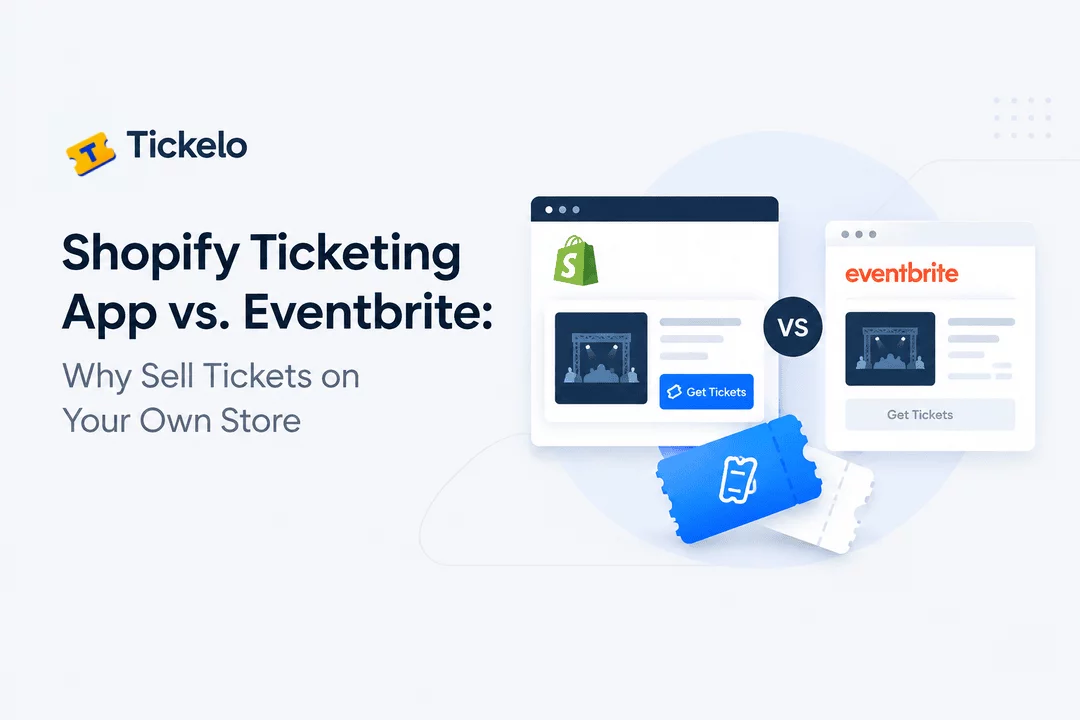
Shopify Ticketing App vs. Eventbrite: What’s the Difference?
The biggest difference is where the ticket-selling experience takes place.
With Eventbrite, you create and manage an event on Eventbrite's platform. Customers typically discover or access your event through an Eventbrite-hosted experience.
With a Shopify ticketing app, your Shopify store becomes the ticket-selling platform. Your event can be represented as a Shopify product or connected to your existing products and variants, allowing customers to purchase tickets through the same storefront they already use for other products.
This distinction can affect branding, customer experience, order management, and how you organize your business.
Feature | Shopify + Tickelo | Eventbrite |
Sell tickets from your own Shopify store | Yes | No |
Shopify product integration | Yes | No |
Existing Shopify checkout | Yes | No |
Sell physical and digital products together | Yes | Limited |
Custom storefront branding | Full Shopify storefront | Event-focused platform |
Ticket quantities | Yes | Yes |
Ticket types | Yes | Yes |
QR-code tickets | Yes | Yes |
Ticket validation/check-in | Yes | Yes |
Customer order management | Shopify-based | Eventbrite-based |
Shopify store ecosystem | Yes | Separate platform |
The exact features and fees can change over time, so businesses should check the current terms and feature documentation for each platform before making a decision.
1. Keep Your Customers on Your Own Store
One of the biggest reasons to consider Shopify ticketing is keeping the buying experience on your own website.
Imagine a sports club selling match tickets.
Instead of sending customers to another platform, the club can create a ticket product in Shopify. Customers visit the club's website, select their tickets, complete checkout, and receive their ticket information.
The same store could also sell:
- Team merchandise
- Memberships
- Digital products
- Event tickets
- VIP passes
- Special offers
- Promotional products
Everything can exist within the same ecommerce environment.
With Tickelo, merchants can connect ticketing functionality with their Shopify products and variants, making it possible to use Shopify as the central storefront for ticket sales.
2. Maintain Your Brand Throughout the Customer Journey
When you sell through your own Shopify store, your branding remains central to the customer experience.
You control elements such as:
- Store design
- Logo
- Colors
- Product pages
- Event descriptions
- Promotional content
- Checkout experience
- Customer communications
This can be particularly important for businesses that already have an established online presence.
For example, a fitness studio could have a Shopify store where customers purchase:
Yoga Class → Membership → Workshop Ticket → Fitness Products
Instead of creating a separate ticketing destination, the business can keep everything together.
3. Manage Tickets Alongside Shopify Orders
Another advantage of selling tickets through Shopify is having your ecommerce operations and ticket sales closer together.
If your business already uses Shopify, your team is familiar with its products, orders, customers, and sales workflow.
Adding ticket sales through Tickelo can allow you to manage ticket purchases alongside other Shopify transactions.
This can simplify workflows for businesses that sell both products and experiences.
For example:
Customer purchases:
- 1 VIP event ticket
- 2 merchandise items
Instead of managing the ticket purchase and merchandise purchase in completely separate systems, the Shopify store can act as the central ecommerce environment.
4. Create Different Ticket Types
Many events need more than one ticket option.
You might offer:
- General Admission
- VIP
- Early Bird
- Student
- Family
- Premium
- Member
- Backstage
With a Shopify ticketing setup, ticket types can be represented using Shopify products or variants depending on how you structure your event.
This gives customers clear purchasing options while allowing the organizer to control availability and quantities.
5. Control Ticket Quantities and Capacity
Ticket availability is one of the most important parts of event management.
You may need to limit:
- Total event capacity
- Tickets available for a particular ticket type
- Maximum tickets per customer
- Early-bird availability
- VIP ticket quantities
Tickelo is designed to help Shopify merchants manage these ticketing requirements while selling tickets through their existing store.
For limited-capacity events, this can help create a more structured purchasing process.
6. Send Customers Their Tickets Automatically
After purchasing a ticket, customers need clear confirmation and access to their ticket information.
A ticketing system can automatically deliver ticket details after purchase, reducing the amount of manual work required by event organizers.
Depending on your setup, tickets can include information such as:
- Customer name
- Event name
- Event date
- Ticket type
- Ticket number
- QR code
- Venue information
This is especially useful when you're selling hundreds or thousands of tickets and don't want to manually send every ticket.
7. Use QR Codes for Event Check-In
Modern ticketing isn't just about selling tickets. You also need a reliable way to validate them at the entrance.
QR codes can make this process easier.
A customer receives a ticket containing a QR code. At the event, staff can scan the code to verify the ticket.
This can help organizers manage:
- Entry validation
- Duplicate ticket prevention
- Faster check-in
- Ticket tracking
- Attendee management
For events where large numbers of people arrive within a short period, a streamlined check-in process can make a significant difference.
8. Combine Ticket Sales With Other Shopify Products
This is one of the most interesting differences between a Shopify-based ticketing setup and a dedicated event platform.
Your Shopify store isn't limited to tickets.
For example, a music event could sell:
Concert Ticket
VIP Ticket
Official T-Shirt
Poster
Digital Album
A sports organization could sell:
Match Ticket
Season Pass
Team Jersey
Membership
A school could offer:
Event Ticket
Fundraiser Entry
Merchandise
This creates opportunities to combine event sales with your existing ecommerce business.
9. Build Your Own Customer Relationship
When customers purchase through your own Shopify store, their transaction becomes part of your broader ecommerce ecosystem.
This can make it easier to build relationships with customers beyond a single event.
For example, after someone attends an event, you may want to promote:
- Another event
- New products
- Memberships
- Future ticket releases
- Special promotions
Your store can become more than a place where customers buy one ticket. It can become the central destination for your business.
10. When Eventbrite May Make More Sense
A comparison should also recognize that Eventbrite and Shopify solve somewhat different problems.
Eventbrite can be useful for organizers who want a dedicated event platform with event discovery and event-management functionality.
For example, if your primary goal is to create an event page and reach people searching for events, a dedicated event marketplace can be relevant.
On the other hand, if you already have a Shopify store and want to make your website the primary destination for ticket purchases, a Shopify ticketing app can provide a more integrated approach.
The right choice depends on your business model, audience, existing technology, and event requirements.
Shopify Ticketing vs. Eventbrite: Which Approach Fits Your Business?
Instead of asking which platform is universally better, consider what you need your ticketing system to accomplish.
Choose a Shopify ticketing approach if you want to:
- Sell tickets directly from your Shopify store
- Keep customers within your own branded website
- Manage tickets alongside ecommerce products
- Use Shopify checkout
- Sell tickets and merchandise together
- Manage ticket orders within your Shopify ecosystem
- Create different ticket types
- Deliver QR-code tickets
- Manage event capacity
- Build long-term customer relationships through your store
Consider Eventbrite if you need:
- A dedicated event platform
- Event-focused discovery
- A separate event management environment
- Tools designed specifically around event listings and registrations
The important consideration is whether you want your ticketing operation to be an extension of your ecommerce store or a separate event platform.
How Tickelo Turns Shopify Into a Ticketing Platform
Tickelo is built for Shopify merchants who want to sell event tickets and run lottery-style products from their Shopify stores.
With Tickelo, merchants can create ticket products, connect them with Shopify products or variants, configure ticket quantities, and manage event information.
Depending on the event, you can create ticket types such as:
General Admission → VIP → Early Bird → Student → Premium
You can also use features such as ticket numbers, QR codes, automated ticket delivery, customer order tracking, ticket notifications, and event check-in workflows.
This means you don't necessarily need to build a completely separate ecommerce experience just because you're selling tickets.
Example: Selling Tickets for a Local Event
Suppose you're organizing a community festival.
Your Shopify store already sells merchandise and promotional products.
You could create:
Festival General Admission — $20
VIP Festival Ticket — $50
Family Ticket — $60
Festival T-Shirt — $25
Customers can purchase tickets and merchandise from the same store.
After purchasing a ticket, the customer receives their ticket details and QR code. At the event entrance, staff can validate the ticket.
Your Shopify store remains the central location for the entire customer journey.
Example: Selling Sports Match Tickets
A sports club could use a similar setup.
The store could contain:
- Match tickets
- VIP tickets
- Season passes
- Club merchandise
- Memberships
Each match can have its own event information, ticket types, capacity, and ticket delivery process.
This approach can be especially useful for clubs that already use Shopify as their ecommerce website.
Final Thoughts
Eventbrite and Shopify ticketing apps take different approaches to selling event tickets.
Eventbrite provides a dedicated event platform, while a Shopify ticketing app allows merchants to make their existing Shopify store the center of their ticket-selling experience.
For Shopify merchants, selling tickets directly through their own store can provide greater integration between events, ecommerce products, customers, orders, and branding.
If your business already runs on Shopify and you want to add event ticket sales without creating a separate storefront, Tickelo provides a way to bring ticketing directly into your Shopify ecosystem.
Instead of sending customers somewhere else to buy a ticket, you can make your Shopify store the place where customers discover, purchase, receive, and manage their event tickets.
Frequently Asked Questions
Yes. Shopify merchants can use ticketing apps such as Tickelo to create and sell event tickets through their Shopify stores.
Tickelo offers a different approach to Eventbrite by allowing Shopify merchants to manage ticket sales directly through their own Shopify storefront rather than relying on a separate event platform.
Yes. One Shopify store can be used to sell event tickets alongside physical products, digital products, memberships, merchandise, and other products.
Yes. A Shopify ticketing setup can provide customers with tickets containing QR codes that can be used for event check-in and validation.
Yes. You can create different ticket types, such as General Admission, VIP, Early Bird, Student, Family, and Premium tickets, depending on your event requirements.
No. If you already have a Shopify store, Tickelo allows you to build your ticket-selling experience within your existing Shopify storefront.
Shopify Ticketing
Event Tickets
Shopify Events
Eventbrite Alternative
Tickelo
Shopify Apps
Online Ticketing

 Install Now
.png)