Shopify Software Sales: How to Deliver License Keys Instantly After Purchase
Selling software through Shopify is becoming one of the most profitable digital business models. However, success doesn’t depend only on having a great product—it depends heavily on how quickly and reliably customers receive their license keys after purchase.
In digital commerce, speed is trust. If delivery is delayed, customers lose confidence. If it’s instant, your brand feels professional, automated, and scalable.
In this guide, you’ll learn how to deliver license keys instantly after purchase on Shopify and how automation tools like Digitally make the entire process seamless.
Why Instant License Key Delivery Is Critical
Unlike physical products, software has no shipping time. That means customers expect immediate access right after payment.
When delivery is not instant, several problems appear:
- Customers assume the order failed
- Support tickets increase unnecessarily
- Refund requests become more common
- Trust in your brand decreases
On the other hand, instant delivery creates a smooth customer experience:
- Immediate product access
- Higher customer satisfaction
- Fewer support requests
- Better reviews and repeat purchases
In short, delivery speed directly impacts revenue and reputation.
The Hidden Problem with Manual License Delivery
Many Shopify sellers still rely on manual processes such as spreadsheets or email-based delivery systems. While this may work at a small scale, it quickly breaks down as sales grow.
Common issues include:
- Copy-paste errors when sending keys
- Delayed responses to customer orders
- Duplicate or reused license keys
- No proper tracking system
- High workload for support teams
This approach is not scalable. As your store grows, manual delivery becomes a bottleneck that slows down your entire business.
The Smart Approach: Automated License Key Delivery
To scale software sales effectively, you need a fully automated system that handles everything in real time.
A proper system should:
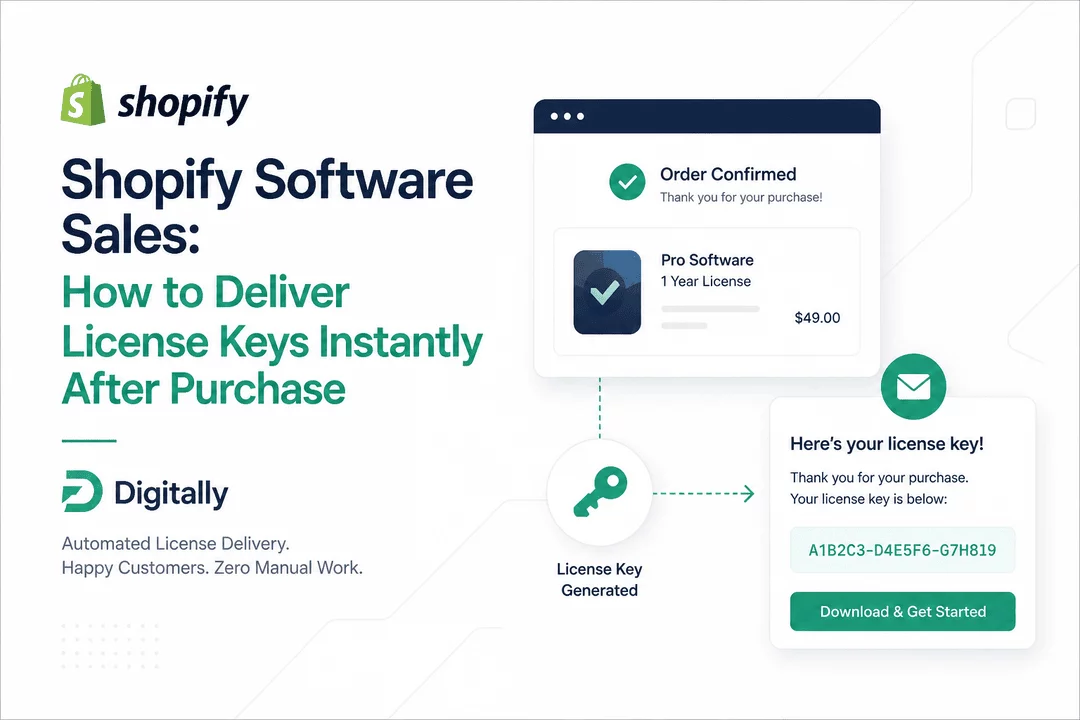
- Assign a unique license key per order
- Trigger delivery immediately after payment
- Ensure keys are never reused
- Track inventory and usage
- Work without manual intervention
This is where automation becomes essential for serious Shopify software sellers.
How Digitally Automates License Key Delivery
Digitally is built specifically for Shopify merchants selling software and digital products. It removes the complexity of manual delivery and replaces it with a fully automated system.
With Digitally, you can:
- Upload or generate license keys in bulk
- Automatically assign keys to each order
- Deliver keys instantly after checkout
- Customize delivery emails with your branding
- Track key usage and availability in real time
Instead of manually managing every sale, Digitally ensures your entire delivery system runs automatically in the background.
Step-by-Step: Setting Up Instant License Delivery on Shopify
Setting up automated delivery is simple and only takes a few steps:
1. Create Your Digital Product
Add your software product inside Shopify as you normally would.
2. Add License Keys in Digitally
Upload your existing keys or generate them in bulk.
3. Link Product to License System
Connect your Shopify product with your Digitally license pool.
4. Enable Automatic Delivery
Turn on instant delivery so every successful order triggers a license key assignment.
5. Customize Customer Communication
Edit the email template to include instructions, branding, and support information.
Once set up, the system runs automatically for every order.
Best Practices for Selling Software with License Keys
To improve customer experience and reduce issues, follow these best practices:
- Keep delivery emails short and easy to understand
- Always include activation instructions
- Monitor unused or invalid keys regularly
- Use secure and unique key formats
- Provide fast support for activation issues
These small details significantly improve customer satisfaction and reduce refund rates.
Final Thoughts
Selling software on Shopify is a powerful business model, but only if the customer experience is smooth from purchase to activation.
Instant license key delivery is not just a feature—it’s a core part of your product experience and brand trust.
By using automation tools like Digitally, you eliminate manual work, reduce errors, and deliver a seamless experience that scales with your business.
If you want to grow your digital product business, automating license delivery is one of the most important steps you can take.
Frequently Asked Questions
You can automate license key delivery by connecting your Shopify product with a digital delivery system that assigns and sends keys immediately after payment. Apps like Digitally make this process fully automatic so customers receive their keys instantly without any manual work.
The best way is to use a centralized system that stores, tracks, and automatically assigns license keys per order. With Digitally, you can upload or generate keys in bulk, prevent duplicates, and ensure secure delivery for every purchase.
Yes. Most modern Shopify apps allow no-code setup. You simply connect your product, upload your keys, and enable automation. The system handles everything in the background, from order detection to email delivery.
If a customer doesn’t receive their key, it’s usually due to email filtering or incorrect setup. A proper system like Digitally ensures reliable delivery and tracking so you can quickly verify and resend keys if needed.
Yes, it is safe as long as you use secure key generation and proper delivery automation. A controlled system prevents key duplication, unauthorized reuse, and ensures each customer receives a unique license.
Yes. Advanced tools allow you to monitor key status, including assigned, delivered, and unused keys. This helps you manage inventory and prevent over-selling.
Shopify software sales
digitally
license key delivery Shopify
sell software online
automated license delivery
digital downloads Shopify
Shopify automation tools

Digitally ‑ Digital Products
Sell files, e-books, license keys, promo codes & digital links
 Install Now