No More Manual Emails: Setting Up 100% Automated & Secure Key Distribution
If you're still sending license keys manually after every sale, you're doing more work than necessary—and leaving your business open to mistakes.
As your Shopify store grows, manually emailing keys becomes slow, unreliable, and difficult to manage. Customers expect instant delivery, and any delay can cost you trust (and refunds).
The solution? 100% automated and secure key distribution.
In this guide, you’ll learn exactly how to eliminate manual emails and build a fully automated system that delivers keys instantly—while keeping your products safe.
Why Manual Key Delivery Is Holding You Back
At the beginning, sending keys manually might seem manageable. But it quickly turns into a serious problem.
You have to constantly check for new orders, copy-paste keys, and send emails one by one. This not only wastes time but also increases the chances of mistakes—like sending the wrong key or forgetting an order entirely.
Even worse, manual delivery creates security risks. Keys can be reused, shared, or even leaked without proper tracking.
And from the customer’s perspective? Waiting for a key feels outdated.
What Automated Key Distribution Really Means
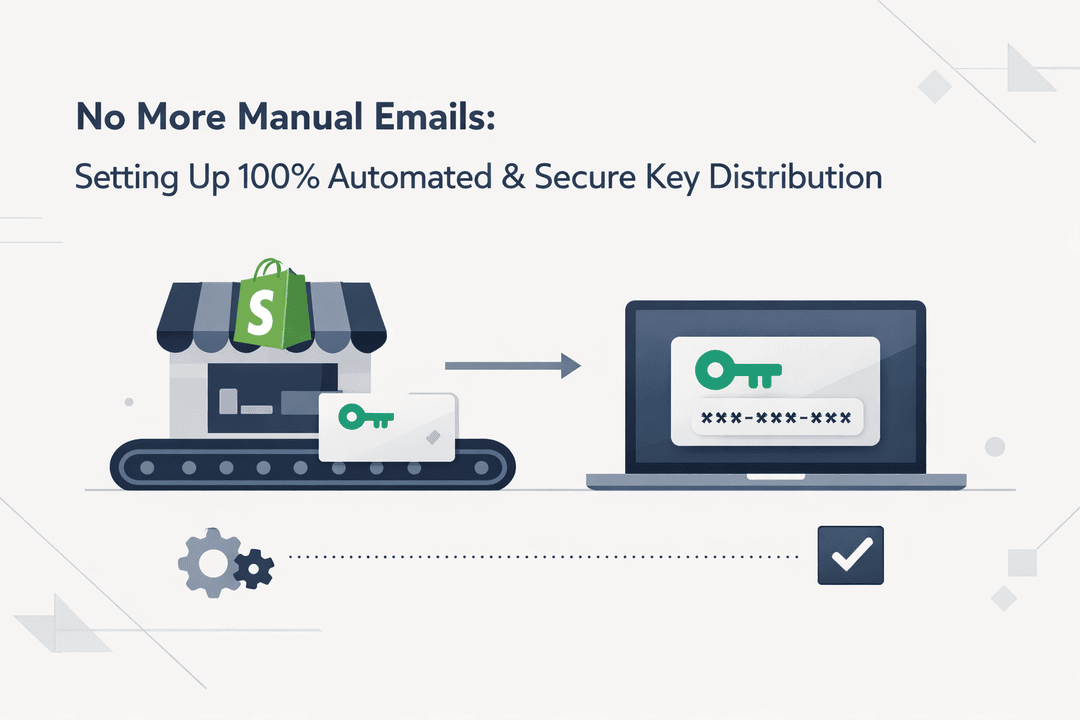
Automated key distribution ensures that every customer receives their product instantly after purchase—without you doing anything.
Once a customer completes checkout:
- A unique key is automatically assigned
- The key is delivered instantly via email
- It also appears on the order confirmation page
No delays. No manual work. No errors.
Why Security Should Be a Priority
Digital products are easy to duplicate, which makes security critical.
Without proper protection, you might face:
- Customers sharing keys with others
- Abuse from bots or fake orders
- Refund fraud after keys are used
A secure system solves this by assigning unique keys, tracking deliveries, and preventing reuse.
How to Set Up Automated Key Distribution on Shopify
Let’s walk through how to actually implement this system.
Step 1: Use a Dedicated Digital Delivery App
Shopify alone isn’t built for advanced key distribution. You need a specialized solution.
This is where Digitally comes in.
Digitally allows you to automate the entire process—from storing keys to delivering them instantly after purchase.
Step 2: Upload Your License Keys
Start by preparing your license keys in bulk.
Once uploaded into Digitally:
- Each key is stored securely
- The system automatically assigns one per order
- Used keys are removed from the pool
This ensures every customer gets a unique key.
Step 3: Link Keys to Your Product
Next, connect your keys to a Shopify product.
For example, if you're selling a software license, you simply assign the key pool to that product. Every purchase will trigger automatic delivery.
Step 4: Enable Instant Delivery
Now comes the best part—automation.
As soon as a customer completes payment:
- The system selects a unique key
- Sends it via email instantly
- Displays it on the confirmation page
Everything happens in seconds.
Step 5: Add Security Controls
To protect your business, you can enable advanced features like:
- Limited access or downloads
- Expiry rules
- Fraud prevention filters
These controls ensure your keys are used exactly as intended.
The Benefits of Going Fully Automated
Switching to automated key delivery isn’t just about saving time—it transforms your entire business.
You eliminate repetitive work and reduce human error. Customers get their products instantly, which improves satisfaction and reduces support requests.
Most importantly, you can scale without worrying about operations. Whether you sell 10 keys or 10,000, the system handles everything.
Smart Tips to Maximize Results
To get the most out of automation:
- Always keep enough keys in your inventory
- Clearly explain delivery on your product page
- Test your checkout process before launching
- Monitor usage and customer behavior
These small steps can significantly improve performance.
Mistakes You Should Avoid
Many sellers make avoidable mistakes when selling digital keys.
Relying on manual delivery “for now” often turns into a long-term inefficiency. Reusing keys or failing to track deliveries can lead to serious problems.
Ignoring security is another big risk—especially as your store grows.
Final Thoughts
Manual key delivery might work in the beginning—but it doesn’t scale.
If you want to run a professional and reliable Shopify store, automation is essential.
With Digitally, you can fully automate your key distribution, deliver products instantly, and protect your business—all without extra effort.
Frequently Asked Questions
It’s a system that automatically delivers license keys or digital products to customers right after purchase.
Yes, you can use apps like Digitally to securely sell and deliver license keys.
Digitally assigns unique keys per order and prevents reuse by removing delivered keys from the pool.
Yes, keys are delivered immediately after successful payment.
Yes, you can configure how many keys are sent per purchase.
Delivery will pause until you upload more keys, preventing duplicate distribution.
automated key delivery Shopify
license key distribution Shopify
secure key delivery
instant delivery Shopify
Digitally
sell software keys
digital delivery automation

Digitally ‑ Digital Products
Sell files, e-books, license keys, promo codes & digital links
 Install Now