License Key Management Tips for Growing Shopify Businesses
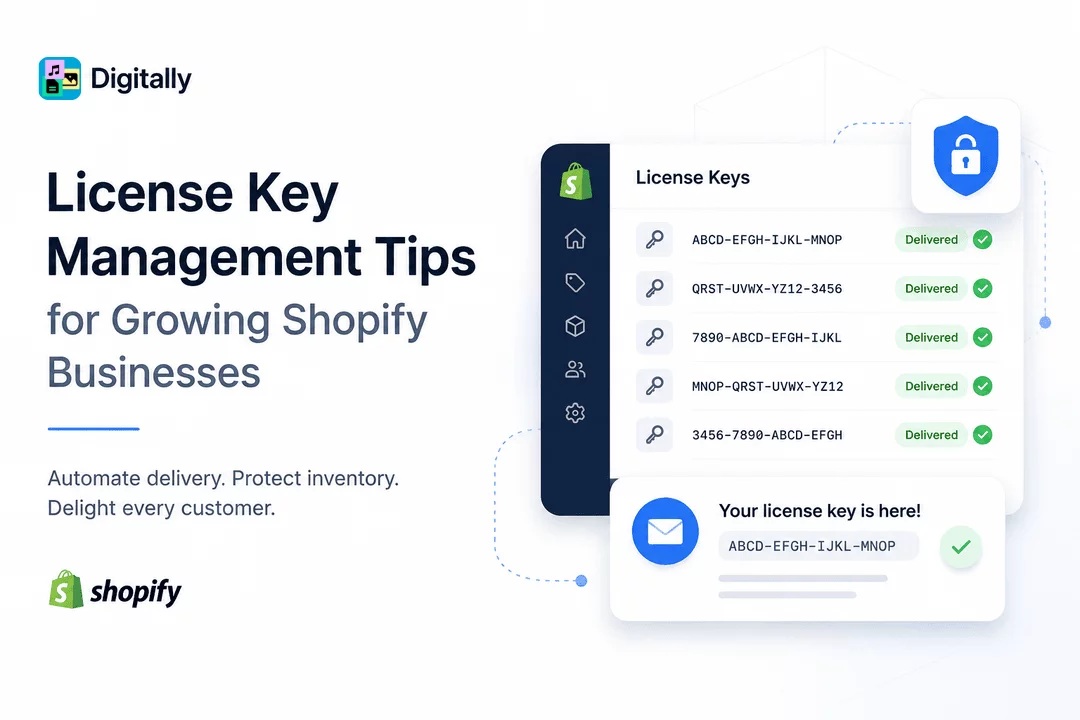
As your Shopify business grows, managing software license keys manually quickly becomes inefficient. What starts as a few daily orders can turn into hundreds or even thousands of customers requesting instant access to activation codes, software licenses, subscription keys, and digital products.
Without a proper license key management system, merchants often face delayed deliveries, duplicate keys, customer support headaches, and potential revenue loss.
Fortunately, modern Shopify automation makes license key management simple. Whether you sell desktop software, SaaS subscriptions, plugins, themes, game keys, antivirus licenses, or digital memberships, the right workflow allows you to deliver unique license keys instantly while protecting your inventory.
In this guide, we'll explore the best license key management tips for growing Shopify businesses and show how Digitally helps automate the entire process.
Why License Key Management Matters
Unlike physical products, software licenses require unique activation codes for every customer. Every purchase must receive:
- A valid unused license key
- Instant delivery
- Accurate inventory tracking
- Secure storage
- Easy customer access
Poor license management often results in:
- Duplicate license deliveries
- Running out of available keys
- Manual emailing
- Customer complaints
- Increased refund requests
- More support tickets
As your store grows, these problems become increasingly expensive.
Common Challenges Growing Businesses Face
Many Shopify merchants begin by storing license keys inside spreadsheets or text documents.
While this works initially, it quickly creates issues:
Manual Distribution
Someone must copy and paste license keys after every purchase.
This becomes impossible during busy sales periods.
Inventory Mistakes
Without automation, merchants may accidentally reuse license keys or lose track of unused inventory.
Customer Delays
Modern customers expect immediate access after checkout.
Waiting hours for manual fulfillment negatively impacts customer satisfaction.
Security Risks
License keys stored in shared files can easily be copied, lost, or exposed.
Best License Key Management Tips
1. Automate License Delivery
Automation should be your first priority.
Instead of manually sending activation codes, connect your Shopify orders with an automated delivery system.
Benefits include:
- Instant fulfillment
- No manual work
- Fewer mistakes
- Better customer experience
- 24/7 delivery
Automation also allows your business to continue making sales even while you're offline.
2. Store License Keys Securely
Avoid keeping activation codes inside spreadsheets that multiple people can access.
Instead, use secure license key storage that:
- Tracks usage
- Prevents duplicate delivery
- Maintains inventory
- Protects unused keys
Secure storage minimizes accidental leaks.
3. Monitor License Inventory
Running out of license keys during a major promotion creates a poor customer experience.
Regularly monitor:
- Remaining license count
- Used licenses
- Available inventory
- Product-specific key pools
Having visibility into your inventory prevents fulfillment interruptions.
4. Deliver Keys Immediately After Payment
Customers purchasing software expect immediate access.
Automatic fulfillment should occur once Shopify confirms payment.
Instant delivery leads to:
- Better reviews
- Fewer support tickets
- Higher customer satisfaction
- Increased trust
5. Separate Keys by Product
If you sell multiple software products, organize license keys into separate inventories.
For example:
- Product A License Keys
- Product B License Keys
- Premium Version Keys
- Subscription Keys
- Trial Keys
This reduces confusion and prevents incorrect deliveries.
6. Track Every Delivered License
Good license management includes complete delivery history.
Track:
- Order number
- Customer
- Delivered key
- Delivery time
- Product purchased
This information makes customer support much easier.
7. Reduce Human Errors
Manual fulfillment introduces unnecessary mistakes.
Automation eliminates problems like:
- Wrong license sent
- Duplicate keys
- Missed orders
- Typing mistakes
- Delayed responses
Reducing errors improves customer confidence.
8. Prepare for Sales Events
Holiday promotions and product launches often generate large order volumes.
Without automation, merchants struggle to fulfill orders quickly.
Before major sales:
- Upload additional license keys
- Verify inventory
- Test fulfillment
- Review automation settings
Preparation ensures smooth order fulfillment.
9. Make License Retrieval Easy
Customers occasionally lose their activation codes.
Providing an easy method to retrieve previously delivered licenses reduces support requests.
A self-service customer experience improves long-term satisfaction.
10. Use Shopify Apps Built for Digital Products
Rather than creating custom workflows, choose a Shopify app specifically designed for digital product delivery.
Purpose-built solutions simplify:
- License key management
- Digital downloads
- Automated fulfillment
- Inventory management
- Customer notifications
This allows merchants to focus on growing sales instead of managing deliveries.
How Digitally Simplifies License Key Management
Digitally is designed specifically for Shopify merchants selling digital products, software, activation codes, and downloadable files.
With Digitally, you can:
- Automatically deliver unique license keys
- Upload thousands of activation codes
- Prevent duplicate deliveries
- Manage inventory effortlessly
- Deliver files and licenses instantly
- Automate fulfillment after successful payment
- Reduce manual work
- Improve customer satisfaction
Whether you're selling software, game keys, subscriptions, templates, or premium digital assets, Digitally helps streamline the fulfillment process.
Benefits of Automated License Key Management
Businesses using automated delivery often experience:
- Faster order fulfillment
- Lower operational costs
- Fewer customer support requests
- Improved customer trust
- Better scalability
- Higher customer retention
- Reduced manual workload
Automation becomes increasingly valuable as order volume grows.
Best Practices Checklist
Before scaling your Shopify store, ensure you:
- Automate license key delivery
- Securely store activation codes
- Track inventory levels
- Prevent duplicate key distribution
- Organize keys by product
- Monitor fulfillment history
- Prepare inventory before promotions
- Enable instant customer delivery
- Regularly upload fresh license keys
- Use a dedicated Shopify digital delivery solution
Final Thoughts
Managing software license keys manually may work when your store is new, but it quickly becomes unsustainable as sales increase. Growing Shopify businesses need reliable systems that automate fulfillment, protect license inventory, and provide customers with instant access after purchase.
By implementing strong license key management practices and using a dedicated solution like Digitally, you can eliminate repetitive tasks, reduce fulfillment errors, and scale your digital product business with confidence. Whether you sell software licenses, activation codes, game keys, subscriptions, or other digital products, automation helps create a faster, more secure, and more professional buying experience for every customer.
Frequently Asked Questions
License key management is the process of securely storing, tracking, and automatically delivering unique software activation keys to customers after they complete a purchase.
Yes. Digitally automatically delivers unique license keys after successful payment, eliminating manual fulfillment and reducing errors.
Instant delivery improves customer satisfaction, reduces support requests, and provides immediate access to digital products after purchase.
Yes. With the right license key management solution, you can upload, organize, track, and distribute thousands of unique activation codes efficiently.
Absolutely. Digitally is built for Shopify merchants selling software licenses, activation keys, subscriptions, digital downloads, and other digital products.
License Key Management
Shopify License Keys
Shopify Digital Products
Software License Delivery
Digitally
Digital Downloads

Digitally ‑ Digital Products
Sell files, e-books, license keys, promo codes & digital links
 Install Now