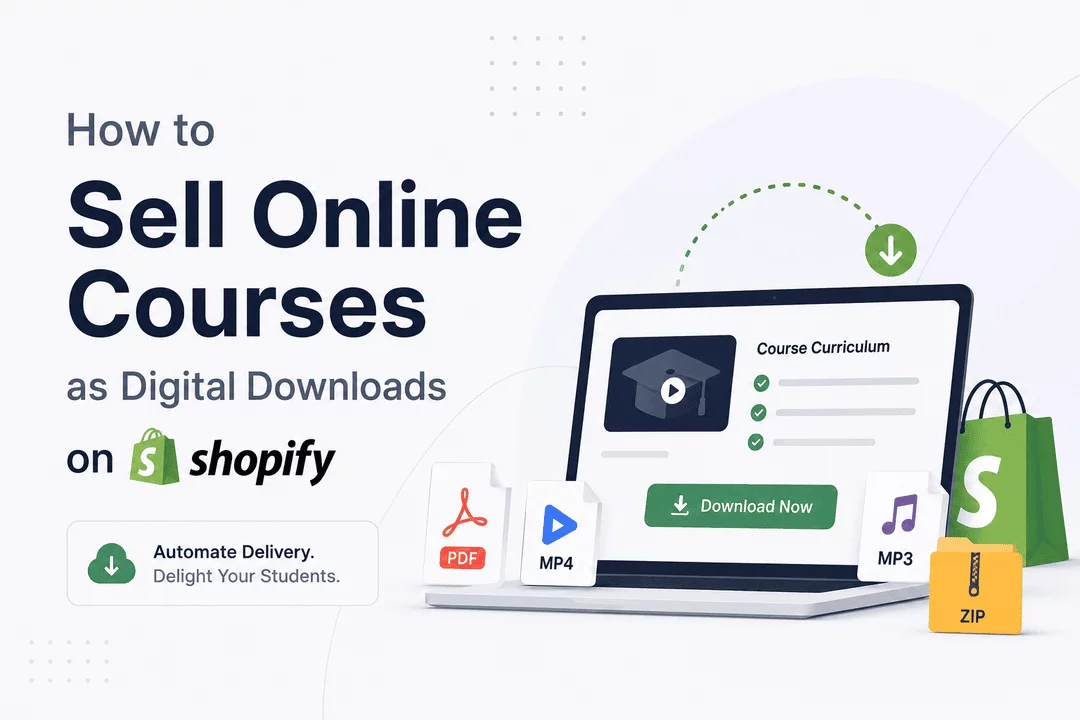
How to Sell Online Courses as Digital Downloads on Shopify
Introduction
The online education industry continues to grow rapidly, creating significant opportunities for creators, educators, coaches, and businesses to generate revenue through digital courses. While dedicated course platforms exist, many entrepreneurs are turning to Shopify as a powerful solution for selling online courses directly to their audience.
Shopify offers complete control over branding, pricing, customer relationships, and sales funnels. By combining Shopify with digital delivery tools, creators can efficiently sell course materials, video lessons, workbooks, templates, and downloadable resources without relying on third-party marketplaces.
In this guide, we'll walk through how to sell online courses as digital downloads on Shopify and how to automate the delivery process for a seamless customer experience.
Why Sell Online Courses on Shopify?
Selling courses through Shopify offers several advantages:
Full Ownership of Your Business
Unlike course marketplaces that charge commissions and control customer access, Shopify allows you to own your customer data, pricing strategy, and brand experience.
Flexible Product Formats
You can sell:
- Video training courses
- Downloadable PDFs
- eBooks and guides
- Worksheets and templates
- Audio lessons
- Resource bundles
- Certification materials
- Private memberships
Multiple Revenue Models
Shopify supports various pricing strategies, including:
- One-time purchases
- Subscription access
- Course bundles
- Tiered packages
- Membership programs
Global Reach
With Shopify's international payment options and multi-currency support, you can sell courses worldwide.
Types of Online Courses You Can Sell
Almost any educational content can be packaged as a digital product:
Professional Development Courses
Teach skills such as:
- Marketing
- Graphic design
- Programming
- Project management
- Business strategy
Creative Courses
Popular creative topics include:
- Photography
- Video editing
- Music production
- Writing
- Illustration
Health and Fitness Programs
Offer:
- Workout plans
- Nutrition guides
- Wellness programs
- Coaching materials
Academic Education
Sell:
- Study guides
- Exam preparation resources
- Language courses
- Certification training
Step 1: Create Your Course Content
Before setting up your Shopify store, organize your course materials.
Your course may include:
- Recorded videos
- Presentation slides
- PDFs
- Worksheets
- Checklists
- Bonus resources
- Templates
Ensure files are professionally formatted and optimized for download.
Recommended File Formats
Content Type | Format |
Documents | |
Videos | MP4 |
Audio | MP3 |
Worksheets | |
Templates | ZIP |
Presentations | PPTX or PDF |
Step 2: Set Up Your Shopify Store
Create a Shopify store focused on your educational products.
Key pages include:
Homepage
Clearly communicate:
- Who the course is for
- Benefits of learning
- Student outcomes
Course Sales Page
Include:
- Course overview
- Learning objectives
- Curriculum breakdown
- Testimonials
- FAQs
- Instructor information
About Page
Build trust by sharing your expertise and credentials.
Step 3: Upload Your Course Materials
Once your products are created, you'll need a secure way to deliver course files.
This is where digital delivery becomes essential.
Instead of manually sending downloads after every purchase, you can automate fulfillment through Shopify.
Benefits include:
- Instant delivery
- Reduced support requests
- Improved customer experience
- Secure file distribution
- Automated order fulfillment
Step 4: Automate Delivery with Digitally
Managing course files manually becomes difficult as sales increase.
Digitally helps Shopify merchants automate digital product delivery by providing:
Instant Download Access
Customers receive their course files immediately after purchase.
Secure File Hosting
Store and distribute course materials securely without manual intervention.
License Key Distribution
If your course includes software, memberships, or activation-based products, Digitally can automatically deliver license keys.
Subscription Support
Sell recurring educational content or membership programs with automated fulfillment.
Download Tracking
Monitor customer downloads and delivery performance from a centralized dashboard.
This allows course creators to focus on content creation rather than order management.
Step 5: Protect Your Digital Content
Course piracy is a common concern for creators.
Consider implementing:
Watermarked Resources
Add branding to PDFs and downloadable assets.
Limited Download Access
Restrict excessive download attempts when appropriate.
License-Based Access
Provide unique access credentials for premium programs.
Terms of Use
Clearly outline how customers may use your educational materials.
While no system can completely eliminate piracy, these measures help reduce unauthorized distribution.
Step 6: Create Effective Sales Funnels
Successful course creators focus heavily on marketing.
Popular funnel strategies include:
Free Lead Magnets
Offer:
- Mini courses
- Checklists
- Templates
- Free lessons
Email Marketing
Build relationships through:
- Educational newsletters
- Course updates
- Promotional campaigns
Upselling
Offer:
- Advanced courses
- Coaching sessions
- Membership programs
- Resource bundles
Course Bundles
Increase average order value by packaging related courses together.
Step 7: Optimize Customer Experience
A smooth buying experience leads to better reviews and repeat sales.
Best practices include:
Instant Delivery
Customers expect immediate access after payment.
Clear Instructions
Provide simple guidance on accessing course materials.
Mobile-Friendly Downloads
Ensure resources work across devices.
Ongoing Support
Offer customer support channels for technical issues.
Common Mistakes to Avoid
Uploading Poor-Quality Content
High-quality production significantly impacts customer satisfaction.
Overcomplicating Course Structure
Keep lessons organized and easy to navigate.
Ignoring Marketing
Even great courses require promotion.
Manual Delivery
Automated fulfillment saves time and prevents errors.
Weak Product Descriptions
Clearly explain outcomes and benefits rather than simply listing features.
Final Thoughts
Selling online courses as digital downloads on Shopify is an excellent way to build a scalable education business while maintaining complete control over your brand and customer relationships.
With the right course content, effective marketing, and automated delivery tools, you can create a seamless purchasing experience that generates revenue around the clock.
For Shopify merchants looking to simplify digital fulfillment, Digitally provides automated delivery, secure file distribution, subscription support, and license key management—making it easier than ever to sell online courses at scale.
Frequently Asked Questions
Yes. Shopify allows you to sell digital products such as video courses, PDFs, workbooks, templates, and downloadable educational content.
Digital delivery apps automate the fulfillment process by providing download links immediately after payment.
Yes. Digitally automatically delivers digital course files, downloadable resources, software licenses, and subscription-based content after a customer completes a purchase.
PDF, MP4, MP3, ZIP, and presentation files are among the most common formats used for online course delivery.
Yes. Shopify supports subscription-based products, allowing creators to offer ongoing educational content and memberships.
Digitally helps course creators automate digital fulfillment, securely deliver course materials, manage subscriptions, distribute license keys, and provide a better customer experience without manual work.
sell online courses on Shopify
digitally
digital course downloads
Shopify digital products
sell digital product
digital product delivery
license keys

Digitally ‑ Digital Products
Sell files, e-books, license keys, promo codes & digital links
 Install Now