How to Schedule a Lottery Draw in Advance on Shopify
Running a lottery on Shopify can be an effective way to increase customer engagement, generate sales, and create excitement around your store. But managing the draw manually can become difficult, especially when you need to coordinate a specific date and time, monitor ticket sales, and make sure the winner selection happens as planned.
Scheduling your lottery draw in advance solves much of this problem. Instead of waiting until the draw date to select a winner, you can configure the draw ahead of time and let your Shopify lottery system handle the process according to your schedule.
In this guide, we'll explain how scheduled lottery draws work, why they are useful, and how Shopify merchants can use Tickelo to simplify the process.
What Is a Scheduled Lottery Draw?
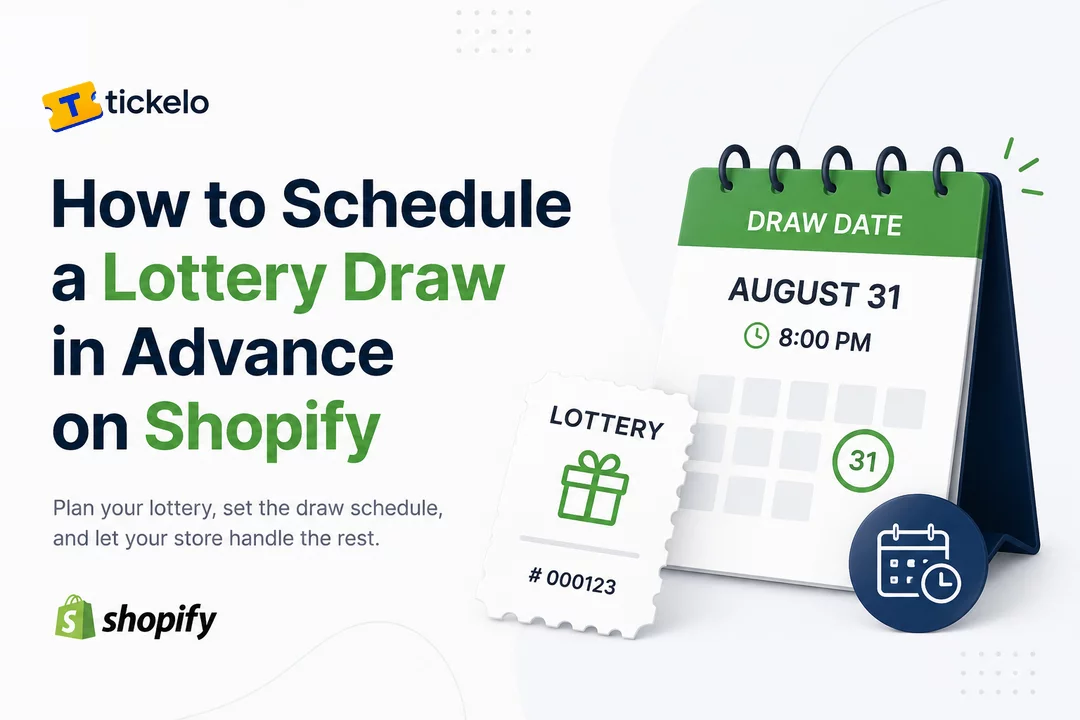
A scheduled lottery draw is a lottery where the winner selection is planned for a specific future date and time.
For example, imagine you're running a Shopify lottery for a $500 store voucher:
- Lottery opens: August 15
- Ticket sales close: August 30
- Draw date: August 31
- Draw time: 8:00 PM
Instead of manually selecting a winner on August 31, you can configure the draw in advance. When the scheduled time arrives, the lottery can proceed according to the settings you've already established.
This approach is particularly useful for merchants running promotional campaigns, giveaways, fundraising campaigns, competitions, or recurring lotteries.
Why Schedule Your Lottery Draw in Advance?
Scheduling your draw provides several advantages for Shopify merchants.
1. Reduce Manual Work
Manually monitoring every lottery and remembering when to select a winner can take time. Scheduling lets you prepare the draw beforehand and reduce the amount of administrative work required.
2. Create a Clear Campaign Timeline
A scheduled draw gives customers a clear deadline.
You can communicate:
"Buy your lottery tickets before August 30. The winner will be selected on August 31."
A defined timeline can make your promotion easier to understand and manage.
3. Build Customer Excitement
A future draw date gives customers something to look forward to. You can use the scheduled date in email campaigns, social media posts, banners, and other promotional channels.
4. Avoid Missed Draws
If you manage multiple Shopify campaigns, it can be easy to forget a draw date. Scheduling helps ensure that the draw process is planned ahead of time.
5. Make Your Campaign More Professional
A structured lottery with clearly defined ticket sales and draw dates can create a more organized customer experience.
How to Schedule a Lottery Draw on Shopify
The exact process depends on the lottery solution you're using, but the general workflow is straightforward.
Step 1: Choose Your Lottery Prize
Start by deciding what customers can win.
Your prize could be:
- A Shopify store gift card
- A physical product
- A product bundle
- Exclusive merchandise
- A discount or store credit
- An experience or event-related prize
Make sure the prize, eligibility requirements, and applicable terms are clearly communicated to participants.
Step 2: Create Your Lottery
Next, create your lottery campaign in your Shopify store.
Set the important details, including:
- Lottery name
- Prize
- Ticket price
- Number of available tickets
- Ticket sales period
- Eligibility requirements
- Winner selection method
- Draw date and time
The goal is to establish the complete campaign before promoting it.
Step 3: Set the Draw Date and Time
Choose when the winner should be selected.
For example:
Ticket sales: August 15–30
Draw: August 31 at 8:00 PM
Choosing the date in advance allows you to build your marketing campaign around the draw.
If your lottery app supports scheduled draws, configure the future date and time directly within the lottery settings.
Step 4: Review Your Lottery Settings
Before publishing the campaign, double-check everything.
Pay particular attention to:
- Draw date and time
- Ticket availability
- Ticket price
- Prize information
- Winner selection settings
- Sales closing time
- Customer eligibility
- Notification settings
A quick review can help prevent mistakes after your lottery goes live.
Step 5: Publish and Promote the Lottery
Once your lottery is ready, publish it on your Shopify store.
Promote it through channels such as:
- Email marketing
- Social media
- Homepage banners
- Product pages
- SMS marketing
- Customer newsletters
- Influencer partnerships
- Paid advertising
Make the draw date highly visible so customers know when the winner will be selected.
How Tickelo Helps Schedule Lottery Draws
Tickelo is a Shopify app designed to help merchants manage ticket-based experiences directly through their Shopify stores.
With Tickelo, merchants can create lottery campaigns and configure important campaign settings, including the draw process. Scheduling the draw in advance can help merchants organize their campaigns without relying entirely on manual reminders.
A typical workflow looks like this:
Create Lottery → Configure Tickets → Set Draw Schedule → Publish → Promote → Select Winner
This gives merchants a centralized way to manage their lottery campaign within their Shopify store.
Best Practices for Scheduled Lottery Draws
Scheduling the draw is only one part of running a successful lottery. Consider these best practices when planning your campaign.
Set the Draw Date Before Promotion
Decide your draw date before launching your marketing campaign. This makes it easier to create consistent promotional messaging.
Leave Enough Time to Sell Tickets
Don't schedule the draw too soon after launching the lottery. Give customers enough time to discover the campaign and participate.
Use a Clear Countdown
A countdown can create urgency as the draw approaches.
For example:
"Only 3 days left to enter!"
This can encourage customers who have been considering participation to act before ticket sales close.
Clearly Display the Deadline
Make sure customers can easily find the ticket sales deadline and draw date.
Avoid hiding important information deep inside your store.
Test Everything Before Launch
Before promoting your lottery, verify that the ticket product, checkout process, draw settings, and customer notifications work as expected.
Follow Applicable Laws and Regulations
Lottery and raffle laws vary significantly depending on your location, the type of promotion, and how participation works.
Before launching a paid lottery or raffle, review the applicable laws and regulations in the jurisdictions where your customers are located. Consider obtaining professional legal advice when necessary.
Automatic vs. Manual Lottery Draws
Some merchants may prefer automatic draws, while others may want to select a winner manually.
An automatic draw is useful when you want the winner-selection process to happen according to predefined settings.
A manual draw may be preferable when your campaign requires additional verification or when you want to conduct the winner selection at a specific event.
The right option depends on your campaign structure and operational requirements.
Example: A Scheduled Shopify Lottery Campaign
Suppose a clothing store wants to give away a $1,000 shopping voucher.
The merchant could configure the campaign like this:
Setting | Example |
Prize | $1,000 Store Voucher |
Ticket Price | $5 |
Lottery Opens | September 1 |
Ticket Sales Close | September 15 |
Draw Date | September 16 |
Draw Time | 7:00 PM |
Winner Selection | Scheduled Draw |
The merchant can promote the campaign throughout the first half of September and remind customers as the deadline approaches.
Once ticket sales close, the draw can take place according to the configured schedule.
Final Thoughts
Scheduling a lottery draw in advance can make Shopify campaigns easier to organize, promote, and manage. Instead of relying on manual reminders, merchants can establish a clear campaign timeline and prepare the winner-selection process ahead of time.
For Shopify merchants running lotteries, giveaways, or ticket-based promotions, Tickelo can help bring the campaign workflow into the Shopify store.
The key is to plan your prize, ticket sales period, draw schedule, promotional strategy, and legal requirements before launching. With the right setup, a scheduled lottery can create excitement for customers while reducing the amount of manual work required from your team.
Frequently Asked Questions
Yes. A Shopify lottery app such as Tickelo can help merchants configure their lottery campaign and plan the draw process in advance, depending on the available draw settings.
Scheduling helps you establish a clear campaign timeline, reduce manual administration, create urgency around the deadline, and avoid forgetting to conduct the draw.
If your lottery app supports scheduled draws, you can configure a future date and time for the draw. Always verify the app's available scheduling options before launching your campaign.
Tickelo helps Shopify merchants create and manage ticket-based campaigns from their Shopify store. Merchants can configure their lottery and organize the draw process as part of their campaign workflow.
There is no single ideal timeframe. Choose a period that gives customers enough time to discover the campaign and purchase tickets while keeping the promotion engaging. The right timeframe depends on your audience, prize, and marketing strategy.
Lottery, raffle, and giveaway regulations vary by jurisdiction. Paid lotteries can be subject to specific legal requirements, so merchants should research the rules that apply to their campaign and seek professional legal advice when appropriate.
Shopify Lottery
Shopify Raffle
Tickelo
Online Lottery
Lottery Draw
Lottery Management
Shopify Apps

 Install Now
.png)