Best Ways to Deliver Product Keys Instantly on Shopify (No Manual Work)
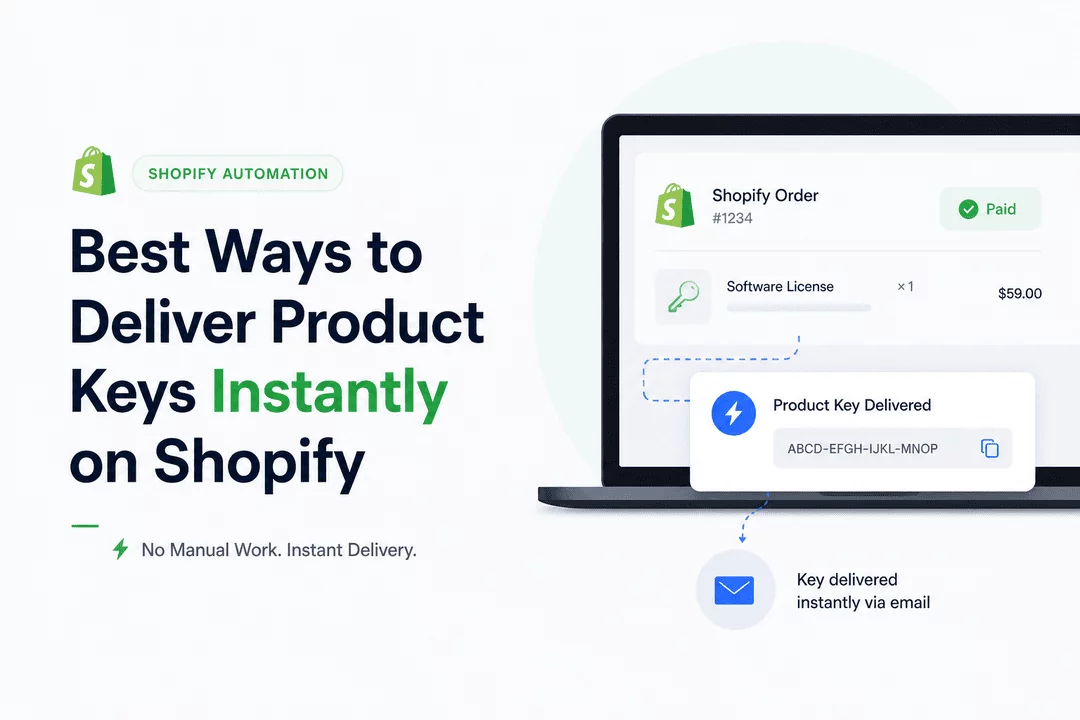
If you’re selling software, game keys, or any type of digital license on Shopify, one thing matters more than anything else:
Customers don’t want to wait. They don’t want to email support. And they definitely don’t want to “receive their key within 24 hours.”
They want it now.
The problem? Many store owners still rely on manual processes—sending keys one by one, tracking orders in spreadsheets, and fixing mistakes after they happen.
That approach doesn’t scale.
In this guide, we’ll walk through the smartest, most efficient ways to automate product key delivery on Shopify, so your business runs on autopilot.
The Real Cost of Manual Key Delivery
At first, manual delivery might seem manageable. A few orders per day, copy-paste a key, send an email—done.
But as soon as you grow, things break:
- Orders get delayed
- Customers get frustrated
- Duplicate keys get sent
- Support tickets pile up
And worst of all—you become the bottleneck in your own business.
Automation isn’t just a convenience. It’s the foundation of a scalable digital store.
The Smart Way: Automate Everything
The best-performing Shopify stores all follow the same principle:
Every order should be fulfilled instantly, without human involvement.
Here’s how they do it.
Use a Digital Delivery App (The Backbone of Automation)
Instead of building complicated systems or relying on manual work, most sellers use a dedicated Shopify app to handle everything.
Apps like Digitally are designed specifically for this.
Once set up, the workflow becomes simple:
- Customer places an order
- A unique product key is automatically assigned
- The key is delivered instantly (no delay, no effort)
No spreadsheets. No copy-paste. No mistakes.
Deliver Keys Instantly via Email
Email is still the most reliable delivery channel—and when automated, it works perfectly.
The moment a customer completes checkout, they receive a professional email containing:
- Their product key
- Instructions on how to use it
- Any additional resources or links
The key here is speed and clarity. A clean, branded email builds trust and reduces confusion.
Show Product Keys on the Thank You Page
Want to take the experience to the next level?
Display the key immediately after purchase, right on the confirmation page.
This gives customers instant access without even opening their email. It also reduces support questions like:
“Where is my key?”
A small feature—but a big improvement in user experience.
Manage Keys in Bulk (Scale Without Stress)
If you’re serious about growth, you need systems that scale.
Instead of adding keys one by one, modern workflows allow you to:
- Upload thousands of keys at once
- Automatically assign one key per order
- Track usage and inventory in real-time
This ensures:
- No duplicate deliveries
- No stock confusion
- No manual tracking
Keep Your Keys Secure
Automation is powerful—but only if it’s secure.
A proper setup ensures:
- Each customer gets a unique key
- Keys aren’t reused or exposed
- Inventory is controlled and monitored
Without this, you risk lost revenue and unhappy customers.
Advanced Option: Custom Automation (For Developers)
If you have technical experience, you can build custom workflows using Shopify APIs or webhooks.
For example:
- Trigger key delivery when an order is paid
- Connect with external databases
- Build a fully custom system
But for most sellers, this adds unnecessary complexity.
A ready-made solution is faster, safer, and easier to maintain.
Why Most Sellers Choose an All-in-One Solution
At the end of the day, the goal is simple:
Zero manual work. Instant delivery. Happy customers.
That’s why many Shopify sellers rely on tools like Digitally to handle everything in one place.
With the right setup, you can:
- Deliver keys instantly after purchase
- Eliminate fulfillment errors
- Save hours of manual work
- Scale without hiring extra help
Final Thoughts
Selling digital products is one of the most scalable business models today—but only if your delivery system is automated.
If you’re still sending keys manually, you’re not just wasting time—you’re limiting your growth.
Set up the right system once, and let it run forever.
That’s how real digital businesses scale.
If you're serious about selling digital products, tools like Digitally can completely transform your workflow.
Frequently Asked Questions
You can automate delivery using a digital fulfillment app like Digitally, which sends keys instantly after purchase.
No, Shopify doesn’t include built-in key delivery—you need a third-party solution.
Yes, with the right setup, keys can be shown on the thank-you page and sent via email immediately.
Yes, most modern apps allow bulk uploads and automatic assignment per order.
Orders won’t be fulfilled automatically, so it’s important to keep your inventory updated.
Instant key delivery Shopify
digitally
Automated digital delivery Shopify
how to deliver product keys on Shopify
best way to deliver keys on Shopify
Shopify instant digital delivery setup
digital downloads automation Shopify

Digitally ‑ Digital Products
Sell files, e-books, license keys, promo codes & digital links
 Install Now