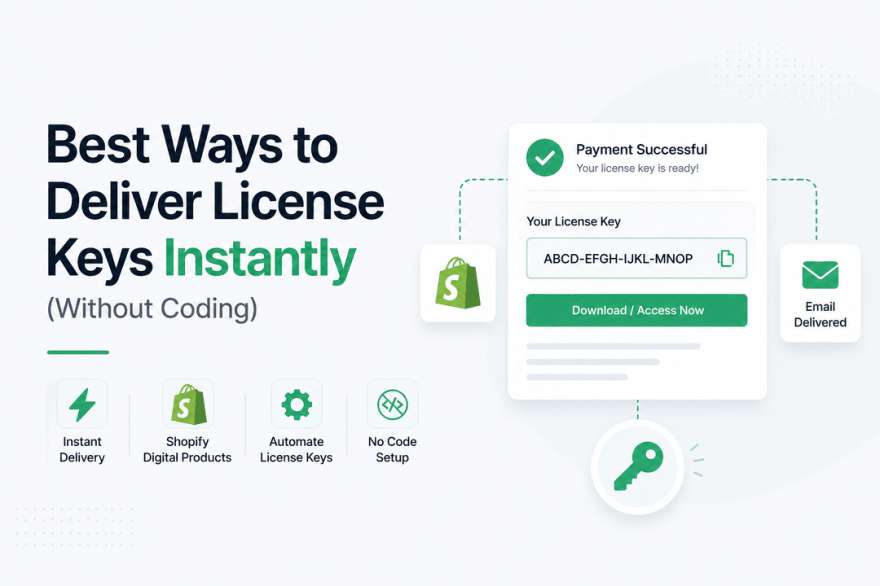
Best Ways to Deliver License Keys Instantly (Without Coding)
Selling license keys online sounds simple—until you actually start getting orders.
At first, you might send keys manually via email. It works… for a few customers. But as soon as sales grow, things break down fast: delays, duplicate keys, missed emails, and frustrated customers.
That’s where instant, automated delivery becomes essential.
The best part? You don’t need to write a single line of code to set this up.
In this guide, we’ll walk through the best no-code ways to deliver license keys instantly, so you can run a smooth, scalable digital business.
The Real Problem with Manual License Key Delivery
Let’s be honest—manual delivery is a bottleneck.
Every order requires you to:
- Check payment
- Find an unused key
- Send it manually
- Track which keys are used
This leads to:
- Delayed delivery (bad for conversions)
- Human errors (duplicate keys)
- Time wasted on repetitive tasks
Customers today expect instant access. If they don’t get it, they lose trust quickly.
What “Instant Delivery” Actually Means
Before we explore solutions, let’s define what good delivery looks like:
- ⚡ Key delivered immediately after payment
- 🔑 Unique key assigned per customer
- 📩 Email + on-screen delivery
- 🔒 Secure and non-duplicated
- 🔄 Fully automated
If your system does all of this, you’re set up for scale.
1. Use a Shopify Digital Delivery App (Easiest & Most Powerful)
The simplest and most reliable way to deliver license keys instantly is by using a dedicated Shopify app.
Platforms like Shopify allow integrations with apps such as Digitally, designed specifically for digital products.
How it works:
You upload a list of license keys, connect them to your product, and the system handles everything else.
When a customer buys:
- A unique key is assigned automatically
- It’s shown on a confirmation page
- It’s also sent via email instantly
Why this works so well:
It removes every manual step. No spreadsheets, no tracking, no stress.
For most sellers, this is the best no-code solution available.
2. Deliver Pre-Generated License Keys Automatically
If you already have a list of license keys, you can automate their delivery without generating anything dynamically.
Here’s the idea:
- Upload a bulk list of keys
- Each purchase pulls one unused key
- The system marks it as “used”
This approach is simple and reliable.
However, you do need to:
- Keep your inventory updated
- Make sure you don’t run out of keys
Still, for beginners, this is one of the easiest setups.
3. Use Email Automation Tools (Flexible but Risky)
Another option is to connect your store with automation tools like Zapier or Make.
These tools can:
- Detect a new order
- Trigger an email
- Insert a license key
While this sounds powerful, it comes with downsides:
- Harder to manage at scale
- No built-in key tracking
- Risk of sending duplicate keys
This method is better suited for custom workflows, not high-volume stores.
4. Generate License Keys Dynamically (Advanced No-Code Setup)
If you don’t want to store keys at all, you can generate them on demand.
Here’s how it works:
- A tool creates a new key when an order is placed
- The key is sent instantly to the customer
This gives you:
- Unlimited keys
- Better security
- No inventory management
The catch? Setup is slightly more complex, especially if you’re using automation tools.
Still, it’s a powerful option for more advanced sellers.
5. Combine Email with a Secure Delivery Page
Many sellers rely only on email—but that’s risky.
Emails can:
- Go to spam
- Be delayed
- Get lost
A better approach is to combine email with a secure download or access page.
This ensures:
- Customers can always retrieve their key
- You reduce support requests
- The experience feels more professional
Apps like Digitally handle this automatically by creating a secure delivery page for every order.
Common Mistakes That Kill Your Workflow
Even with automation, small mistakes can cause big problems.
Watch out for:
- Sending the same key to multiple customers
- Not tracking used vs unused keys
- Relying only on email delivery
- Forgetting to monitor inventory
Fixing these early saves you from headaches later.
The Best No-Code Setup (Recommended)
If you want a simple, scalable system, here’s what works best:
- Store built on Shopify
- Use Digitally for delivery
- Upload pre-generated license keys
- Enable email + on-page delivery
This setup gives you:
- Instant delivery
- Zero manual work
- Full scalability
And most importantly—it just works.
Final Thoughts
Instant license key delivery isn’t just a “nice feature”—it’s a core part of your customer experience.
If delivery is slow or unreliable, it directly impacts:
- Sales
- Trust
- Growth
The good news is, with modern no-code tools, you can automate everything in minutes.
Start simple, choose the right tools, and let automation handle the rest.
Frequently Asked Questions
Yes, using apps like Digitally, you can fully automate license key delivery without coding.
Not always. It’s better to combine email with a secure download page for reliability.
Use a system that assigns unique keys per order, like Digitally.
No. Most modern tools are completely no-code.
Orders may fail or delay. Always monitor inventory or use dynamic key generation.
Digitally saves time, reduces errors, and ensures instant delivery—helping you scale faster.
instant license key delivery
shopify digital products
automate license keys
no code delivery system
digitally shopify app
Digitally

Digitally ‑ Digital Products
Sell files, e-books, license keys, promo codes & digital links
 Install Now