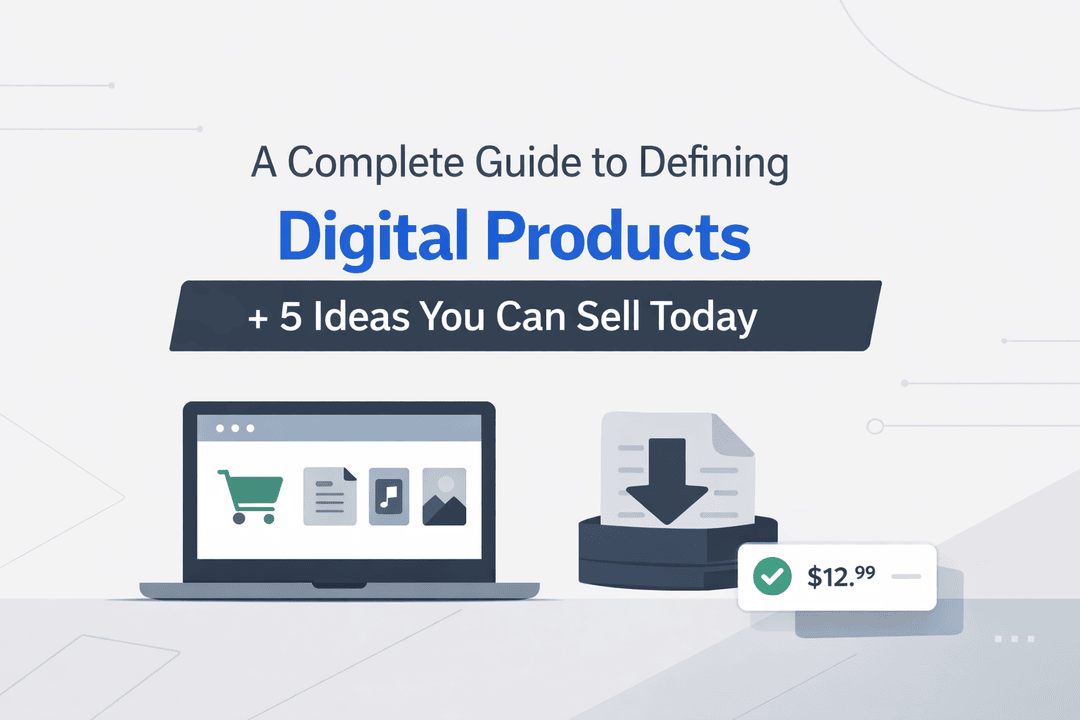
A Complete Guide to Defining Digital Products + 5 Ideas You Can Sell Today
If you’ve been thinking about starting an online business, digital products are one of the smartest ways to begin.
No inventory. No shipping. No warehouse headaches.
Just create once—and sell again and again.
But here’s where most people get stuck:
What exactly is a digital product—and how do you define one that people actually want to buy?
This guide will walk you through everything you need to know, from understanding digital products to launching your first idea today.
What Is a Digital Product?
A digital product is any product you can sell and deliver online without a physical form.
Instead of shipping a box, you deliver value through a file, tool, or access.
Think of things like:
- eBooks
- Online courses
- Templates
- Software or license keys
- Digital downloads
The biggest advantage?
Once it’s created, you can sell it unlimited times—with almost zero extra cost.
Why Digital Products Are So Popular Right Now
Digital products aren’t just a trend—they’re a massive opportunity.
Here’s why:
- Low startup cost – You don’t need inventory or upfront investment
- High margins – No production or shipping costs
- Instant delivery – Customers get access immediately
- Scalable income – Sell to 10 people or 10,000 people
And when you automate delivery (using tools like your Shopify app Digitally), it becomes a true passive income system.
How to Define a Digital Product (Step-by-Step)
A successful digital product isn’t random—it’s intentional.
Here’s a simple framework you can follow:
1. Start With a Problem
People don’t buy products—they buy solutions.
Instead of thinking:
“I want to sell an ebook”
Think:
“What problem can I solve?”
Example:
- Bad: “Fitness ebook”
- Better: “30-day home workout plan for beginners with no equipment”
Clarity sells.
2. Choose the Right Format
Once you know the problem, decide how to deliver the solution.
Ask yourself:
- Is this better explained in writing? → PDF
- Does it need visuals? → Video course
- Is it a tool? → Software or template
The format should match the outcome.
3. Know Exactly Who It’s For
Trying to sell to everyone = selling to no one.
Be specific:
- Beginners or advanced users?
- Students or professionals?
- Side hustlers or full-time entrepreneurs?
The more focused your audience, the easier it is to sell.
4. Validate Before You Build
Don’t spend weeks creating something no one wants.
Quick validation methods:
- Search similar products on Gumroad or Etsy
- Check what creators are already selling
- Look at comments, reviews, and demand
If people are already paying for it—you’re on the right track.
5. Plan Delivery (This Is Critical)
This is where many creators fail.
Manually sending files after each purchase:
- Wastes time
- Looks unprofessional
- Doesn’t scale
Instead, automate everything.
With your Shopify app Digitally, you can:
- Deliver files instantly after purchase
- Automatically send license keys
- Give customers a smooth experience
That’s how you turn a product into a system.
5 Digital Product Ideas You Can Sell Today
Let’s make this practical. Here are five ideas you can start quickly:
1. eBooks & Guides
If you have knowledge, you have a product.
Examples:
- “Beginner’s Guide to Freelancing”
- “How to Start a Shopify Store in 7 Days”
Simple to create, easy to sell.
2. Canva Templates
Templates are in huge demand because they save time.
You can sell:
- Social media posts
- Resumes
- Business presentations
One template can sell hundreds of times.
3. Online Courses
Turn your skills into structured learning.
You don’t need to be an expert—just one step ahead of your audience.
Topics can include:
- Marketing
- Design
- Coding
- Business
4. Software or License Keys
If you’re technical, this is a high-value category.
You can sell:
- Tools
- Plugins
- SaaS subscriptions
And automate license delivery using Digitally.
5. Notion & Productivity Templates
This is one of the fastest-growing niches.
Examples:
- Budget planners
- Goal trackers
- Business dashboards
Simple products—but highly profitable.
How to Sell Digital Products on Shopify (The Smart Way)
Shopify makes selling easy—but automation makes it powerful.
Here’s the basic setup:
Step 1: Create Your Product
Add your title, description, and price.
Step 2: Upload Your Digital File
Attach the product (PDF, ZIP, etc.).
Step 3: Automate Delivery with Digitally
This is the game-changer.
Instead of manual work:
- Customers get instant access
- Files are delivered automatically
- License keys are sent instantly
You save time—and create a better customer experience.
Common Mistakes to Avoid
Even good ideas fail because of simple mistakes:
- Creating without validating demand
- Targeting too broad an audience
- Weak product descriptions
- Manual delivery systems
Fix these early—and you’re already ahead of most creators.
Final Thoughts
Digital products are one of the simplest ways to build a scalable online business.
You don’t need a big budget.
You don’t need a team.
You just need:
- A clear problem
- A useful solution
- A simple delivery system
Start small. Launch fast. Improve over time.
And once you automate your store with tools like Digitally, you’re not just selling products—you’re building a system that works for you.
Frequently Asked Questions
eBooks and templates are the easiest because they require minimal tools and can be launched quickly.
Yes. You don’t need advanced skills—just a clear problem and a useful solution.
Using apps like Digitally, you can instantly deliver files or license keys after purchase.
Yes, once created and automated, they can generate income continuously.
Courses, templates, and productivity tools are among the top-performing categories.
Digitally automates delivery, saves time, and ensures a smooth experience for your customers.
digital product ideas
digitally
define digital product
sell digital products Shopify
digital downloads Shopify
automated delivery
license key automation

Digitally ‑ Digital Products
Sell files, e-books, license keys, promo codes & digital links
 Install Now