Why QR Codes Are Essential for Modern Digital Product Delivery
Selling digital products online is easier than ever, but delivering them quickly, securely, and conveniently remains an important challenge for digital sellers. Customers expect instant access to their purchases, whether they buy an ebook, online course, software license, digital artwork, PDF guide, or subscription.
One technology helping businesses improve this experience is the QR code. By connecting a scannable code to a digital resource, sellers can make product access faster, simplify delivery instructions, and create a smoother customer experience across online and offline channels.
For Shopify merchants selling downloadable products, QR codes can become a useful part of a modern digital delivery strategy. When combined with a digital product delivery solution like Digitally, they can help merchants organize access to digital content and reduce unnecessary friction after checkout.
In this guide, we'll explore why QR codes matter, how digital sellers can use them, and how to incorporate them into a more efficient Shopify delivery workflow.
What Are QR Codes in Digital Product Delivery?
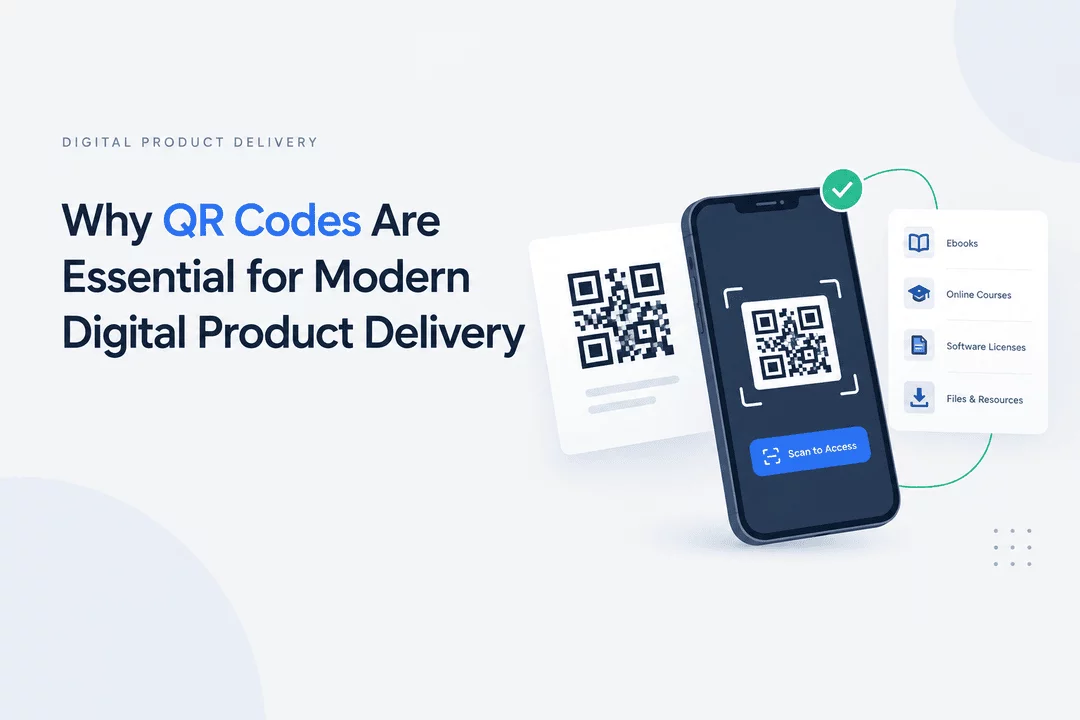
A QR code, or Quick Response code, is a two-dimensional barcode that smartphones and other compatible devices can scan to access encoded information. This information might include a website URL, a product page, a download page, or another digital resource.
In digital product delivery, QR codes provide a convenient bridge between physical materials and online content. Instead of asking customers to type a long URL, search for an email, or navigate several pages, a seller can provide a QR code that directs them to the intended destination.
For example, a merchant selling a printed workbook could include a QR code that links to supplementary PDFs. A software seller might use a code to direct customers to installation instructions, while an online educator could use QR codes to connect students with additional learning materials.
The main benefit is simplicity: customers can reach the right digital destination with a quick scan.
1. Faster and More Convenient Product Access
Customers value convenience, especially after completing a purchase. If accessing a digital product requires multiple steps, some customers may become confused or contact support for assistance.
QR codes can make access more straightforward by connecting customers directly to a relevant destination.
Consider a few examples:
- Ebooks: Link readers to supplementary downloads or a resource page.
- Online courses: Provide access to lesson resources, worksheets, or course information.
- Digital artwork: Connect customers to a page containing purchased artwork or related files.
- Software products: Direct buyers to installation guides, activation instructions, or support documentation.
- Printable products: Connect customers to instructions and related printable resources.
For Shopify sellers, reducing unnecessary navigation can improve the post-purchase experience. The exact workflow depends on where the QR code appears and whether the destination requires authentication or purchase verification.
2. Connect Physical Products With Digital Content
QR codes are especially useful for merchants who sell both physical and digital products.
A physical item can include a QR code on its packaging, insert card, instruction manual, or printed label. Scanning the code can take the customer to digital resources that complement the purchase.
For example, a merchant selling a physical planner could offer downloadable templates. A fitness brand could provide a digital workout guide alongside its equipment. A board game seller could offer printable expansion packs or digital rulebooks.
This approach allows businesses to add value to physical purchases without printing large amounts of additional material.
It also creates opportunities for Shopify merchants to build hybrid product experiences that combine tangible goods with digital resources.
3. Reduce Customer Confusion and Support Requests
Digital sellers often receive questions such as:
- Where can I download my purchase?
- How do I access the bonus files?
- Where can I find the product instructions?
- How do I install or activate my software?
- Where can I access additional resources?
QR codes can help answer these questions by taking customers to clearly organized instructions or resource pages.
For instance, a seller could include a QR code on a product insert that opens a help page explaining how to retrieve a digital download. Another seller could use a code in a setup guide to direct customers to software installation instructions.
However, QR codes work best when they lead to a well-organized destination. They do not automatically eliminate support requests, and the destination should clearly explain what customers need to do next.
4. Improve the Mobile Shopping Experience
Many customers use smartphones to shop online, read purchase emails, and access digital products. QR codes fit naturally into this mobile-first environment, particularly when customers encounter them on packaging, printed materials, another device, or a computer screen.
A well-designed QR code can reduce typing and help customers reach a digital resource quickly.
To make the experience more effective:
- Ensure the destination works well on mobile devices.
- Use a clear instruction such as “Scan to access your digital resources.”
- Test the code on multiple smartphones.
- Make sure the destination loads reliably.
- Provide an alternative clickable URL when practical.
Mobile accessibility matters because scanning the code is only the first step. The destination must also be easy to navigate.
5. Support Digital Product Marketing and Promotions
QR codes can do more than provide product access. They can also connect customers with promotional content and marketing resources.
Digital product businesses can use QR codes to direct customers to:
- Free samples and product previews.
- Discount or promotional landing pages.
- Product demonstration videos.
- Related digital products.
- Newsletter signup pages.
- Educational content and tutorials.
For example, a merchant selling digital design templates could print a QR code on promotional materials that opens a page showcasing the available template collection.
QR codes can also help connect offline marketing activities with online Shopify storefronts. If the destination includes appropriate analytics, merchants can measure visits and evaluate campaign performance.
Remember to distinguish promotional links from links that provide access to purchased products. Customers should always understand what a code will open.
6. Make Digital Resource Distribution More Flexible
Digital sellers frequently update their products, instructions, and supplementary resources. QR codes can make distributing these resources more flexible, particularly when they point to a stable landing page rather than a file that may change.
For example, an educator might use one QR code on a printed workbook to direct students to a resource page containing updated worksheets. A software company could use a code to open a support page with the latest installation instructions.
Where possible, use a destination URL that you control and can maintain over time. If you replace a file or change the location of a resource, update the destination page so the QR code continues to provide a useful experience.
This approach can reduce the need to redesign and redistribute printed materials whenever the underlying content changes.
7. Understand QR Code Security and Access Control
Convenient access is important, but digital sellers must also protect the products they distribute.
A QR code is not inherently secure. If it contains a publicly accessible download URL, anyone who obtains that URL may be able to share it with others. A QR code can also be copied, photographed, or forwarded.
For products that require restricted access, merchants should consider the following practices:
- Use authenticated or purchase-verified destinations when appropriate.
- Avoid placing permanent, unrestricted download URLs in publicly visible QR codes.
- Use expiring links or download limits where supported by the delivery system.
- Keep license keys and activation codes out of public QR codes.
- Monitor suspicious access patterns when suitable analytics are available.
- Make sure customers can identify legitimate QR codes provided by your business.
For example, a QR code could direct a customer to a page where they verify their purchase before accessing a file. The QR code provides navigation, while the destination and delivery system enforce access permissions.
This distinction is essential: QR codes simplify access, but security must be handled by the systems behind them.
8. How Shopify Merchants Can Use QR Codes With Digitally
Shopify merchants need a reliable way to deliver files and digital resources after an order is placed. Digitally – Digital Products helps merchants manage digital product delivery through features designed for downloadable files, custom links, license keys, and other digital content.
QR codes can complement this type of workflow in several ways, depending on the destination and the merchant's setup.
Deliver supplementary resources
A merchant selling ebooks, templates, or educational materials can use a QR code to direct customers to a resource page containing additional content.
Link to product instructions
Software sellers can use QR codes in documentation or printed inserts to direct customers to installation instructions, setup guides, and troubleshooting resources.
Connect customers to custom links
When a digital product includes a custom URL, a QR code can provide a scannable way to reach that destination. The URL should be configured appropriately for the product and its access requirements.
Organize access to digital content
Merchants can combine a clear QR code destination with their digital delivery workflow so customers know where to find the relevant product resources after purchasing.
Digitally supports digital file delivery, custom links, license keys, and other digital product workflows. Before building a QR-based process, merchants should verify that their intended QR code generation, delivery placement, and access-control requirements are supported by their chosen setup.
Want to simplify digital product delivery on Shopify? Explore Digitally – Digital Products on the Shopify App Store to learn how it can help you deliver digital files and manage digital products.
9. Best Practices for Creating Effective QR Codes
A QR code is only useful when customers can scan it easily and trust the destination. Follow these best practices when introducing QR codes into your digital product delivery workflow.
Use a clear destination
Send customers to the exact resource they need instead of a confusing homepage or a page containing too many unrelated links.
Add a short call to action
Include a simple instruction near the code, such as “Scan to access your bonus files” or “Scan for setup instructions.”
Test before publishing
Test every code on different devices and in different lighting conditions. Confirm that the destination works correctly before printing the code on packaging or marketing materials.
Keep the code readable
Use sufficient contrast between the code and its background. Avoid placing the code on a busy image or making it too small to scan reliably.
Provide an alternative
Include a short, clickable, or easy-to-type URL where possible. This helps customers who cannot scan the code or prefer another access method.
Monitor and maintain destinations
Review important QR destinations periodically. Remove broken links, update outdated instructions, and ensure customers are not redirected to unexpected websites.
Protect customer trust
Use recognizable branding and legitimate URLs. Never ask customers to enter payment details or sensitive information on an unexpected page simply because a QR code directs them there.
10. Common QR Code Mistakes to Avoid
Although QR codes are easy to create, a few mistakes can undermine the customer experience.
Using a broken link: Always test the destination before sharing or printing the code.
Linking directly to an unrestricted file: A public URL can be shared beyond the intended audience. Consider an appropriate access-controlled destination for paid products.
Providing no instructions: Customers may hesitate to scan a code if they do not know what it does. Add a clear call to action.
Ignoring mobile usability: A code that opens a difficult-to-navigate page creates unnecessary friction.
Failing to update content: Outdated resources and expired destinations can frustrate customers. Keep linked content current.
Assuming a QR code prevents piracy: QR codes are a delivery convenience, not a digital rights management solution. Use suitable access controls and licensing systems for valuable digital products.
Avoiding these mistakes helps make QR codes a practical part of a reliable digital delivery strategy.
Conclusion
QR codes are a valuable tool for modern digital product delivery because they connect customers with online resources quickly and conveniently. They can support mobile access, simplify instructions, connect physical products with digital content, and create new opportunities for marketing and customer engagement.
For Shopify merchants, the greatest benefit comes from integrating QR codes into a well-organized delivery process. A scannable code should lead to a useful destination, while the underlying delivery system handles file access, purchase verification, and other security requirements.
Whether you sell ebooks, software, digital artwork, templates, or educational resources, QR codes can help make your products easier to access and your customer experience more convenient.
With Digitally – Digital Products, Shopify merchants can manage their digital delivery workflows and explore ways to organize access to the resources customers purchase.
Ready to improve your digital product delivery? Visit Digitally on the Shopify App Store to explore its digital product delivery features.
Frequently Asked Questions
QR codes help customers access digital resources by scanning a code with a compatible device. They can link to download pages, ebooks, product instructions, course materials, software guides, and other online resources.
Shopify stores can use QR codes on packaging, printed inserts, product instructions, and promotional materials to connect customers with digital resources. Merchants can pair these destinations with a digital delivery workflow to organize access to purchased content.
QR codes themselves do not provide security. If a code links directly to a public file, other people may be able to access it. For paid products, use appropriate access controls, purchase verification, expiring links, or download limits where supported.
Yes. QR codes can reduce typing, simplify navigation, and help customers find instructions or digital resources more quickly. Their effectiveness depends on providing a working link and a mobile-friendly destination.
QR codes can direct customers to a page containing software activation instructions or a secure license-access workflow. Avoid encoding license keys directly into publicly accessible QR codes, because anyone who scans or copies the code may be able to retrieve the information.
Digitally – Digital Products helps Shopify merchants deliver digital files, custom links, license keys, and other digital products. Merchants can explore its features to build a delivery workflow that suits their products and customer access requirements.
QR codes for digital products
QR Codes
Digital Downloads
Product Delivery
Secure digital file delivery
Digitally
QR code download links

Digitally ‑ Digital Products
Sell files, e-books, license keys, promo codes & digital links
 Install Now