How to Automate Delivery for Downloadable Products
Selling downloadable products is one of the easiest ways to build a scalable online business. Whether you're selling eBooks, software, online courses, templates, music, digital art, or license keys, customers expect instant access immediately after purchase.
However, manually emailing files or sharing download links quickly becomes time-consuming and increases the risk of errors, delayed deliveries, and unauthorized file sharing.
The solution is automated digital product delivery.
In this guide, you'll learn how to automate the delivery of downloadable products on Shopify, improve the customer experience, and protect your digital assets using Digitally – Digital Products.
Why Automate Delivery for Downloadable Products?
Customers purchasing digital products expect instant fulfillment. Unlike physical goods, there's no shipping or warehouse involved. The moment payment is completed, customers want immediate access.
Automating delivery helps you:
- Deliver products instantly after payment
- Eliminate manual email fulfillment
- Save hours of repetitive work
- Sell globally 24/7
- Reduce customer support requests
- Improve customer satisfaction
- Secure digital products against unauthorized sharing
- Scale your business without hiring additional staff
Whether you sell 10 products or 10,000 every month, automation ensures every customer receives the correct product immediately.
Problems with Manual Digital Product Delivery
Many new digital sellers begin by manually sending download links or attachments through email.
While this works initially, it creates several challenges:
Delayed Deliveries
Customers may wait hours before receiving their purchase.
Human Errors
Sending the wrong file or forgetting to send an email damages customer trust.
Lost Emails
Emails can end up in spam folders or be accidentally deleted.
Shared Download Links
Public download URLs can easily be shared with unauthorized users.
Difficult Scaling
As sales grow, manual fulfillment becomes nearly impossible to manage efficiently.
Automation solves all of these issues.
What Downloadable Products Can Be Automated?
Almost any digital product can be delivered automatically.
Examples include:
- eBooks
- PDF Guides
- Printable Planners
- Digital Art
- Lightroom Presets
- Photoshop Templates
- Canva Templates
- Music
- Audio Files
- Video Courses
- Software
- License Keys
- Activation Codes
- Membership Access
- Premium Documents
- Design Assets
- Fonts
- Icons
- Website Themes
- Plugins
- Mobile Apps
- Game Keys
No matter your niche, automated delivery provides a better buying experience.
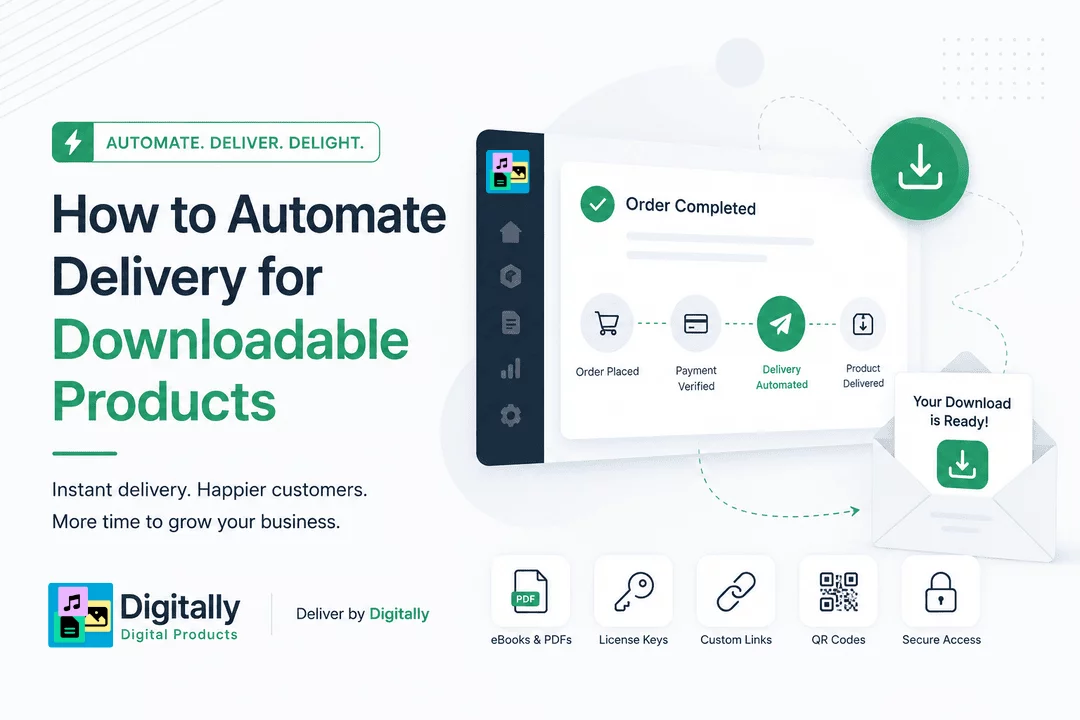
How Automated Delivery Works
The automation process is surprisingly simple.
Step 1: Customer Purchases Your Product
A customer completes checkout on your Shopify store.
Step 2: Payment is Verified
Once Shopify confirms the order, your digital delivery app begins processing it automatically.
Step 3: Product is Delivered
Customers instantly receive:
- Download links
- Digital files
- License keys
- Custom URLs
- QR codes
They can also access their downloads directly from the Shopify Thank You page or their customer account.
Step 4: Download Security is Applied
Security settings such as download limits, expiration dates, and PDF stamping protect your digital assets from unauthorized sharing.
Benefits of Automated Digital Product Delivery
Instant Customer Satisfaction
Customers receive their purchases immediately without waiting.
Save Time
No more manually sending files or answering delivery requests.
Increase Sales
A seamless buying experience encourages repeat purchases and positive reviews.
Sell Worldwide
Automation works around the clock, allowing customers in any time zone to receive products instantly.
Reduce Refund Requests
Customers are less likely to request refunds when they receive their purchases immediately.
Better Security
Automated systems can limit downloads, expire links, and personalize files.
Essential Features to Look For
When choosing a Shopify digital delivery app, consider these features.
Instant File Delivery
Automatically send products immediately after successful payment.
Download Limits
Restrict how many times a file can be downloaded.
Expiring Download Links
Prevent old links from being used indefinitely.
PDF Stamping
Personalize PDF files with customer information to discourage unauthorized sharing.
License Key Automation
Automatically assign unique software or activation keys from your inventory.
Custom Download Links
Deliver external resources such as:
- Online courses
- Private communities
- Cloud-hosted files
- Membership portals
- Streaming content
Email Delivery
Automatically send branded download emails to customers.
Thank You Page Downloads
Allow customers to download purchases directly after checkout.
Customer Download Portal
Provide ongoing access to purchased digital products from customer accounts.
How Digitally Automates Downloadable Product Delivery
Digitally – Digital Products is built specifically for Shopify merchants who want secure, automated digital fulfillment.
With Digitally, you can automate delivery for:
- Digital files
- eBooks
- PDFs
- Software
- License keys
- Subscription keys
- Activation codes
- Custom download links
- QR code access
Every order is processed automatically, allowing customers to receive their purchases within seconds.
Key Features
- Instant digital product delivery
- Secure download links
- Download limits
- Link expiration
- PDF stamping
- License key automation
- Bulk license key imports
- Custom download links
- QR code delivery
- Automated email delivery
- Shopify Thank You page integration
- Customer download history
- Large file support
- Product synchronization
- Flexible email templates
Whether you're selling one product or thousands, Digitally helps automate fulfillment while keeping your content secure.
Best Practices for Automated Delivery
To maximize customer satisfaction and protect your products:
- Use unique download links for every order.
- Enable download limits.
- Set download expiration dates.
- Apply PDF stamping for important documents.
- Keep license key inventory updated.
- Organize digital products into categories.
- Customize your delivery emails with branding.
- Test the purchasing experience regularly.
- Monitor failed deliveries.
- Keep backup copies of all digital files.
Common Mistakes to Avoid
Avoid these common errors when selling downloadable products:
- Sending files manually
- Using public cloud storage links
- Allowing unlimited downloads
- Ignoring product security
- Forgetting to test download emails
- Using the same license key for multiple customers
- Not organizing digital files properly
Final Thoughts
Automating the delivery of downloadable products is one of the smartest ways to grow a digital business. It saves time, eliminates manual work, improves customer satisfaction, and ensures buyers receive their purchases instantly—no matter where they are in the world.
With Digitally – Digital Products, Shopify merchants can securely automate the delivery of files, license keys, custom download links, QR codes, and subscription access while protecting valuable digital assets through features like download limits, expiring links, and PDF stamping.
Whether you're selling your first eBook or managing thousands of digital orders every month, automation lets you focus on creating and growing your business instead of manually fulfilling orders.
Start automating your digital product delivery today and give your customers the fast, secure, and professional experience they expect.
Frequently Asked Questions
You can automate downloadable product delivery by using a Shopify digital downloads app. Once a customer completes their purchase, the app automatically delivers files, download links, or license keys via email and on the order confirmation page, eliminating the need for manual fulfillment.
Digitally – Digital Products automatically delivers digital files, license keys, custom download links, subscription keys, and QR codes immediately after a successful purchase. It also provides security features like download limits, expiring links, PDF stamping, and automated email delivery to ensure a seamless customer experience.
You can automate the delivery of a wide variety of digital products, including:
- eBooks
- PDF guides
- Online courses
- Software
- License keys
- Music and audio files
- Videos
- Design templates
- Fonts
- Digital artwork
- Printable files
- Membership access
Yes. Most digital delivery solutions include security features such as unique download links, download limits, link expiration, and file protection to help prevent unauthorized sharing and protect your digital content.
Yes. Digitally – Digital Products supports automatic delivery of unique license keys, activation codes, subscription keys, custom download links, and QR codes. This makes it an excellent solution for merchants selling software, memberships, online courses, and other digital products that require secure access.
Automating delivery saves time, reduces manual work, eliminates fulfillment errors, improves customer satisfaction with instant access, and allows you to scale your digital business efficiently while providing a professional purchasing experience.
automate delivery for downloadable products
Shopify digital downloads
instant file delivery
Digitally
sell downloadable products
sell digital products

Digitally ‑ Digital Products
Sell files, e-books, license keys, promo codes & digital links
 Install Now