How Download Limits Protect Your Digital Products
Selling digital products on Shopify is convenient, but protecting your files after purchase is just as important as delivering them. Whether you sell ebooks, PDFs, online courses, software, templates, or other downloadable content, unlimited access can create opportunities for unauthorized sharing and misuse.
Imagine a customer purchases your ebook and shares the download link with dozens of people. Or someone repeatedly downloads the same file and distributes it across different platforms. Without proper restrictions, you could lose control over your digital products and miss out on potential sales.
This is where download limits become important.
Download limits help Shopify merchants control how many times customers can access and download purchased files. They add an extra layer of protection, reduce unauthorized sharing, and give sellers more control over their digital products.
In this guide, we'll explore how download limits work, why they matter, and how you can use them to protect your digital products on Shopify.
What Are Download Limits?
Download limits are restrictions that control the number of times a customer can download a digital product after purchasing it.
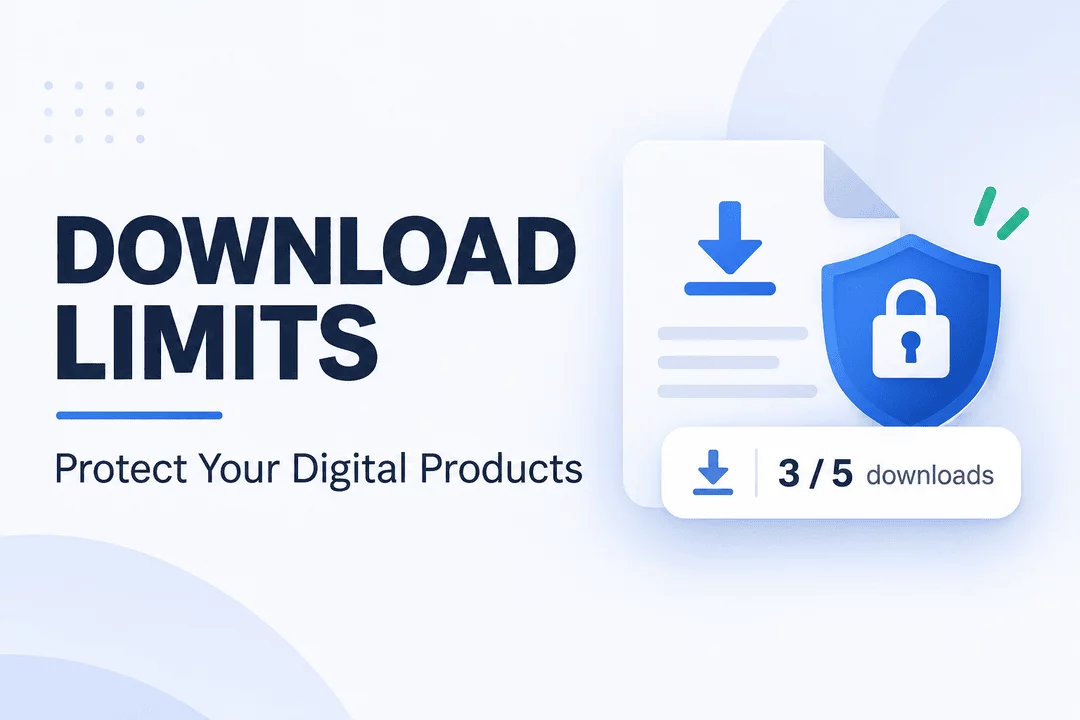
For example, if you sell an ebook and set a download limit of three, the customer can download that file up to three times. Once the limit is reached, additional download attempts are blocked according to your delivery settings.
These restrictions help prevent excessive downloading and discourage customers from sharing their purchased files with others.
Depending on your digital delivery solution, you may be able to configure different limits for different products or files.
Common examples include:
- Ebooks and PDFs: Allow customers a limited number of downloads after purchase.
- Software and plugins: Restrict repeated downloads of installation files.
- Digital templates: Prevent unlimited access to downloadable design resources.
- Online courses: Control access to downloadable course materials.
- Audio and video files: Reduce unauthorized redistribution of purchased content.
Download limits are especially useful for businesses that sell valuable digital assets and want greater control over file distribution.
Why Are Download Limits Important for Digital Products?
Unlike physical products, digital files can be copied and shared without creating another physical item. Once a customer downloads a file, they may be able to duplicate it or distribute it online.
This creates several challenges for digital product sellers.
Here are the main reasons download limits are important.
1. Prevent Unauthorized File Sharing
One of the biggest challenges of selling digital products is unauthorized sharing.
A customer might purchase a premium ebook, download it, and share the original file with friends or online communities. Other people can then access your content without purchasing it.
Download limits make repeated access more difficult by restricting the number of downloads available to each customer.
Although they cannot prevent someone from sharing a file after downloading it, they can help reduce unnecessary download activity and discourage casual misuse.
2. Reduce Download Link Abuse
When digital products are delivered through download links, those links may sometimes be forwarded or shared with other people.
Without restrictions, multiple people could potentially use the same link to access a purchased file.
Download limits help control repeated downloads and reduce opportunities for shared-link abuse.
For additional protection, merchants can combine download limits with expiring links and other access restrictions.
3. Protect Premium Digital Content
Some digital products require considerable time, knowledge, and resources to create.
Examples include:
- Premium ebooks and educational guides.
- Professional design templates.
- Software applications and plugins.
- Photography collections.
- Exclusive business resources.
- Digital courses and training materials.
If these products are distributed without proper access controls, sellers may lose control over valuable content.
Setting reasonable download limits helps protect your digital assets and encourages customers to purchase through your official store.
4. Control Repeated Download Attempts
Customers sometimes download the same file repeatedly, either intentionally or accidentally.
While some repeated downloads are legitimate, excessive requests can create unnecessary bandwidth usage and additional file traffic.
Download limits allow merchants to define how many download attempts are permitted.
This helps manage file access more efficiently while giving genuine customers enough opportunities to download their purchases.
5. Create a More Controlled Customer Experience
Download limits are not only about security. They also help merchants establish clear rules for accessing digital purchases.
For example, a seller might allow five downloads for an ebook and three downloads for a software package.
Customers know what to expect, and merchants can manage digital delivery according to their business requirements.
The key is to choose reasonable limits that protect your products without making the purchasing experience frustrating.
How Do Download Limits Work on Shopify?
Download limits work through the digital delivery system connected to your Shopify store.
When a customer purchases a digital product, the delivery app provides access to the associated file or download link.
The system tracks download activity and checks whether the customer has remaining download attempts.
A typical process looks like this:
Step 1: Customer purchases a digital product
A customer orders an ebook, template, software package, or another downloadable item from your Shopify store.
Step 2: The download link is generated
Your digital delivery app provides a link that allows the customer to access the purchased file.
Step 3: The customer downloads the file
When the customer clicks the download link, the system processes the download request.
Step 4: Download activity is tracked
The system records the download attempt and checks the configured download limit.
Step 5: Further downloads are restricted
Once the customer reaches the maximum permitted downloads, additional attempts are blocked according to the app's settings.
This process helps merchants manage access without manually monitoring every download request.
Best Practices for Setting Download Limits
Choosing the right download limit is important. If your restrictions are too strict, legitimate customers may struggle to access their purchases. If they are too generous, they may provide less protection against repeated downloads.
Here are some practical recommendations.
1. Set Limits Based on Product Type
Different digital products have different download requirements.
For example:
Digital Product | Suggested Download Limit |
Ebooks and PDFs | 3–5 |
Software installers | 3–5 |
Design templates | 3–5 |
Audio files | 3–5 |
Large video files | 3–5 |
Course materials | 5–10 |
These are starting recommendations, not universal security rules. Adjust them based on file size, customer needs, and your product's delivery model.
2. Consider Your Customers' Needs
Customers may need to download a file more than once.
For example, someone purchasing an ebook might download it on a laptop, then need another download on a tablet.
Allowing a reasonable number of attempts helps customers access their purchases without unnecessary frustration.
3. Combine Download Limits with Expiring Links
Download limits control the number of downloads, while expiring links control how long a download link remains accessible.
Using both together provides an additional layer of protection.
For example, you could allow five downloads within seven days of purchase.
This means the customer has a reasonable opportunity to download the file, while the link becomes unavailable after the configured period.
4. Use Different Restrictions for Different Products
Not every product needs the same security settings.
A small PDF guide may require different restrictions from a premium software package or a large collection of digital files.
Configure download limits according to the value, size, and intended use of each product.
5. Make Your Download Policy Clear
Customers should understand how many downloads they receive and whether their links expire.
Include this information in your product descriptions, order confirmation emails, or download instructions.
Clear communication can reduce customer confusion and unnecessary support requests.
Download Limits vs. Expiring Download Links
Download limits and expiring links are two different methods of controlling digital product access.
Although they work well together, each serves a different purpose.
Feature | Download Limits | Expiring Links |
Main purpose | Restrict download attempts | Restrict access duration |
Controls | Number of downloads | Link availability period |
Helps prevent | Excessive repeated downloads | Long-term link sharing |
Best for | Managing download activity | Limiting access over time |
Can be combined? | Yes | Yes |
For example, a merchant can allow a customer to download a purchased ebook five times within seven days.
The download limit controls the number of attempts, while the expiration setting controls how long the link remains available.
Using both features creates a more controlled digital delivery process.
How Digitally Helps Protect Digital Products on Shopify
Managing digital product security manually can become difficult as your Shopify store grows.
You need a reliable way to deliver files, manage customer access, and control downloads without creating unnecessary work.
Digitally – Digital Products helps Shopify merchants manage digital product delivery with built-in features designed for secure and convenient distribution.
Here are some features that can help.
Download Limits
Digitally allows merchants to configure download limits to control how many times customers can download their purchased digital files.
This helps reduce repeated download activity and gives store owners greater control over digital file access.
Expiring Download Links
You can use expiring download links to limit how long customers can access their digital purchases.
Combining expiration settings with download restrictions provides additional control over file distribution.
Secure Digital File Hosting
Upload and deliver digital files through Digitally instead of relying on publicly accessible file-sharing links.
The app supports digital files up to 2GB, making it suitable for many types of downloadable products.
PDF Stamping
PDF stamping adds customer-specific information to supported PDF documents.
This can help discourage unauthorized redistribution by making shared copies easier to associate with their original purchase.
Automated Digital Delivery
Digitally automates file delivery after a successful purchase, reducing the need for manual fulfillment.
Customers can receive their digital products through automated email delivery and download pages.
Download Page Editor
Customize your download page to create a more consistent experience for customers accessing their purchased products.
Together, these features help Shopify merchants manage digital delivery while maintaining better control over their downloadable content.
If you want to simplify digital file delivery and manage download restrictions from one place, explore Digitally – Digital Products on the Shopify App Store.
Final Thoughts
Download limits are an important part of managing and protecting digital products on Shopify.
They help control repeated download attempts, reduce opportunities for unauthorized link sharing, and give merchants more control over how customers access purchased files.
However, download limits work best as part of a broader digital product security strategy. Combining them with expiring links, PDF stamping, and secure file delivery can provide additional protection for your digital assets.
Whether you're selling ebooks, software, templates, courses, or other downloadable products, setting the right restrictions can help create a safer and more reliable shopping experience.
With Digitally – Digital Products, Shopify merchants can simplify digital delivery while using practical tools to manage file access and protect their digital products.
Frequently Asked Questions
Download limits restrict the number of times a customer can download a purchased digital file. They help merchants control file access and reduce excessive download activity.
Download limits can discourage repeated downloads and unauthorized link sharing, but they cannot completely prevent piracy. Customers may still copy and redistribute files after downloading them.
A limit of three to five downloads is a reasonable starting point for many ebooks, PDFs, templates, and software files. However, the ideal number depends on the product and customer requirements.
Yes. Combining download limits with expiring links gives merchants control over both the number of download attempts and the duration of link availability.
Digitally – Digital Products provides download restrictions, expiring links, PDF stamping, and secure file delivery tools to help Shopify merchants manage and protect their digital products.
Yes. Download limits are useful for ebooks, software, plugins, templates, PDFs, and other downloadable products because they help control repeated access to purchased files.
Download limits for digital products
Shopify download limits
Digital Products
Download Limits
Digital Product Security
Digital Downloads
digitally

Digitally ‑ Digital Products
Sell files, e-books, license keys, promo codes & digital links
 Install Now