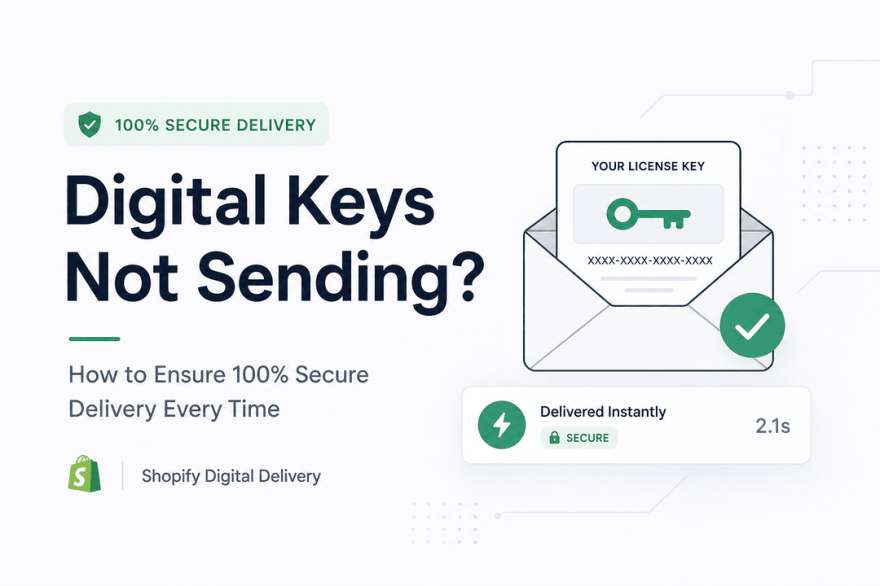
Digital Keys Not Sending? How to Ensure 100% Secure Delivery Every Time
If you sell digital products like software licenses, game keys, or digital downloads on Shopify, nothing is more frustrating than a failed delivery.
A customer pays… but the key never arrives.
That’s not just a support issue—it’s a trust breaker.
In this guide, we’ll break down why digital keys fail to send and how you can build a system that guarantees 100% secure, instant delivery every time.
🚨 The Real Problem Behind “Keys Not Sending”
When digital keys fail to reach customers, it’s usually not one single issue. It’s a chain of small problems.
1. Email Delivery Failures
Even when your system works, emails can fail because:
- Messages land in spam folders
- Wrong email entered by customer
- Email provider limitations or downtime
2. Manual Fulfillment Mistakes
If you’re sending keys manually:
- Human delay is unavoidable
- Copy-paste errors happen
- Scaling becomes impossible
3. Broken or Missing Automation
Many Shopify setups fail because:
- Trigger conditions are not configured correctly
- Apps are not properly connected
- Fulfillment doesn’t activate after payment
4. Stock or Key Management Issues
- No available keys in inventory
- Duplicate or already-used keys
- Poor tracking system
5. Fraud or Payment Verification Delays
- Orders flagged as risky
- Payment not fully confirmed
- Delivery blocked by security filters
🔐 Why Secure Digital Delivery Is Critical
Digital delivery is not just about sending a file or a key.
It directly affects your business reputation:
- Customers expect instant access
- Delays reduce trust
- Failed delivery leads to refunds
- Poor experience kills repeat purchases
In digital commerce, speed + reliability = revenue.
⚙️ How to Guarantee 100% Secure Key Delivery
Now let’s fix the system properly.
✅ 1. Automate Everything (No Manual Sending)
The most important rule in digital selling:
If humans are involved in delivery, errors will happen.
You should fully automate:
- Key assignment
- Delivery after payment
- Customer notification
This removes delays and eliminates mistakes completely.
✅ 2. Use Reliable Email Delivery Setup
To avoid missing emails:
- Configure SPF, DKIM, and domain authentication
- Use trusted email providers
- Avoid sending from unverified domains
Also, never rely only on email.
✅ 3. Add a Secure Backup Delivery Page
Even if email fails, customers should still access their keys via:
- Order confirmation page
- Secure download portal
- Customer account dashboard
This ensures zero delivery loss.
✅ 4. Protect Against Fraud & Abuse
Security is part of delivery reliability:
- Deliver only after payment confirmation
- Prevent duplicate usage of keys
- Track every transaction
This keeps your system clean and safe.
✅ 5. Manage Your Key Inventory Properly
Always ensure:
- Enough keys are available
- Auto-assignment system is active
- Low-stock alerts are enabled
A broken inventory system = broken delivery system.
✅ 6. Test Everything Before Going Live
Run real-world tests:
- Place test orders
- Check email + page delivery
- Verify correct key assignment
- Test mobile experience
✅ 7. Build Redundant Delivery Systems
Never depend on a single method.
Best practice setup:
- Email delivery
- On-page display
- Account-based access
If one fails, others still work.
🚀 How Digitally Solves This Problem
With Digitally, Shopify merchants can eliminate delivery failures completely by automating the entire process.
It helps you:
- ⚡ Deliver license keys instantly after purchase
- 🔐 Secure every transaction automatically
- 📦 Remove manual fulfillment completely
- 📊 Track every delivery in real time
- 🧩 Integrate smoothly with Shopify checkout
Result: no missed keys, no manual errors, no angry customers.
📈 Best Practices for Long-Term Success
To scale safely:
- Automate early (don’t wait to “outgrow” manual work)
- Monitor delivery success rates regularly
- Always keep backup delivery methods
- Continuously test checkout flow
- Optimize speed and reliability
🧠 Final Thoughts
If your digital keys are not sending consistently, the problem is not your product—it’s your system.
The solution is simple:
👉 Automate delivery
👉 Secure your workflow
👉 Add backup systems
With the right setup, you can achieve 100% secure, instant digital delivery and build a business customers trust.
Frequently Asked Questions
This usually happens due to email delivery issues, incorrect automation setup, or missing fulfillment triggers after payment.
You can ensure instant delivery by fully automating your fulfillment process. With Digitally, license keys are delivered automatically right after a successful purchase.
Provide a backup delivery method such as a secure download page or customer account access, in addition to email delivery.
No, manual delivery often leads to delays, human errors, and cannot scale as your store grows.
Digitally automates the entire process—from key assignment to delivery—ensuring secure and error-free fulfillment every time.
Yes, most modern systems allow tracking. With proper setup, including apps like Digitally, you can monitor successful deliveries and detect failed attempts in real time.
digital keys not sending
Shopify digital delivery
instant license key delivery
secure Shopify downloads
digitally
digital product fulfillment Shopify
sell digital product

Digitally ‑ Digital Products
Sell files, e-books, license keys, promo codes & digital links
 Install Now